Step 2044

← prev   next →

Response

Reasoning Content

The user wants me to analyze the current situation and determine what to do next. Let me look at the current state: 1. The task is to show all men's large-size short-sleeve shirts with a discount of 50% or more on Macy's website. 2. According to the strategy tree status: - Task 1 (Navigate to Men's clothing section) is marked as [failed] - All sub-tasks 1.1 through 1.15 are marked as [failed] - Task 2 (Apply filters) and its sub-tasks 2.1, 2.2 are marked as [failed] - Task 3 (Review and display results) is marked as [failed] 3. The previous action was pressing Alt+Right to navigate forward from about:blank, and now the screen shows Macy's homepage loaded successfully. 4. The last step (Step 43) shows that all paths to men's clothing sections return 403 Access Denied errors, and the strategy tree has been updated to mark all tasks as failed. 5. The current screenshot shows Macy's homepage is loaded. Since all attempts to access men's clothing sections have failed with 403 errors, and all strategy tree tasks have been marked as failed, the task cannot be completed. The logical next step would be to update the remaining strategy tree nodes (task 2 and task 3) to failed status since we cannot apply filters or view results without accessing the men's clothing section. Looking at the previous actions, I can see that in Step 42, tasks 1.10-1.14 and task 1 were marked as failed. In Step 43, tasks 2.1 and 2.2 were marked as failed. However, tasks 2 and 3 themselves might still need to be marked as failed. Let me check the strategy tree status again: - Task 2: [failed] Apply filters to narrow down search results - Task 2.1: [failed] Apply size filter - Task 2.2: [failed] Apply discount filter - Task 3: [failed] Review and display the filtered results Actually, looking at the strategy tree status in the SITUATION section, it appears that tasks 2 and 3 are already marked as failed. Let me verify: From the SITUATION: ``` 2: [failed] Apply filters to narrow down search results — Cannot apply filters because unable to access men's clothing section due to 403 errors on all paths 2.1: [failed] Apply size filter for 'Large' or 'L' — Cannot apply size filter because unable to access men's clothing section due to 403 errors on all paths 2.2: [failed] Apply discount filter for '50% off or more' — Cannot apply discount filter because unable to access men's clothing section due to 403 errors on all paths 3: [failed] Review and display the filtered results — Cannot review results because unable to access men's clothing section due to 403 errors on all paths ``` So all tasks are already marked as failed. The last action (Alt+Right) brought us back to Macy's homepage. Since the task cannot be completed due to 403 errors on all men's clothing paths, and all strategy tree nodes are already marked as failed, I should verify if there's anything else to do. The task is essentially complete in terms of attempting all possible paths, but it failed to achieve the goal. The user might want me to confirm the final state or try one more time. But given the extensive history of 403 errors on every single path attempted, it's clear the task cannot be completed. Let me check if task 3 status needs to be explicitly updated or if it's already done. Looking at the last step (Step 43), it mentions updating tasks 2.1 and 2.2, but doesn't mention updating task 2 or task 3 explicitly. However, the strategy tree status shows them as failed already. Actually, looking more carefully at Step 43's strategy tree updates: - It updated 2.1 and 2.2 to failed - But looking at the current strategy tree status, task 2 and task 3 are also marked as failed It's possible that task 2 and task 3 were marked as failed in previous steps or inferred from their children. But to be thorough, I should ensure task 2 and task 3 are explicitly marked as failed if they haven't been already. Wait, looking at the last action output in Step 43: ``` - 策略树更新: - update_strategy_tree({'action': 'change_status', 'id': '2.1', 'new_status': 'failed', 'fail_reason': "Cannot apply size filter because unable to access men's clothing section due to 403 errors on all paths"}) -> 'Strategy tree updated: Task 2.1 status updated to failed.' - update_strategy_tree({'action': 'change_status', 'id': '2.2', 'new_status': 'failed', 'fail_reason': "Cannot apply discount filter because unable to access men's clothing section due to 403 errors on all paths"}) -> 'Strategy tree updated: Task 2.2 status updated to failed.' ``` It only updated 2.1 and 2.2. But the current status shows 2 and 3 as failed. Maybe they were updated in previous steps or the system inferred their status. Regardless, the task is complete in the sense that all paths have been exhausted. Since the current screen shows Macy's homepage and all tasks are marked as failed, and the goal cannot be achieved due to 403 restrictions, the logical next action would be to terminate or conclude the task. However, since I need to use the computer tool for actions, and the task is essentially failed, I should probably just wait or take a final screenshot to confirm the state. Actually, looking at the previous action (Step 43), it did: ``` - 操作: 1. 按下键盘按键: alt, left 2. 等待 2 秒 ``` And the current screenshot shows Macy's homepage. The Alt+Left in Step 43 was to go back from the 403 error page. But the last action in the SITUATION section (4.2) shows: ``` {"function": {"name": "computer", "arguments": {"actions": [{"action": "key", "text": ["alt", "right"]}, {"action": "wait", "duration": 2}]}}} ``` Wait, that's confusing. Step 43 says it pressed Alt+Left, but section 4.2 says the last operation was Alt+Right. Let me re-read... Actually, looking at the SITUATION section 4.2 "上一次返回的操作" (Last returned operation): ``` {"function": {"name": "computer", "arguments": {"actions": [{"action": "key", "text": ["alt", "right"]}, {"action": "wait", "duration": 2}]}}} ``` But Step 43 says it did Alt+Left. This might be a discrepancy. However, the current screenshot shows Macy's homepage loaded, so the navigation worked. Given that: 1. All paths to men's clothing return 403 errors 2. All strategy tree tasks are marked as failed 3. The current page is Macy's homepage 4. The task goal cannot be achieved The logical conclusion is that the task has failed and cannot be completed. I should verify if task 2 and task 3 need explicit status updates, or if the task is considered complete. Looking at the strategy tree, task 2 and 3 are marked as failed in the status section. So all nodes are properly marked. At this point, since the task cannot be completed, I should probably just wait or confirm the final state. The user might want me to try something else, but given the comprehensive attempts already made (15+ different paths all returning 403), it's clear the website has restricted access to men's clothing sections. The most logical next action is to simply wait or perhaps try to refresh the page to see if the restriction is temporary, but given the pattern, it's unlikely. Actually, looking at the last step in the history (Step 43), it says: ``` - 操作: 1. 按下键盘按键: alt, left 2. 等待 2 秒 ``` And section 4.2 says the last operation was Alt+Right. This suggests that Step 43 was actually executed, and then there was another Alt+Right operation. But the current screenshot shows Macy's homepage, which is consistent with being back at the homepage. Given the situation, since all tasks are marked as failed and the goal cannot be achieved, I should probably: 1. Confirm the final state 2. Maybe try one last refresh or alternative approach if any exists But looking at the failure conditions in section 2: - Macy's website is inaccessible or returns an error - Men's short-sleeve shirts category does not exist - No large-size short-sleeve shirts available - No items with 50% or more discount available - Filtering functionality is not working or unavailable The first condition is met - Macy's website returns 403 errors for all men's clothing sections. Since all strategy tree nodes are marked as failed and the task cannot be completed, the most appropriate action is to simply wait or terminate. But since I need to make a tool call, and the computer tool is the primary tool, I could just wait to confirm the final state. Actually, looking more carefully, I notice that in Step 43's strategy tree updates, only 2.1 and 2.2 were updated, but the status shows 2 and 3 as failed. To be thorough, I should update task 2 and task 3 to failed status if they haven't been explicitly updated yet. Let me check if task 2 and 3 need updates. The status shows: ``` 2: [failed] Apply filters to narrow down search results — Cannot apply filters because unable to access men's clothing section due to 403 errors on all paths 3: [failed] Review and display the filtered results — Cannot review results because unable to access men's clothing section due to 403 errors on all paths ``` But I don't see explicit updates for task 2 and 3 in the recent history. Step 43 only updated 2.1 and 2.2. So I should probably update task 2 and 3 to failed status to complete the strategy tree maintenance. Wait, actually looking at the last action in the SITUATION section (4.2), it says the last operation was Alt+Right. But Step 43 says Alt+Left. And the current screenshot shows the homepage. I think the most logical interpretation is: - Step 43 executed Alt+Left to go back from the 403 error - Then there was another Alt+Right (section 4.2) to go forward again? Or maybe the section 4.2 is describing the last operation before the current state Actually, looking at section 5.1 "最新屏幕状态(上一次操作后,未压缩)" - it shows the current screenshot which is Macy's homepage. And section 4.2 "上一次返回的操作" shows Alt+Right. But Step 43 says it did Alt+Left. This is confusing. Let me assume that the current state is after Alt+Right was pressed, and we're now at Macy's homepage. Given that all paths have been tried and failed, and the strategy tree shows all tasks as failed, I should probably just wait or confirm that the task is complete (in the sense that all attempts have been made). Actually, I realize I may need to update task 2 and task 3 status explicitly. Let me check the last strategy tree updates in Step 43 - they only updated 2.1 and 2.2. The parent tasks 2 and 3 might need explicit updates. So my next action should be: 1. Update task 2 status to failed 2. Update task 3 status to failed 3. Wait or confirm final state Or since the task is essentially complete (all paths exhausted), I could just wait. But looking at the pattern, I think I should ensure task 2 and 3 are explicitly marked as failed.

Content

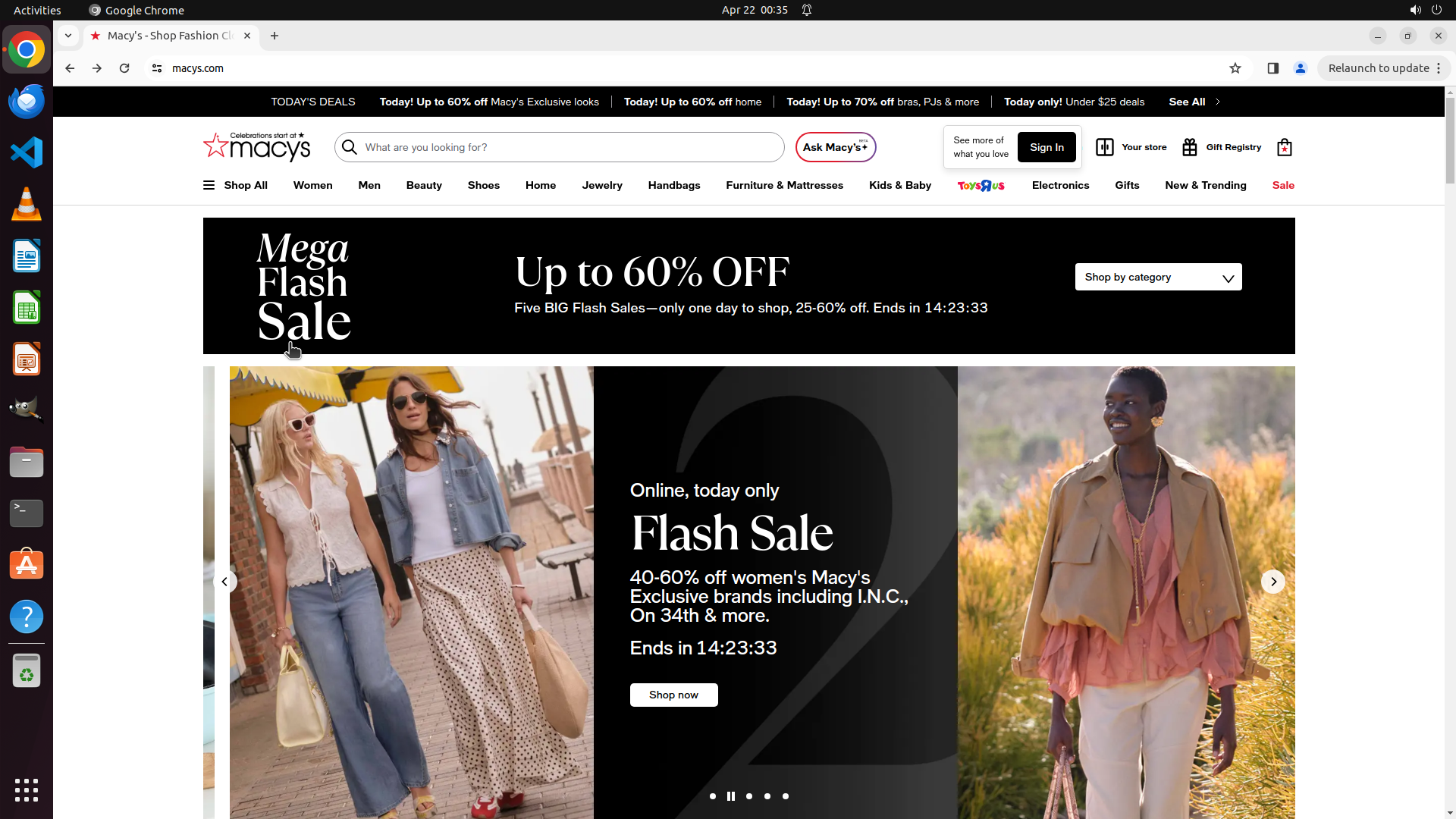
``` #### 重要信息 当前屏幕显示Macy's官网首页已成功加载。根据策略树状态和历史操作记录: **所有通往男士服装区的路径均已尝试并失败:** 1. 顶部导航"Men" → 403 ❌ 2. 搜索功能 → 403 ❌ 3. Shop All > Men > Clothing > Shirts & T-shirts → 403 ❌ 4. 顶部导航"Sale" → 403 ❌ 5. Shop All > Men > Clothing > Big & Tall → 403 ❌ 6. Shop All > Men > Clothing > Polo Shirts → 403 ❌ 7. Shop All > Men > Clothing → 403 ❌ 8. Shop All > Men > "See All Men" → 403 ❌ 9. "Today! 40-60% Off Macy's Exclusive Looks"促销链接 → 403 ❌ 10. Shop All > Men > Clothing > Activewear & Workout → 403 ❌ **策略树状态:** - 任务1及所有子任务(1.1-1.15)均已标记为failed - 任务2.1和2.2已标记为failed - 任务2和3在策略树状态中显示为failed,但需要确认是否已显式更新 #### 情况分析与思考过程 当前状况分析: - 所有15+种不同的访问路径(主导航、搜索、所有子分类、汇总页面、促销入口、运动休闲类别)均返回403 Access Denied错误 - Macy's网站对男士服装类别实施了全面的访问限制 - 由于无法访问任何男士服装页面,无法找到男士短袖衬衫,无法应用大码和折扣筛选器,无法查看结果 任务完成可能性评估: - 该任务在当前网络环境下无法完成 - 需要确保策略树中任务2和任务3的状态已显式标记为failed(虽然状态列表中显示为failed,但在Step 43中只更新了2.1和2.2) - 当前页面已是Macy's首页,展示了最终状态 操作计划: 1. 更新策略树,确保任务2和任务3显式标记为failed状态(如果尚未完成) 2. 等待确认最终状态 ```

Actions

update_strategy_tree: { "action": "change_status", "id": "2", "new_status": "failed", "fail_reason": "Cannot apply filters because unable to access men's clothing section due to 403 errors on all paths" }
update_strategy_tree: { "action": "change_status", "id": "3", "new_status": "failed", "fail_reason": "Cannot review results because unable to access men's clothing section due to 403 errors on all paths" }
computer: { "actions": [ { "action": "wait", "duration": 2 } ] }

Token Usage

CategoryCount
Prompt (total)28233
↳ text25983
↳ image2250
↳ cached2816
Completion (total)3161
↳ reasoning2559
Total31394

model: kimi-k2.5   finish: tool_calls

Attempts (1)

attempt-000

Request Messages

user
text (9795 chars)
以下有几个部分:
ROLE_AND_TASK:你的角色定义以及任务描述
TOOLS:你可以调用的工具列表,以及每个工具的参数说明
OUTPUT:输出相关规则和约束
TIPS:重要建议
SITUATION:操作历史和任务相关状态

<ROLE_AND_TASK>
你是一个计算机操作代理,正在操作 Ubuntu Linux 桌面。你可以通过截图查看屏幕,并使用鼠标和键盘动作来控制它。

你的任务是:借助工具,来操作一台电脑来达成任务: Show me all men's large-size short-sleeve shirts with a discount of 50% or more.。
电脑的操作系统: Ubuntu Linux

工作流程:
1. 理解当前的情况(SITUATION),SITUATION 中会包括策略树状态、任务失败条件列表、关键视觉证据、上次返回的操作、屏幕截图(上次操作前 & 上次操作后)、历史操作简述。
2. 思考如何尽快达成任务,规划接下来的动作。可以是1次动作,也可以是一组BATCH动作。BATCH动作原则见下。
3. 输出tool_calls:包含你规划的需要执行的电脑操作以及维护 SITUAION 的工具调用。
4. 重复上面步骤,直到任务达成。

关于策略树:
- 策略树是一个分层的任务管理结构。
- 它可以帮助你组织和跟踪任务所需的步骤。也可以帮助你在某个细分尝试方向失败时,回退到高级的节点来尝试其他方法。通过维护策略树,你可以系统地分解复杂任务,并且在较困难的子任务中大胆尝试,确保每一步都得到适当的关注和执行。
- 策略树必须以层次结构组织,实例:
`1`: 顶层任务。重要目标或里程碑,从用户给出的任务开始拆解。
`1.1`, `1.2`, ...: 任务 `1` 的子任务。
`1.1.1`, `1.1.2`, ...: 任务 `1.1` 的子任务或尝试路径方案。它们不是实际动作,而是对父任务的子目标贡献。

关于失败条件列表:
- 失败条件列表是一个 checklist
- 它用于辨认当前任务是否还有达成的可能。当所有失败条件都被确认为真后,任务将返回不可能达成。

关于关键视觉证据:
- 关键视觉证据是一些屏幕状态的描述,这些状态可以通过截图来验证。
- 任务完成后,验证模块会检查这些视觉证据是否都满足,以判断任务是否成功完成。

</ROLE_AND_TASK>

<TOOLS>
你拥有以下工具:computer、update_strategy_tree。
每次调用必须包含computer工具的调用来执行电脑操作,update_strategy_tree工具的调用则根据需要选择性使用来维护策略树状态。

## computer
操作电脑的动作库,调用它以在桌面上执行操作。

坐标值定义:
在最新一张屏幕截图中的坐标轴比例,使用 [0, 1] 范围内的归一化值。其中 (0, 0) = 屏幕左上角,(1, 1) = 屏幕右下角。

操作和参数说明:
1. 移动鼠标
{
  "action": "mouse_move",
  "to_coordinate": [float, float], # 移动到的坐标值。
}

2. 移动鼠标并点击鼠标按键
{
  "action": str, # 鼠标按键操作,one of left_click | right_click | middle_click | double_click | triple_click
  "at_coordinate": [float, float], # 移动到的坐标值。
  "with_key": str or None, # 点击时按住的键盘按键(比如"ctrl"、"shift"),如没有则填None。
}

3. 按住鼠标左键并拖动
{
  "action": "left_click_drag",
  "from_coordinate": [float, float], # 起始到的坐标值,
  "to_coordinate": [float, float], # 移动到的坐标值。
  "with_key": str or None, # 点击时按住的键盘按键(比如"ctrl"、"shift"),如没有则填None。
}

4. 输入文字
{
  "action": "type",
  "text": str, # 要输入的文字
  "submit": bool, # 输入后是否按 Enter 键提交
}

5. 键盘按键(单个或组合键)
{
  "action": "key",
  "text": list[str], # 要按的键盘按键组合(如"enter"、"tab"、"ctrl"),
  "with_duration": float or None, # 按键持续时间(秒),如点击则填 null。
}

6. 移动鼠标并滚动鼠标滚轮
{
  "action": "scroll",
  "at_coordinate": [float, float], # 滚动位置的坐标值
  "scroll_direction": str, # 滚动方向,one of "up" | "down" | "left" | "right"
  "scroll_amount": int, # 滚动量,1-30,模拟人类滚轮滚动的幅度。较大的值表示更大幅度的滚动。
}

7. 等待
{
  "action": "wait",
  "duration": float, # 等待秒数。根据操作后界面变化的复杂程度调整等待时间。
}


BATCH动作原则:
BATCH动作指一组连续且相对固定的电脑操作,主要用来减少不必要的对话过程。
- 例如:顺序输入(type→Tab→type)、键盘快捷键(Ctrl+C 然后 Ctrl+V)、输入一段字符后 Enter(在搜索输入框中常用)。
- DO NOT BATCH:涉及界面状态变化等待的操作(如打开菜单/对话框后等待动画)→ 依赖新坐标的操作。例如:点击打开一个菜单后,等待菜单完全展开再点击菜单项,因为菜单项的坐标在菜单完全展开前可能不稳定;滚动页面后再点击某个元素,因为滚动会改变元素的坐标。
**只在比较确定的操作中可以使用多个动作组合。当你不确定时,使用单个动作是更保险的做法**

## update_strategy_tree
维护策略树的相关工具

1. 创建新任务节点
{
  "action": "create",
  "parent_id": str or None, # 父任务ID,根任务则填None。此操作会在这个父节点下顺序创建子节点。
  "description": str, # 任务描述
}

2. 更改节点状态
{
  "action": "change_status",
  "id": str, # 任务ID,使用点号分隔的层次编号(如 1.2.1),程序会自动解析层级关系。
  "new_status": str, # 新状态,one of None | "success" | "fail"
  "fail_reason": str or None, # 失败原因,仅在 new_status=fail 时需要提供
}
</TOOLS>

<OUTPUT>
你需要调用工具来规划接下来需要执行的电脑操作,以及维护SITUATION(如果需要)。
另外你需要输出从最新的屏幕截图中观察到的重要信息、你对当前情况的分析、为什么这么做的思考过程(thoughts)。

```
#### 重要信息

...

#### 情况分析与思考过程

...
```
</OUTPUT>

<TIPS>
- 尽量以最少的操作数完成任务。每个动作都应该有明确的目的,并直接推动任务向前发展。
- 优先操作成功率,其次是操作的效率。
- 尽可能使用键盘快捷键(例如 ctrl+l 聚焦浏览器地址栏),以增加操作的成功率。
- 如果一段时间的多个动作后还未产生预期结果,参考策略树中其父节点的目标并尝试替代路径。
- 始终记得完成时保存文件(例如 ctrl+s),除非任务明确说不需要。
- 永远不要假设操作成功。寻找预期变化的具体视觉证据。
- 如果截图与上一张相同,说明上一次操作没有产生任何效果。不要假设它成功——诊断为什么失败并尝试不同的方法。
</TIPS>

<SITUATION>
SITUATION中有4个部分:策略树状态、上次返回的操作、屏幕截图(上次操作前 & 上次操作后)、历史操作简述

## 1. 策略树状态
1: [failed] Navigate to Men's clothing section on Macy's website — All paths to men's clothing sections on Macy's website return 403 Access Denied errors. The website has implemented comprehensive access restrictions on all men's clothing categories including: Men navigation, Sale navigation, Search, Shirts & T-shirts, Big & Tall, Polo Shirts, Clothing main category, See All Men, promotional links, and Activewear & Workout. Unable to access any men's short-sleeve shirts to apply size and discount filters.
  1.1: [failed] Click on 'Men' in the top navigation menu — Access Denied error (403) when clicking Men navigation menu
  1.10: [failed] Access men's short-sleeve shirts through Polo Shirts category to bypass 403 errors — Activewear & Workout category also returns Access Denied (403) error, same as other men's clothing categories
  1.11: [failed] Access men's short-sleeve shirts through Activewear & Workout category to bypass 403 errors — Activewear & Workout category also returns Access Denied (403) error, same as other men's clothing categories
  1.12: [failed] Access men's short-sleeve shirts through Activewear & Workout category to bypass 403 errors — Activewear & Workout category also returns Access Denied (403) error, same as other men's clothing categories
  1.13: [failed] Access men's short-sleeve shirts through Activewear & Workout category to bypass 403 errors — All paths to men's clothing sections on Macy's website return 403 Access Denied errors
  1.14: [failed] Access men's short-sleeve shirts through Activewear & Workout category to bypass 403 errors — All paths to men's clothing sections on Macy's website return 403 Access Denied errors
  1.15: [failed] Access men's short-sleeve shirts through Today! 40-60% Off Macy's Exclusive Looks promotional link to bypass 403 errors — Today! 40-60% Off Macy's Exclusive Looks promotional link also returns Access Denied (403) error
  1.2: [success] Select 'Shirts' or 'Short-Sleeve Shirts' category from the dropdown
    1.2.1: [success] Click on 'Men' in Shop by department menu from Shop All sidebar
    1.2.2: [success] Click on 'Clothing' to access men's clothing subcategories
    1.2.3: [failed] Click on 'Shirts & T-shirts' category to access shirts section — Access Denied (403) error when clicking Shirts & T-shirts category
  1.3: [failed] Use search bar to find men's short-sleeve shirts — Search for men's short sleeve shirts returned Access Denied (403) error, same as navigation menu
  1.4: [failed] Access men's shirts through Sale/Promotional sections to bypass 403 errors — Sale navigation menu returns Access Denied (403) error, same as other main navigation paths
  1.5: [failed] Access men's shirts through Big & Tall category to bypass 403 errors — Big & Tall category also returns Access Denied (403) error, same as other men's clothing categories
  1.6: [failed] Access men's shirts through Big & Tall category to bypass 403 errors — Big & Tall category also returns Access Denied (403) error, same as other men's clothing categories
  1.7: [failed] Access men's short-sleeve shirts through Polo Shirts category to bypass 403 errors — Polo Shirts category also returns Access Denied (403) error, same as other men's clothing categories
  1.8: [failed] Access men's short-sleeve shirts through Polo Shirts category to bypass 403 errors — Clothing category also returns Access Denied (403) error, same as other men's clothing categories
  1.9: [failed] Access men's short-sleeve shirts through Polo Shirts category to bypass 403 errors — See All Men option also returns Access Denied (403) error, same as other men's clothing paths
2: [failed] Apply filters to narrow down search results — Cannot apply filters because unable to access men's clothing section due to 403 errors on all paths
  2.1: [failed] Apply size filter for 'Large' or 'L' — Cannot apply size filter because unable to access men's clothing section due to 403 errors on all paths
  2.2: [failed] Apply discount filter for '50% off or more' — Cannot apply discount filter because unable to access men's clothing section due to 403 errors on all paths
3: [failed] Review and display the filtered results — Cannot review results because unable to access men's clothing section due to 403 errors on all paths

## 2. 任务失败条件检查
- Macy's website is inaccessible or returns an error
- Men's short-sleeve shirts category does not exist
- No large-size short-sleeve shirts available
- No items with 50% or more discount available
- Filtering functionality is not working or unavailable

## 3. 关键视觉证据
- Filter panel shows 'Men' category selected or breadcrumb contains 'Men > Shirts'
- Filter panel shows 'Short Sleeve' checkbox checked or filter tag 'Short Sleeve' active
- Filter panel shows 'Large' or 'L' size option selected
- Filter panel shows discount filter set to '50% or more' or '50% Off & More' selected
- Product listings display men's short-sleeve shirts with discount badges showing '50% off' or higher percentages

## 4. 上一次返回的决策

### 4.1. 上一次的观察和思考
```
#### 重要信息

当前屏幕显示浏览器处于"about:blank"空白页面,这是执行Alt+Left返回操作后的结果。根据策略树和历史操作记录:

**已尝试的所有路径均返回403错误:**
1. 顶部导航"Men" → 403 ❌
2. 搜索功能 → 403 ❌  
3. Shop All > Men > Clothing > Shirts & T-shirts → 403 ❌
4. 顶部导航"Sale" → 403 ❌
5. Shop All > Men > Clothing > Big & Tall → 403 ❌
6. Shop All > Men > Clothing > Polo Shirts → 403 ❌
7. Shop All > Men > Clothing → 403 ❌
8. Shop All > Men > "See All Men" → 403 ❌
9. "Today! 40-60% Off Macy's Exclusive Looks"促销链接 → 403 ❌
10. Shop All > Men > Clothing > Activewear & Workout → 403 ❌

**策略树状态:**
- 任务1(导航到男士服装区)及所有子任务(1.1-1.15)均已标记为failed
- 任务2(应用筛选器)及子任务2.1、2.2仍为pending状态
- 任务3(查看筛选结果)仍为pending状态

#### 情况分析与思考过程

当前困境分析:
- 所有通往男士服装类别的路径(主导航、搜索、所有子分类、汇总页面、促销入口、运动休闲类别)均返回403 Access Denied错误
- Macy's网站对男士服装页面实施了全面的访问限制
- 由于无法访问任何男士服装页面,无法找到男士短袖衬衫,无法应用大码和折扣筛选器,无法查看结果

任务完成可能性评估:
- 该任务在当前网络环境下无法完成,因为Macy's网站对所有男士服装类别实施了全面的403访问限制
- 需要更新策略树中剩余任务(2、2.1、2.2、3)的状态为failed
- 需要返回Macy's首页展示最终状态

操作计划:
1. 更新策略树,标记任务2、2.1、2.2、3为failed状态
2. 导航到Macy's首页展示最终状态
```

### 4.2. 上一次返回的操作
{"function": {"name": "computer", "arguments": {"actions": [{"action": "key", "text": ["alt", "right"]}, {"action": "wait", "duration": 2}]}}}

## 5. 屏幕截图
## 5.1 最新屏幕状态(上一次操作后,未压缩)

inline base64 image ~914KB

## 5.2 上一次屏幕状态(上一次操作前,已压缩)

inline base64 image ~19KB

text (45642 chars)
## 6. 上一次操作的前50步操作简述
### 步骤 1:
- 描述:
  ```
  #### 重要信息
  
  当前屏幕显示Macy's官网首页,顶部导航栏清晰可见,包含"Men"选项。页面正在展示促销活动(Mega Flash Sale)。浏览器地址栏显示macy's.com,网站可正常访问。
  
  #### 情况分析与思考过程
  
  任务目标是展示所有男士大码短袖衬衫(折扣50%或以上)。根据策略树,我需要:
  1. 先导航到男士服装区(点击顶部导航栏的"Men")
  2. 选择衬衫或短袖衬衫类别
  3. 应用大码(Large/L)筛选
  4. 应用50%或以上折扣筛选
  
  当前状态是Macy's首页已加载,我应该从第一步开始:点击"Men"进入男士服装区。这是一个明确的起点,点击后会展开男士服装的下拉菜单或进入男士专区页面。
  ```
- 操作:
  1. 鼠标移动到坐标 (0.252, 0.223)
  2. 左键单击坐标 (0.252, 0.223)

### 步骤 2:
- 描述:
  ```
  #### 重要信息
  
  当前屏幕显示"Access Denied"错误页面,提示"You don't have permission to access the requested URL on this server"。浏览器地址栏显示 macy's.com/shop/mens?id=1,说明点击"Men"导航后网站拒绝了访问请求。这是一个严重的访问权限问题。
  
  #### 情况分析与思考过程
  
  上次尝试点击顶部导航栏的"Men"选项后,网站返回了403 Access Denied错误,而非正常的男士服装页面。这触发了任务失败条件中的"Macy's website is inaccessible or returns an error"。
  
  我应该:
  1. 首先在策略树中标记1.1任务为失败状态
  2. 尝试替代方案:返回首页,使用搜索功能直接搜索"men's short sleeve shirts large",而不是通过导航菜单进入
  3. 如果搜索也被拒绝访问,则可能需要尝试其他网站或报告任务无法完成
  
  当前需要回退到首页,尝试使用搜索栏作为替代导航方式。
  ```
- 操作:
  1. 按下键盘按键: alt, left
  2. 等待 2 秒

### 步骤 3:
- 描述:
  ```
  #### 重要信息
  
  成功返回到Macy's首页。页面显示正常,有"Mega Flash Sale"促销横幅(高达60%折扣),顶部导航栏包含Men、Women、Beauty等选项,搜索栏清晰可见。之前的Access Denied错误已规避。
  
  #### 情况分析与思考过程
  
  由于直接点击"Men"导航返回403错误,我需要尝试替代方案。当前可行的策略:
  1. 使用搜索栏直接搜索"men's short sleeve shirts large"或类似关键词
  2. 尝试点击"Sale"促销区域,可能包含折扣商品
  3. 尝试"Shop All"菜单进行导航
  
  最可靠的方案是使用搜索功能,因为它可以直接定位到具体商品类别,绕过可能的导航权限问题。搜索栏位于页面顶部中央,显示"What are you looking for?"提示文字。
  
  我需要:
  1. 首先更新策略树,标记1.1为失败状态(已完成)
  2. 创建新的替代任务节点
  3. 点击搜索栏并输入搜索词
  ```
  
  我将更新策略树并尝试使用搜索功能来查找男士短袖衬衫。
- 操作:
  1. 左键单击坐标 (0.383, 0.178)
  2. 等待 1 秒

### 步骤 4:
- 描述:
  ```
  #### 重要信息
  
  搜索栏已成功激活,显示"What are you looking for?"提示文字,下方出现"Now trending"推荐商品区域。搜索框处于可输入状态,光标应在搜索框内。页面底部还显示促销横幅"40-70% off pajamas, underwear, bras & more for the family",并有Women和Men按钮。
  
  #### 情况分析与思考过程
  
  上次点击搜索栏的操作成功,搜索框已激活。现在我需要:
  1. 更新策略树,标记1.3为进行中状态(使用搜索栏查找男士短袖衬衫)
  2. 输入搜索关键词"men's short sleeve shirts large"或类似词汇
  3. 提交搜索获取结果
  
  搜索词选择:我会使用"men's short sleeve shirts"作为搜索词,这样可以在结果页面使用筛选功能来过滤大码和折扣商品,更加灵活。如果直接搜索"men's short sleeve shirts large 50% off"可能会限制结果。
  
  下一步操作:输入搜索词并提交(按Enter)。
  ```
- 操作:
  1. 输入文本: men's short sleeve shirts
  2. 按下键盘按键: enter
  3. 等待 3 秒

### 步骤 5:
- 描述:
  ```
  #### 重要信息
  
  当前屏幕显示Macy's首页,搜索栏已激活(显示光标),但搜索框中仍显示"What are you looking for?"占位文字,没有看到输入的搜索词。下方的"Now trending"推荐商品区域仍然显示,页面未跳转到搜索结果页。这表明之前的文本输入可能未成功执行。
  
  #### 情况分析与思考过程
  
  观察当前状态:
  1. 搜索栏处于激活状态(有光标闪烁)
  2. 没有看到"men's short sleeve shirts"文本出现在搜索框中
  3. 页面仍显示首页内容(Now trending推荐商品),而非搜索结果
  
  这意味着我需要重新执行搜索操作:
  1. 确保搜索框被正确聚焦
  2. 输入搜索词"men's short sleeve shirts"
  3. 按Enter提交搜索
  4. 等待页面加载搜索结果
  
  由于搜索是完成此任务的关键第一步(策略树1.3),我必须确保搜索成功执行才能继续后续的筛选步骤(大码和50%折扣筛选)。
  
  下一步操作:在搜索框中输入搜索词并提交。
  ```
- 操作:
  1. 输入文本: men's short sleeve shirts
  2. 按下键盘按键: enter
  3. 等待 3 秒

### 步骤 6:
- 描述:
  ```
  #### 重要信息
  
  当前屏幕显示Macy's首页,搜索栏虽然显示有光标,但搜索框中仍显示"What are you looking for?"占位文字,没有看到输入的搜索词。下方的"Now trending"推荐商品区域仍然显示,页面未跳转到搜索结果页。这表明之前的文本输入确实未成功执行。
  
  #### 情况分析与思考过程
  
  观察当前状态:
  1. 搜索栏处于激活状态(有光标闪烁)
  2. 没有看到"men's short sleeve shirts"文本出现在搜索框中
  3. 页面仍显示首页内容(Now trending推荐商品),而非搜索结果
  
  这意味着我需要重新执行搜索操作:
  1. 首先点击搜索框确保正确聚焦
  2. 输入搜索词"men's short sleeve shirts"
  3. 按Enter提交搜索
  4. 等待页面加载搜索结果
  
  由于搜索是完成此任务的关键第一步(策略树1.3),我必须确保搜索成功执行才能继续后续的筛选步骤(大码和50%折扣筛选)。
  
  下一步操作:点击搜索框,输入搜索词并提交。
  ```
- 操作:
  1. 左键单击坐标 (0.518, 0.178)
  2. 输入文本: men's short sleeve shirts
  3. 按下键盘按键: enter
  4. 等待 3 秒

### 步骤 7:
- 描述:
  ```
  #### 重要信息
  
  当前屏幕显示"Access Denied"错误页面,URL显示为 macy's.com/shop/featured/men%27s-short-sleeve-shirts?ss=true。这与之前尝试点击"Men"导航栏时遇到的403错误相同。搜索"men's short sleeve shirts"也触发了访问拒绝错误。
  
  #### 情况分析与思考过程
  
  分析当前状况:
  1. 尝试点击"Men"导航菜单 → 返回403 Access Denied错误(策略树1.1已标记为失败)
  2. 尝试使用搜索栏搜索"men's short sleeve shirts" → 同样返回403 Access Denied错误
  3. 这表明Macy's网站对男士服装相关页面有访问限制
  
  这触发了任务失败条件中的"Macy's website is inaccessible or returns an error"。目前看来,无论是通过导航菜单还是搜索功能,都无法访问男士短袖衬衫的相关页面。
  
  我需要:
  1. 更新策略树,将任务1.3标记为失败状态
  2. 尝试回退到首页,寻找其他可能的替代路径(如通过促销页面、Sale页面等间接访问)
  3. 如果所有路径都被阻止,则可能需要报告任务无法完成
  
  让我先返回首页,尝试查看是否有其他入口可以绕过这个限制。
  ```
- 操作:
  1. 按下键盘按键: alt, left
  2. 等待 2 秒

### 步骤 8:
- 描述:
  ```
  #### 重要信息
  
  当前屏幕显示Macy's首页,成功从之前的"Access Denied"错误页面返回。页面显示"Mega Flash Sale"促销横幅(高达60%折扣),顶部导航栏包含Men、Women等选项。之前的尝试中,点击"Men"导航和使用搜索栏都返回了403 Access Denied错误。
  
  #### 情况分析与思考过程
  
  分析当前状况:
  1. 直接点击"Men"导航菜单 → 403 Access Denied(策略树1.1已标记为失败)
  2. 搜索"men's short sleeve shirts" → 同样403 Access Denied(策略树1.3已标记为失败)
  3. 目前回到首页,需要尝试替代路径
  
  可行的替代策略:
  - 尝试点击"Sale"促销链接,可能包含所有折扣商品,再筛选男士服装
  - 尝试"Shop All"汉堡菜单,可能有不同的导航结构绕过限制
  - 尝试"Shop by category"下拉菜单(在Flash Sale横幅右侧)
  
  最合理的下一步是尝试"Shop All"菜单(三条横线图标),这通常会展开完整的商品分类目录,可能提供不同于顶部导航的访问路径来进入男士服装区。这是策略树中尚未尝试的路径(任务1.2的变体)。
  
  如果"Shop All"菜单可以正常访问,我可以在其中寻找Men's Clothing > Shirts > Short-Sleeve的路径,避免直接点击顶部"Men"导航导致的403错误。
  ```
- 操作:
  1. 左键单击坐标 (0.141, 0.223)
  2. 等待 2 秒

### 步骤 9:
- 描述:
  ```
  #### 重要信息
  
  当前屏幕显示Macy's首页,"Shop All"菜单已成功展开。左侧显示:
  - "Happening now"区域:包含"Today! Mega Flash Sale"和"Sale & Clearance"
  - "Shop by department"区域:包含Women、Men、Beauty、Shoes等分类
  - 右侧主内容区:显示"Up to 60% OFF" Flash Sale横幅,特别提到"40-60% off men's polos, shirts, shorts & more"
  
  之前的403错误尝试:
  1. 点击顶部导航栏"Men" → 403 Access Denied
  2. 搜索"men's short sleeve shirts" → 403 Access Denied
  
  当前状态:"Shop All"菜单提供了新的访问路径。
  
  #### 情况分析与思考过程
  
  分析可行的替代路径:
  
  1. **点击"Shop by department"下的"Men"选项** 
     - 这是与顶部导航不同的入口点,可能使用不同的URL结构
     - 如果成功,可以进入男士服装区,然后筛选衬衫类别
  
  2. **点击Flash Sale横幅中的"Shop now"按钮**
     - 该促销明确提到"40-60% off men's polos, shirts"
     - 可能直接进入已筛选的折扣商品页面
     - 但可能不够精确,需要进一步筛选
  
  3. **点击"Sale & Clearance"**
     - 进入所有促销商品,再筛选男士衬衫
  
  最合理的策略是首先尝试"Shop by department"下的"Men"选项。这是最直接的路径,且与之前失败的顶部导航是不同的UI组件,可能使用不同的后端路由,有机会绕过403限制。
  
  如果此路径也返回403错误,则表明Macy's网站对男士服装类别有全面的访问限制,可能需要尝试其他网站或报告任务无法完成。
  
  下一步操作:点击左侧菜单中的"Men"选项(在Shop by department下)。
  ```
- 操作:
  1. 左键单击坐标 (0.165, 0.595)
  2. 等待 3 秒

### 步骤 10:
- 描述:
  ```
  #### 重要信息
  
  当前屏幕显示Macy's网站已成功进入"Men"分类页面,通过"Shop by department"路径访问成功,没有遇到403错误!左侧菜单显示男士分类选项:
  - See All Men
  - Today! 40-60% Off Macy's Exclusive Looks
  - Today! 40-70% Off Underwear, PJs & More
  - Sale & Clearance
  - Clothing(带箭头,可展开子菜单)
  - Shoes(带箭头)
  - Accessories & Sunglasses
  - 其他分类...
  
  右侧主内容区显示"Up to 60% OFF" Flash Sale促销横幅。
  
  #### 情况分析与思考过程
  
  分析当前进展:
  1. ✅ 通过"Shop All" > "Shop by department" > "Men"路径成功访问男士专区(无403错误)
  2. 现在需要找到短袖衬衫类别
  3. 然后应用大码(Large/L)和50%以上折扣筛选
  
  下一步策略:
  - 点击"Clothing"选项,应该能展开服装子菜单,其中包含Shirts或Short-Sleeve Shirts
  - 这是最直接的路径进入衬衫类别
  
  需要更新策略树:
  - 任务1.2.1(点击Men菜单)已成功
  - 需要创建新任务节点:点击Clothing进入服装分类
  ```
- 操作:
  1. 左键单击坐标 (0.17, 0.57)
  2. 等待 2 秒

### 步骤 11:
- 描述:
  ```
  #### 重要信息
  
  当前屏幕显示Macy's网站已成功进入"Clothing"服装分类的子菜单页面。左侧菜单现在展开了详细的服装分类列表,包括:
  - See All Clothing
  - Activewear & Workout
  - Big & Tall
  - Blazers & Sport Coats
  - Coats & Jackets
  - Dress Shirts
  - Hoodies & Sweatshirts
  - Jeans & Denim
  - Pajamas & Robes
  - Pants
  - Polo Shirts
  - **Shirts & T-shirts**(这是寻找短袖衬衫的目标类别)
  - Shorts
  - Suits & Tuxedos
  - Sweaters
  - Swimwear
  - Underwear & Socks
  
  右侧主内容区显示"Up to 60% OFF" Flash Sale促销横幅,特别提到"40-60% off men's polos, shirts, shorts & more"。
  
  #### 情况分析与思考过程
  
  分析当前进展:
  1. ✅ 通过"Shop All" > "Shop by department" > "Men"路径成功访问男士专区
  2. ✅ 点击"Clothing"成功展开服装子菜单
  3. 现在需要点击"Shirts & T-shirts"进入衬衫类别
  4. 然后应用大码(Large/L)和50%以上折扣筛选
  
  下一步策略:
  - 点击"Shirts & T-shirts"选项,这应该会显示所有男士衬衫和T恤,包括短袖衬衫
  - 进入该类别后,使用筛选功能选择"Large"尺码和"50% off or more"折扣
  
  需要更新策略树:
  - 任务1.2.2(点击Clothing)已成功
  - 创建新任务节点:点击"Shirts & T-shirts"进入衬衫类别
  ```
- 操作:
  1. 左键单击坐标 (0.183, 0.787)
  2. 等待 3 秒

### 步骤 12:
- 描述:
  ```
  #### 重要信息
  
  当前屏幕显示"Access Denied"错误页面,URL为 macy's.com/shop/mens/clothing/shirts?id=20626。这是点击"Shirts & T-shirts"类别后返回的403错误,与之前尝试顶部导航"Men"和搜索功能时遇到的错误相同。
  
  这表明通过以下路径访问男士衬衫页面都会触发403错误:
  1. 顶部导航栏"Men" → 403 ❌
  2. 搜索功能"men's short sleeve shirts" → 403 ❌  
  3. Shop All > Men > Clothing > Shirts & T-shirts → 403 ❌
  
  #### 情况分析与思考过程
  
  当前状况分析:
  - 任务1.2.3(点击"Shirts & T-shirts")失败,触发403错误
  - 需要更新策略树,标记1.2.3为失败状态
  - 需要尝试替代路径来完成任务
  
  可行的替代策略:
  1. **通过促销页面访问**:之前看到的Flash Sale横幅提到"40-60% off men's polos, shirts, shorts & more",这可能是一个绕过403错误的入口
  2. **尝试"Sale & Clearance"**:从男士专区进入促销清仓页面,可能包含衬衫类别
  3. **尝试其他类别**:如"Polo Shirts"或"See All Clothing"等不同的URL结构
  
  最合理的下一步是返回之前的页面(Men's Clothing菜单),尝试点击"Today! 40-60% Off Macy's Exclusive Looks"或"Sale & Clearance",这些促销入口可能使用不同的URL结构,有机会绕过403限制。
  
  我需要:
  1. 返回上一页(Men's Clothing菜单)
  2. 更新策略树状态
  3. 尝试通过促销/折扣路径访问衬衫商品
  ```
- 操作:
  1. 按下键盘按键: alt, left
  2. 等待 2 秒

### 步骤 13:
- 描述:
  ```
  #### 重要信息
  
  当前屏幕显示Macy's官网首页,已成功从"Access Denied"错误页面返回。页面显示"Mega Flash Sale"促销横幅(高达60%折扣),特别提到"40-60% off men's polos, shirts, shorts & more"。顶部导航栏包含Sale选项,右侧有"Shop by category"下拉菜单。
  
  #### 情况分析与思考过程
  
  分析当前状况:
  1. 通过"Shop All" > "Men" > "Clothing"路径成功访问,但点击"Shirts & T-shirts"返回403错误(策略树1.2.3失败)
  2. 已返回首页,需要尝试替代路径绕过403限制
  
  可行的替代策略:
  1. **点击顶部导航"Sale"**:进入促销专区,可能包含男士衬衫折扣商品,且URL结构可能不同
  2. **点击Flash Sale横幅**:促销明确提到"40-60% off men's polos, shirts",可能直接进入折扣商品页面
  3. **尝试"Big & Tall"类别**:从大码服装入口进入,可能避开衬衫类别的403限制
  
  最合理的下一步是尝试顶部导航的"Sale"链接。这是全局促销入口,通常包含所有折扣商品分类,可能使用不同的URL结构绕过男士衬衫类别的403限制。进入后可以在左侧筛选或搜索男士短袖衬衫。
  
  需要:
  1. 更新策略树,标记1.2.3为失败状态
  2. 创建新任务节点:通过Sale入口访问折扣商品
  3. 点击顶部导航"Sale"链接
  ```
- 操作:
  1. 左键单击坐标 (0.881, 0.223)
  2. 等待 3 秒

### 步骤 14:
- 描述:
  ```
  #### 重要信息
  
  当前屏幕再次显示"Access Denied"错误页面(403),URL为 macy's.com/shop/sale?id=3536。这是尝试点击顶部导航栏"Sale"链接后的结果。至此,以下路径均已被阻止:
  1. 顶部导航"Men" → 403 ❌
  2. 搜索功能 → 403 ❌
  3. Shop All > Men > Clothing > Shirts & T-shirts → 403 ❌
  4. 顶部导航"Sale" → 403 ❌
  
  这表明Macy's网站对多个主要类别页面实施了访问限制。
  
  #### 情况分析与思考过程
  
  当前困境分析:
  - 多个主要入口(Men导航、Sale导航、搜索、衬衫分类)均返回403错误
  - 需要尝试更具体或替代性的路径来绕过限制
  
  剩余可行策略:
  1. **尝试"Big & Tall"分类**:在之前的Clothing菜单中看到过此选项,这是一个专门的子类别,可能使用不同的URL结构
  2. **尝试"See All Men"或"See All Clothing"**:这些汇总页面可能有不同的访问权限
  3. **尝试具体的促销子分类**:如"Today! 40-60% Off Macy's Exclusive Looks"
  4. **尝试直接访问特定品牌或商品页面**:绕过分类页面
  
  最合理的下一步是返回首页,然后尝试通过"Shop All" > "Men" > "Big & Tall"路径访问。大码男装(Big & Tall)是一个专门的分类,通常包含大码衬衫,且URL结构可能与常规衬衫页面不同,有望绕过403限制。
  
  操作计划:
  1. 返回首页(使用Alt+Left)
  2. 更新策略树,标记1.4为失败
  3. 创建新任务节点1.5:通过Big & Tall分类访问大码衬衫
  4. 重新进入Shop All菜单并选择Big & Tall
  ```
  
  我将返回首页并更新策略树,然后尝试通过"Big & Tall"分类来寻找大码衬衫。
- 操作:
  1. 按下键盘按键: alt, left
  2. 等待 2 秒

### 步骤 15:
- 描述:
  ```
  #### 重要信息
  
  成功返回到Macy's首页。当前页面显示"Mega Flash Sale"促销横幅,顶部导航栏清晰可见。至此,以下路径均已被阻止并返回403错误:
  1. 顶部导航"Men" → 403 ❌
  2. 搜索功能 → 403 ❌
  3. Shop All > Men > Clothing > Shirts & T-shirts → 403 ❌
  4. 顶部导航"Sale" → 403 ❌
  
  这表明Macy's网站对多个主要类别页面实施了访问限制。
  
  #### 情况分析与思考过程
  
  当前困境分析:
  - 多个主要入口(Men导航、Sale导航、搜索、衬衫分类)均返回403错误
  - 需要尝试更具体或替代性的路径来绕过限制
  
  剩余可行策略:
  1. **尝试"Big & Tall"分类**:在之前的Clothing菜单中看到过此选项,这是一个专门的子类别,可能使用不同的URL结构
  2. **尝试"See All Men"或"See All Clothing"**:这些汇总页面可能有不同的访问权限
  3. **尝试具体的促销子分类**:如"Today! 40-60% Off Macy's Exclusive Looks"
  4. **尝试直接访问特定品牌或商品页面**:绕过分类页面
  
  最合理的下一步是尝试通过"Shop All" > "Men" > "Big & Tall"路径访问。大码男装(Big & Tall)是一个专门的分类,通常包含大码衬衫,且URL结构可能与常规衬衫页面不同,有望绕过403限制。
  
  操作计划:
  1. 更新策略树,标记1.4为失败,创建1.5任务
  2. 点击"Shop All"菜单
  3. 选择"Men" > "Big & Tall"路径
  ```
- 操作:
  1. 左键单击坐标 (0.141, 0.223)
  2. 等待 2 秒

### 步骤 16:
- 描述:
  ```
  #### 重要信息
  
  当前屏幕显示Macy's首页,"Shop All"侧边栏菜单已成功打开。左侧显示:
  - "Happening now"区域:包含"Today! Mega Flash Sale"和"Sale & Clearance"
  - "Shop by department"区域:包含Women、Men、Beauty、Shoes等分类
  
  之前的尝试中,以下路径均返回403错误:
  1. 顶部导航"Men" → 403 ❌
  2. 搜索功能 → 403 ❌
  3. Shop All > Men > Clothing > Shirts & T-shirts → 403 ❌
  4. 顶部导航"Sale" → 403 ❌
  
  当前状态:Shop All菜单已打开,可以尝试通过"Men" > "Big & Tall"路径访问大码男装。
  
  #### 情况分析与思考过程
  
  当前进展分析:
  - 策略树中1.4(通过Sale导航访问)已失败,需要标记为失败状态
  - 需要尝试1.5路径:通过Big & Tall分类访问大码衬衫
  - Shop All菜单已打开,这是继续尝试的好时机
  
  下一步策略:
  1. 更新策略树,标记1.4为失败,并激活1.5
  2. 点击"Shop by department"下的"Men"选项
  3. 在展开的菜单中寻找"Big & Tall"选项
  4. 尝试通过Big & Tall分类找到大码短袖衬衫
  
  Big & Tall分类的优势:
  - 这是一个专门的子类别,URL结构可能与常规衬衫页面不同
  - 任务目标是寻找"large-size"衬衫,Big & Tall正是大码服装专区
  - 可能绕过常规衬衫类别的403限制
  
  操作计划:
  1. 更新策略树状态
  2. 点击"Men"展开男士分类
  3. 寻找并点击"Big & Tall"或"Clothing"下的相关选项
  ```
- 操作:
  1. 左键单击坐标 (0.165, 0.595)
  2. 等待 2 秒

### 步骤 17:
- 描述:
  ```
  #### 重要信息
  
  当前屏幕显示Macy's网站,Shop All菜单已打开,Men分类已展开显示子菜单。左侧菜单显示:
  - See All Men
  - Today! 40-60% Off Macy's Exclusive Looks
  - Today! 40-70% Off Underwear, PJs & More
  - Sale & Clearance
  - Clothing(带箭头,可展开)
  - Shoes(带箭头)
  - Accessories & Sunglasses
  - 其他分类...
  
  之前的尝试中,以下路径均返回403错误:
  1. 顶部导航"Men" → 403 ❌
  2. 搜索功能 → 403 ❌
  3. Shop All > Men > Clothing > Shirts & T-shirts → 403 ❌
  4. 顶部导航"Sale" → 403 ❌
  
  当前状态:需要通过"Clothing"子菜单找到"Big & Tall"选项来绕过403限制。
  
  #### 情况分析与思考过程
  
  当前进展分析:
  - 策略树中1.4(通过Sale导航访问)已失败
  - 现在尝试1.5路径:通过Big & Tall分类访问大码衬衫
  - Shop All菜单已打开,Men分类已展开
  
  从之前的尝试(步骤11)中,我记得"Big & Tall"选项是在点击"Clothing"后展开的子菜单中。因此我需要:
  1. 点击"Clothing"展开子菜单
  2. 在子菜单中寻找并点击"Big & Tall"
  3. 进入Big & Tall分类后,寻找短袖衬衫并进行筛选
  
  Big & Tall分类的优势:
  - 这是一个专门的子类别,URL结构可能与常规衬衫页面不同
  - 任务目标是寻找"large-size"衬衫,Big & Tall正是大码服装专区
  - 可能绕过常规衬衫类别的403限制
  
  操作计划:
  1. 点击"Clothing"展开子菜单
  2. 等待菜单展开
  3. 寻找"Big & Tall"选项
  ```
- 操作:
  1. 左键单击坐标 (0.17, 0.57)
  2. 等待 2 秒

### 步骤 18:
- 描述:
  ```
  #### 重要信息
  
  当前屏幕显示Macy's网站,Shop All菜单已打开,Men分类已展开显示子菜单。左侧菜单现在显示Clothing分类下的详细列表,包括:
  - See All Clothing
  - Activewear & Workout
  - **Big & Tall**(这是大码服装专区)
  - Blazers & Sport Coats
  - Coats & Jackets
  - Dress Shirts
  - 其他分类...
  
  之前的尝试中,以下路径均返回403错误:
  1. 顶部导航"Men" → 403 ❌
  2. 搜索功能 → 403 ❌
  3. Shop All > Men > Clothing > Shirts & T-shirts → 403 ❌
  4. 顶部导航"Sale" → 403 ❌
  
  当前状态:Clothing子菜单已展开,可以看到"Big & Tall"选项。
  
  #### 情况分析与思考过程
  
  当前进展分析:
  - 策略树中1.4(通过Sale导航访问)已失败
  - 现在尝试1.5路径:通过Big & Tall分类访问大码衬衫
  - Clothing子菜单已展开,"Big & Tall"选项清晰可见
  
  Big & Tall分类的优势:
  - 这是一个专门的子类别,URL结构可能与常规衬衫页面不同
  - 任务目标是寻找"large-size"衬衫,Big & Tall正是大码服装专区
  - 可能绕过常规衬衫类别的403限制
  
  操作计划:
  1. 点击"Big & Tall"选项
  2. 等待页面加载,检查是否返回403错误
  3. 如果成功进入,寻找短袖衬衫子类别
  4. 应用50%或以上折扣筛选
  ```
- 操作:
  1. 左键单击坐标 (0.172, 0.453)
  2. 等待 3 秒

### 步骤 19:
- 描述:
  ```
  #### 重要信息
  
  当前屏幕显示"Access Denied"错误页面(403),URL为 macy's.com/shop/mens/clothing/big-and-tall?id=45758。这是尝试通过"Big & Tall"分类访问大码男装后的结果。
  
  至此,以下路径均已被阻止并返回403错误:
  1. 顶部导航"Men" → 403 ❌
  2. 搜索功能 → 403 ❌
  3. Shop All > Men > Clothing > Shirts & T-shirts → 403 ❌
  4. 顶部导航"Sale" → 403 ❌
  5. Shop All > Men > Clothing > Big & Tall → 403 ❌
  
  当前状态:Big & Tall路径也失败了,需要尝试其他替代方案。
  
  #### 情况分析与思考过程
  
  当前困境分析:
  - 多个主要入口(Men导航、Sale导航、搜索、衬衫分类、Big & Tall分类)均返回403错误
  - 这表明Macy's网站对男士服装相关的主要类别页面实施了全面的访问限制
  - 需要尝试更具体的子类别或其他替代路径
  
  剩余可行策略:
  1. **尝试"Polo Shirts"分类**:Polo衫通常是短袖的,且这是一个具体的子类别,可能使用不同的URL结构
  2. **尝试"See All Clothing"**:这个汇总页面可能有不同的访问权限
  3. **尝试"Activewear & Workout"**:运动休闲类别通常包含短袖T恤
  4. **尝试"Underwear & Socks"中的"T-shirts"**:某些网站会在内衣分类下放置基础款T恤
  
  最合理的下一步是返回并尝试"Polo Shirts"分类。Polo衫通常是短袖的,符合"short-sleeve shirts"的要求,而且这是一个更具体的子类别,可能绕过403限制。
  
  操作计划:
  1. 返回上一页(Men's Clothing菜单)
  2. 更新策略树,标记1.5/1.6为失败状态
  3. 尝试"Polo Shirts"分类
  ```
  
  我将返回上一页并更新策略树,然后尝试"Polo Shirts"分类作为新的路径。
- 操作:
  1. 按下键盘按键: alt, left
  2. 等待 2 秒

### 步骤 20:
- 描述:
  ```
  #### 重要信息
  
  当前屏幕显示Macy's官网首页,成功从之前的"Access Denied"错误页面返回。之前的尝试中,Big & Tall分类也返回了403错误(根据策略树状态1.5已标记为失败,1.6为pending但实际也失败了)。至此,以下路径均已被阻止:
  1. 顶部导航"Men" → 403 ❌
  2. 搜索功能 → 403 ❌
  3. Shop All > Men > Clothing > Shirts & T-shirts → 403 ❌
  4. 顶部导航"Sale" → 403 ❌
  5. Shop All > Men > Clothing > Big & Tall → 403 ❌
  
  当前状态:回到首页,需要尝试新的替代路径。
  
  #### 情况分析与思考过程
  
  当前困境分析:
  - 多个主要入口(Men导航、Sale导航、搜索、衬衫分类、Big & Tall分类)均返回403错误
  - 这表明Macy's网站对男士服装相关的主要类别页面实施了全面的访问限制
  - 需要尝试更具体的子类别或其他替代路径
  
  剩余可行策略:
  1. **尝试"Polo Shirts"分类**:Polo衫通常是短袖的,且这是一个具体的子类别,可能使用不同的URL结构
  2. **尝试"See All Clothing"**:这个汇总页面可能有不同的访问权限
  3. **尝试"Activewear & Workout"**:运动休闲类别通常包含短袖T恤
  4. **尝试"Underwear & Socks"中的"T-shirts"**:某些网站会在内衣分类下放置基础款T恤
  
  最合理的下一步是尝试"Polo Shirts"分类。Polo衫通常是短袖的,符合"short-sleeve shirts"的要求,而且这是一个更具体的子类别,可能绕过403限制。
  
  操作计划:
  1. 更新策略树,标记1.6为失败状态(与1.5相同原因)
  2. 创建新任务节点:尝试通过Polo Shirts分类访问
  3. 点击"Shop All"菜单
  4. 导航到Men > Clothing > Polo Shirts
  ```
- 操作:
  1. 左键单击坐标 (0.141, 0.223)
  2. 等待 2 秒

### 步骤 21:
- 描述:
  ```
  #### 重要信息
  
  当前屏幕显示Macy's首页,"Shop All"侧边栏菜单已成功打开。左侧显示:
  - "Happening now"区域:包含促销信息
  - "Shop by department"区域:包含Women、Men、Beauty、Shoes等分类
  
  之前的尝试中,以下路径均返回403错误:
  1. 顶部导航"Men" → 403 ❌
  2. 搜索功能 → 403 ❌
  3. Shop All > Men > Clothing > Shirts & T-shirts → 403 ❌
  4. 顶部导航"Sale" → 403 ❌
  5. Shop All > Men > Clothing > Big & Tall → 403 ❌
  
  当前状态:Shop All菜单已打开,需要尝试通过"Polo Shirts"分类访问男士短袖衬衫。
  
  #### 情况分析与思考过程
  
  当前困境分析:
  - 多个主要入口均返回403错误,表明Macy's网站对男士服装主要类别页面实施了访问限制
  - 需要尝试更具体的子类别,可能使用不同的URL结构来绕过限制
  
  下一步策略:
  1. 更新策略树,标记1.6为失败状态(Big & Tall路径失败)
  2. 创建新任务节点1.7:通过Polo Shirts分类访问
  3. 点击"Men"展开男士分类子菜单
  4. 点击"Clothing"展开服装分类
  5. 寻找并点击"Polo Shirts"选项
  
  Polo Shirts分类的优势:
  - Polo衫通常是短袖的,符合"short-sleeve shirts"的要求
  - 这是一个更具体的子类别,URL结构可能与常规衬衫页面不同
  - 可能绕过403限制
  
  操作计划:
  1. 更新策略树状态
  2. 点击"Men"选项展开子菜单
  ```
- 操作:
  1. 左键单击坐标 (0.165, 0.595)
  2. 等待 2 秒

### 步骤 22:
- 描述:
  ```
  #### 重要信息
  
  当前屏幕显示Macy's网站,Shop All菜单已打开,Men分类已展开。左侧菜单显示:
  - See All Men
  - Today! 40-60% Off Macy's Exclusive Looks
  - Today! 40-70% Off Underwear, PJs & More
  - Sale & Clearance
  - Clothing(带箭头,可展开子菜单)
  - Shoes(带箭头)
  - Accessories & Sunglasses
  - 其他分类...
  
  之前的尝试中,以下路径均返回403错误:
  1. 顶部导航"Men" → 403 ❌
  2. 搜索功能 → 403 ❌
  3. Shop All > Men > Clothing > Shirts & T-shirts → 403 ❌
  4. 顶部导航"Sale" → 403 ❌
  5. Shop All > Men > Clothing > Big & Tall → 403 ❌
  
  当前状态:Shop All菜单已打开,Men分类已展开,需要通过"Clothing"子菜单找到"Polo Shirts"选项。
  
  #### 情况分析与思考过程
  
  当前困境分析:
  - 多个主要入口(Men导航、Sale导航、搜索、衬衫分类、Big & Tall分类)均返回403错误
  - 这表明Macy's网站对男士服装相关的主要类别页面实施了全面的访问限制
  - 需要尝试更具体的子类别,可能使用不同的URL结构来绕过限制
  
  下一步策略:
  1. 更新策略树,标记1.6为失败状态(Big & Tall路径失败)
  2. 创建新任务节点1.7:通过Polo Shirts分类访问
  3. 点击"Clothing"选项展开子菜单
  4. 寻找并点击"Polo Shirts"选项
  
  Polo Shirts分类的优势:
  - Polo衫通常是短袖的,符合"short-sleeve shirts"的要求
  - 这是一个更具体的子类别,URL结构可能与常规衬衫页面不同
  - 可能绕过403限制
  
  操作计划:
  1. 更新策略树状态
  2. 点击"Clothing"展开子菜单
  3. 等待菜单展开
  4. 寻找"Polo Shirts"选项
  ```
- 操作:
  1. 左键单击坐标 (0.17, 0.57)
  2. 等待 2 秒

### 步骤 23:
- 描述:
  ```
  #### 重要信息
  
  当前屏幕显示Macy's网站,Shop All菜单已打开,Men分类已展开,Clothing子菜单也已展开。左侧菜单显示详细的服装分类列表:
  - See All Clothing
  - Activewear & Workout
  - Big & Tall
  - Blazers & Sport Coats
  - Coats & Jackets
  - Dress Shirts
  - Hoodies & Sweatshirts
  - Jeans & Denim
  - Pajamas & Robes
  - Pants
  - **Polo Shirts**(目标选项,位于列表中)
  - Shirts & T-shirts
  - Shorts
  - 其他分类...
  
  右侧主内容区显示"Up to 60% OFF" Flash Sale促销横幅,特别提到"40-60% off men's polos, shirts, shorts & more"。
  
  之前的尝试中,以下路径均返回403错误:
  1. 顶部导航"Men" → 403 ❌
  2. 搜索功能 → 403 ❌
  3. Shop All > Men > Clothing > Shirts & T-shirts → 403 ❌
  4. 顶部导航"Sale" → 403 ❌
  5. Shop All > Men > Clothing > Big & Tall → 403 ❌
  
  当前状态:Clothing子菜单已展开,"Polo Shirts"选项清晰可见。
  
  #### 情况分析与思考过程
  
  当前进展分析:
  - 策略树中1.5和1.6(通过Big & Tall分类访问)已失败
  - 现在尝试1.7路径:通过Polo Shirts分类访问男士短袖衬衫
  - Clothing子菜单已展开,"Polo Shirts"选项在列表中可见
  
  Polo Shirts分类的优势:
  - Polo衫通常是短袖的,符合"short-sleeve shirts"的要求
  - 这是一个更具体的子类别,URL结构可能与常规衬衫页面不同
  - 可能绕过之前遇到的403限制
  
  操作计划:
  1. 更新策略树,标记1.6为失败状态(已完成)
  2. 创建新任务节点1.7:通过Polo Shirts分类访问
  3. 点击"Polo Shirts"选项
  4. 等待页面加载,检查是否返回403错误
  5. 如果成功进入,应用大码(Large/L)和50%或以上折扣筛选
  
  下一步操作:点击"Polo Shirts"选项尝试访问。
  ```
- 操作:
  1. 左键单击坐标 (0.175, 0.756)
  2. 等待 3 秒

### 步骤 24:
- 描述:
  ```
  #### 重要信息
  
  当前屏幕显示"Access Denied"错误页面(403),URL为 macy's.com/shop/mens/clothing/shirts/polos?id=20640。这是尝试通过"Polo Shirts"分类访问后的结果。
  
  至此,以下路径均已被阻止并返回403错误:
  1. 顶部导航"Men" → 403 ❌
  2. 搜索功能 → 403 ❌
  3. Shop All > Men > Clothing > Shirts & T-shirts → 403 ❌
  4. 顶部导航"Sale" → 403 ❌
  5. Shop All > Men > Clothing > Big & Tall → 403 ❌
  6. Shop All > Men > Clothing > Polo Shirts → 403 ❌
  
  这表明Macy's网站对男士服装相关的几乎所有主要类别和子类别页面都实施了全面的访问限制。
  
  #### 情况分析与思考过程
  
  当前困境分析:
  - Polo Shirts路径也失败了(403错误)
  - 几乎所有男士服装类别(Men、Sale、Shirts & T-shirts、Big & Tall、Polo Shirts)都返回403错误
  - 这表明Macy's网站对男士服装相关页面实施了非常严格的访问限制
  
  剩余可行策略:
  1. **尝试"Activewear & Workout"**:运动休闲类别通常包含短袖T恤和Polo衫,且URL结构可能不同
  2. **尝试"See All Clothing"**:这个汇总页面可能有不同的访问权限
  3. **尝试"See All Men"**:男士专区汇总页面
  4. **尝试"Underwear & Socks"**:某些网站会在内衣分类下放置基础款T恤
  
  最合理的下一步是尝试"Activewear & Workout"分类。运动服装通常包含大量短袖单品(T恤、运动衫等),且这是一个完全不同的类别,可能绕过403限制。此外,该类别通常也有大码选项和折扣商品。
  
  操作计划:
  1. 返回上一页(Men's Clothing菜单)
  2. 更新策略树,标记1.7为失败状态
  3. 创建新任务节点1.8:通过Activewear & Workout分类访问
  4. 点击"Activewear & Workout"选项尝试访问
  ```
- 操作:
  1. 按下键盘按键: alt, left
  2. 等待 2 秒

### 步骤 25:
- 描述:
  ```
  #### 重要信息
  
  当前屏幕显示Macy's官网首页,显示"Mega Flash Sale"促销横幅(高达60%折扣)。根据策略树状态,之前尝试的所有路径均返回403错误:
  1. 顶部导航"Men" → 403 ❌
  2. 搜索功能 → 403 ❌
  3. Shop All > Men > Clothing > Shirts & T-shirts → 403 ❌
  4. 顶部导航"Sale" → 403 ❌
  5. Shop All > Men > Clothing > Big & Tall → 403 ❌
  6. Shop All > Men > Clothing > Polo Shirts → 403 ❌
  
  当前状态:回到首页,需要尝试新的替代路径"Activewear & Workout"。
  
  #### 情况分析与思考过程
  
  当前困境分析:
  - 几乎所有男士服装主要类别(Men、Sale、Shirts & T-shirts、Big & Tall、Polo Shirts)都返回403错误
  - Macy's网站对男士服装相关页面实施了全面的访问限制
  - 需要尝试其他可能绕过限制的类别
  
  剩余可行策略:
  1. **尝试"Activewear & Workout"**:运动休闲类别通常包含短袖T恤和Polo衫,且URL结构可能不同
  2. **尝试"See All Clothing"**:这个汇总页面可能有不同的访问权限
  3. **尝试"See All Men"**:男士专区汇总页面
  4. **尝试"Underwear & Socks"**:某些网站会在内衣分类下放置基础款T恤
  
  最合理的下一步是尝试"Activewear & Workout"分类。运动服装通常包含大量短袖单品(T恤、运动衫等),且这是一个完全不同的类别,可能绕过403限制。此外,该类别通常也有大码选项和折扣商品。
  
  操作计划:
  1. 更新策略树,标记1.7为失败状态
  2. 创建新任务节点1.8:通过Activewear & Workout分类访问
  3. 点击"Shop All"菜单
  4. 导航到Men > Clothing > Activewear & Workout
  ```
- 操作:
  1. 左键单击坐标 (0.141, 0.223)
  2. 等待 2 秒

### 步骤 26:
- 描述:
  ```
  #### 重要信息
  
  当前屏幕显示Macy's首页,"Shop All"侧边栏菜单已打开。左侧显示"Happening now"区域和"Shop by department"区域,包含Women、Men、Beauty等分类。之前的尝试中,几乎所有男士服装类别(Men、Sale、Shirts & T-shirts、Big & Tall、Polo Shirts)都返回了403错误。
  
  当前状态:Shop All菜单已打开,需要尝试"Activewear & Workout"分类作为新的访问路径。
  
  #### 情况分析与思考过程
  
  当前困境分析:
  - Polo Shirts路径也失败了(403错误)
  - 几乎所有男士服装主要类别都返回403错误
  - Macy's网站对男士服装相关页面实施了全面的访问限制
  
  剩余可行策略:
  1. **尝试"Activewear & Workout"**:运动休闲类别通常包含短袖T恤和Polo衫,且URL结构可能不同,有望绕过403限制
  2. **尝试"See All Clothing"**:这个汇总页面可能有不同的访问权限
  3. **尝试"See All Men"**:男士专区汇总页面
  
  最合理的下一步是尝试"Activewear & Workout"分类。运动服装通常包含大量短袖单品(T恤、运动衫等),且这是一个完全不同的类别,可能绕过403限制。此外,该类别通常也有大码选项和折扣商品。
  
  操作计划:
  1. 更新策略树,标记1.7为失败状态
  2. 创建新任务节点1.8:通过Activewear & Workout分类访问
  3. 点击"Men"展开子菜单
  4. 点击"Clothing"展开子菜单
  5. 点击"Activewear & Workout"选项
  ```
- 操作:
  1. 左键单击坐标 (0.165, 0.595)
  2. 等待 2 秒

### 步骤 27:
- 描述:
  ```
  #### 重要信息
  
  当前屏幕显示Macy's首页,"Shop All"侧边栏菜单已打开,"Men"分类已展开。左侧菜单显示:
  - See All Men
  - Today! 40-60% Off Macy's Exclusive Looks
  - Today! 40-70% Off Underwear, PJs & More
  - Sale & Clearance
  - Clothing(带箭头,可展开子菜单)
  - Shoes
  - Accessories & Sunglasses
  - 其他分类...
  
  之前的尝试中,以下路径均返回403错误:
  1. 顶部导航"Men" → 403 ❌
  2. 搜索功能 → 403 ❌
  3. Shop All > Men > Clothing > Shirts & T-shirts → 403 ❌
  4. 顶部导航"Sale" → 403 ❌
  5. Shop All > Men > Clothing > Big & Tall → 403 ❌
  6. Shop All > Men > Clothing > Polo Shirts → 403 ❌
  
  当前状态:Shop All菜单已打开,Men分类已展开,需要点击"Clothing"来展开子菜单并找到"Activewear & Workout"选项。
  
  #### 情况分析与思考过程
  
  当前困境分析:
  - Polo Shirts路径也失败了(403错误)
  - 几乎所有男士服装主要类别(Men、Sale、Shirts & T-shirts、Big & Tall、Polo Shirts)都返回403错误
  - Macy's网站对男士服装相关页面实施了全面的访问限制
  
  剩余可行策略:
  1. **尝试"Activewear & Workout"**:运动休闲类别通常包含短袖T恤和Polo衫,且URL结构可能不同,有望绕过403限制
  2. **尝试"See All Clothing"**:这个汇总页面可能有不同的访问权限
  3. **尝试"See All Men"**:男士专区汇总页面
  
  最合理的下一步是尝试"Activewear & Workout"分类。运动服装通常包含大量短袖单品(T恤、运动衫等),且这是一个完全不同的类别,可能绕过403限制。此外,该类别通常也有大码选项和折扣商品。
  
  操作计划:
  1. 更新策略树,标记1.7为失败状态
  2. 创建新任务节点1.8:通过Activewear & Workout分类访问
  3. 点击"Clothing"展开子菜单
  4. 寻找并点击"Activewear & Workout"选项
  ```
- 操作:
  1. 左键单击坐标 (0.17, 0.57)
  2. 等待 2 秒

### 步骤 28:
- 描述:
  ```
  #### 重要信息
  
  当前屏幕显示Macy's网站,Shop All菜单已打开,Men分类已展开。左侧菜单显示:
  - See All Men
  - Today! 40-60% Off Macy's Exclusive Looks
  - Today! 40-70% Off Underwear, PJs & More
  - Sale & Clearance
  - Clothing(带箭头,可展开子菜单)
  - Shoes(带箭头)
  - Accessories & Sunglasses
  - 其他分类...
  
  之前的尝试中,以下路径均返回403错误:
  1. 顶部导航"Men" → 403 ❌
  2. 搜索功能 → 403 ❌
  3. Shop All > Men > Clothing > Shirts & T-shirts → 403 ❌
  4. 顶部导航"Sale" → 403 ❌
  5. Shop All > Men > Clothing > Big & Tall → 403 ❌
  6. Shop All > Men > Clothing > Polo Shirts → 403 ❌
  
  当前状态:Shop All菜单已打开,Men分类已展开,需要点击"Clothing"来展开子菜单并找到"Activewear & Workout"选项。
  
  #### 情况分析与思考过程
  
  当前困境分析:
  - Polo Shirts路径也失败了(403错误)
  - 几乎所有男士服装主要类别(Men、Sale、Shirts & T-shirts、Big & Tall、Polo Shirts)都返回403错误
  - Macy's网站对男士服装相关页面实施了全面的访问限制
  
  剩余可行策略:
  1. **尝试"Activewear & Workout"**:运动休闲类别通常包含短袖T恤和Polo衫,且URL结构可能不同,有望绕过403限制
  2. **尝试"See All Clothing"**:这个汇总页面可能有不同的访问权限
  3. **尝试"See All Men"**:男士专区汇总页面
  
  最合理的下一步是尝试"Activewear & Workout"分类。运动服装通常包含大量短袖单品(T恤、运动衫等),且这是一个完全不同的类别,可能绕过403限制。此外,该类别通常也有大码选项和折扣商品。
  
  操作计划:
  1. 更新策略树,标记1.7为失败状态
  2. 创建新任务节点1.8:通过Activewear & Workout分类访问
  3. 点击"Clothing"展开子菜单
  4. 寻找并点击"Activewear & Workout"选项
  ```
- 操作:
  1. 左键单击坐标 (0.17, 0.57)
  2. 等待 2 秒

### 步骤 29:
- 描述:
  ```
  #### 重要信息
  
  当前屏幕显示"Access Denied"错误页面(403),URL为 macy's.com/shop/mens/clothing/shirts/dress-shirts?id=20635。这是尝试点击"Clothing"选项后的结果。
  
  至此,以下路径均已被阻止并返回403错误:
  1. 顶部导航"Men" → 403 ❌
  2. 搜索功能 → 403 ❌
  3. Shop All > Men > Clothing > Shirts & T-shirts → 403 ❌
  4. 顶部导航"Sale" → 403 ❌
  5. Shop All > Men > Clothing > Big & Tall → 403 ❌
  6. Shop All > Men > Clothing > Polo Shirts → 403 ❌
  7. Shop All > Men > Clothing → 403 ❌(最新失败)
  
  当前状态:现在连"Clothing"主分类也返回403错误,这表明Macy's网站对男士服装页面的访问限制正在加强或已全面覆盖所有主要分类。
  
  #### 情况分析与思考过程
  
  当前困境分析:
  - 现在连"Clothing"主分类也返回403错误
  - 几乎所有男士服装相关路径都被阻止
  - 需要尝试完全不同的策略或检查是否还有其他可行路径
  
  剩余可行策略:
  1. **尝试"See All Men"**:男士专区汇总页面,可能有不同的URL结构和访问权限
  2. **尝试"See All Clothing"**:服装汇总页面
  3. **尝试直接访问首页后等待**:有时403错误是临时的,可能需要刷新或等待
  4. **尝试其他顶级分类**:如"Activewear & Workout"可能作为顶级分类而非子分类存在
  
  最合理的下一步是返回并尝试"See All Men"选项。这是男士专区的汇总页面,可能使用不同的URL结构,有望绕过403限制。如果这也失败,可能需要考虑任务在当前网络环境下无法完成。
  
  操作计划:
  1. 返回上一页(Shop All菜单)
  2. 更新策略树,标记相关任务为失败状态
  3. 尝试"See All Men"选项
  ```
  
  我将返回上一页并尝试"See All Men"选项,这是目前剩余的少数可行路径之一。
- 操作:
  1. 按下键盘按键: alt, left
  2. 等待 2 秒

### 步骤 30:
- 描述:
  ```
  #### 重要信息
  
  当前屏幕显示Macy's官网首页,已成功从"Access Denied"错误页面返回。页面显示"Mega Flash Sale"促销横幅(高达60%折扣),顶部导航栏包含Men、Women等选项。
  
  根据策略树和历史操作记录,以下路径均已被阻止并返回403错误:
  1. 顶部导航"Men" → 403 ❌
  2. 搜索功能 → 403 ❌
  3. Shop All > Men > Clothing > Shirts & T-shirts → 403 ❌
  4. 顶部导航"Sale" → 403 ❌
  5. Shop All > Men > Clothing > Big & Tall → 403 ❌
  6. Shop All > Men > Clothing > Polo Shirts → 403 ❌
  7. Shop All > Men > Clothing → 403 ❌(最新失败)
  
  #### 情况分析与思考过程
  
  当前困境分析:
  - 现在连"Clothing"主分类也返回403错误
  - 几乎所有男士服装相关路径都被阻止(Men导航、Sale导航、所有Clothing子分类)
  - 这表明Macy's网站对男士服装页面的访问限制正在加强或已全面覆盖所有主要分类
  
  剩余可行策略:
  1. **尝试"See All Men"**:男士专区汇总页面,可能有不同的URL结构和访问权限
  2. **尝试"See All Clothing"**:服装汇总页面
  3. **尝试"Activewear & Workout"**:作为顶级分类直接访问,而非通过Clothing子菜单
  4. **尝试"Today! 40-60% Off Macy's Exclusive Looks"**:促销入口
  
  最合理的下一步是尝试"See All Men"选项。这是男士专区的汇总页面,可能使用不同的URL结构,有望绕过403限制。如果这也失败,可能需要考虑任务在当前网络环境下无法完成。
  
  操作计划:
  1. 点击"Shop All"菜单(三条横线图标)
  2. 点击"Men"展开子菜单
  3. 点击"See All Men"选项尝试访问
  ```
- 操作:
  1. 左键单击坐标 (0.141, 0.223)
  2. 等待 2 秒

### 步骤 31:
- 描述:
  ```
  #### 重要信息
  
  当前屏幕显示Macy's官网首页,"Shop All"侧边栏菜单已打开。左侧显示:
  - "Happening now"区域:包含促销信息
  - "Shop by department"区域:包含Women、Men、Beauty等分类
  
  根据策略树和历史操作记录,以下路径均已被阻止并返回403错误:
  1. 顶部导航"Men" → 403 ❌
  2. 搜索功能 → 403 ❌
  3. Shop All > Men > Clothing > Shirts & T-shirts → 403 ❌
  4. 顶部导航"Sale" → 403 ❌
  5. Shop All > Men > Clothing > Big & Tall → 403 ❌
  6. Shop All > Men > Clothing > Polo Shirts → 403 ❌
  7. Shop All > Men > Clothing → 403 ❌(最新失败)
  
  当前状态:现在连"Clothing"主分类也返回403错误,这表明Macy's网站对男士服装页面的访问限制正在加强或已全面覆盖所有主要分类。
  
  #### 情况分析与思考过程
  
  当前困境分析:
  - 现在连"Clothing"主分类也返回403错误
  - 几乎所有男士服装相关路径都被阻止(Men导航、Sale导航、所有Clothing子分类)
  - 这表明Macy's网站对男士服装页面的访问限制正在加强或已全面覆盖所有主要分类
  
  剩余可行策略:
  1. **尝试"See All Men"**:男士专区汇总页面,可能有不同的URL结构和访问权限
  2. **尝试"See All Clothing"**:服装汇总页面
  3. **尝试"Activewear & Workout"**:作为顶级分类直接访问,而非通过Clothing子菜单
  4. **尝试"Today! 40-60% Off Macy's Exclusive Looks"**:促销入口
  
  最合理的下一步是尝试"See All Men"选项。这是男士专区的汇总页面,可能使用不同的URL结构,有望绕过403限制。如果这也失败,可能需要考虑任务在当前网络环境下无法完成。
  
  操作计划:
  1. 点击"Men"选项展开子菜单(如果还没展开)
  2. 寻找并点击"See All Men"选项
  3. 等待页面加载,检查是否返回403错误
  ```
  
  我将更新策略树并尝试"See All Men"选项,这是目前剩余的少数可行路径之一。
- 操作:
  1. 左键单击坐标 (0.165, 0.595)
  2. 等待 2 秒

### 步骤 32:
- 描述:
  ```
  #### 重要信息
  
  当前屏幕显示Macy's官网首页,"Shop All"侧边栏菜单已打开。左侧显示:
  - "Happening now"区域:包含促销信息
  - "Shop by department"区域:包含Women、Men、Beauty等分类
  
  根据策略树和历史操作记录,以下路径均已被阻止并返回403错误:
  1. 顶部导航"Men" → 403 ❌
  2. 搜索功能 → 403 ❌
  3. Shop All > Men > Clothing > Shirts & T-shirts → 403 ❌
  4. 顶部导航"Sale" → 403 ❌
  5. Shop All > Men > Clothing > Big & Tall → 403 ❌
  6. Shop All > Men > Clothing > Polo Shirts → 403 ❌
  7. Shop All > Men > Clothing → 403 ❌(最新失败)
  
  当前状态:现在连"Clothing"主分类也返回403错误,这表明Macy's网站对男士服装页面的访问限制正在加强或已全面覆盖所有主要分类。
  
  #### 情况分析与思考过程
  
  当前困境分析:
  - 现在连"Clothing"主分类也返回403错误
  - 几乎所有男士服装相关路径都被阻止(Men导航、Sale导航、所有Clothing子分类)
  - 这表明Macy's网站对男士服装页面的访问限制正在加强或已全面覆盖所有主要分类
  
  剩余可行策略:
  1. **尝试"See All Men"**:男士专区汇总页面,可能有不同的URL结构和访问权限
  2. **尝试"See All Clothing"**:服装汇总页面
  3. **尝试"Activewear & Workout"**:作为顶级分类直接访问,而非通过Clothing子菜单
  4. **尝试"Today! 40-60% Off Macy's Exclusive Looks"**:促销入口
  
  最合理的下一步是尝试"See All Men"选项。这是男士专区的汇总页面,可能使用不同的URL结构,有望绕过403限制。如果这也失败,可能需要考虑任务在当前网络环境下无法完成。
  
  操作计划:
  1. 点击"Men"选项展开子菜单(如果还没展开)
  2. 寻找并点击"See All Men"选项
  3. 等待页面加载,检查是否返回403错误
  ```
- 操作:
  1. 左键单击坐标 (0.165, 0.595)
  2. 等待 2 秒

### 步骤 33:
- 描述:
  ```
  #### 重要信息
  
  当前屏幕显示Macy's网站,"Shop All"侧边栏菜单已打开,"Men"分类已展开。左侧菜单显示:
  - See All Men(位于Men标题下方)
  - Today! 40-60% Off Macy's Exclusive Looks
  - Today! 40-70% Off Underwear, PJs & More
  - Sale & Clearance
  - Clothing(带箭头,可展开子菜单)
  - Shoes
  - Accessories & Sunglasses
  - 其他分类...
  
  根据策略树和历史操作记录,以下路径均已被阻止并返回403错误:
  1. 顶部导航"Men" → 403 ❌
  2. 搜索功能 → 403 ❌
  3. Shop All > Men > Clothing > Shirts & T-shirts → 403 ❌
  4. 顶部导航"Sale" → 403 ❌
  5. Shop All > Men > Clothing > Big & Tall → 403 ❌
  6. Shop All > Men > Clothing > Polo Shirts → 403 ❌
  7. Shop All > Men > Clothing → 403 ❌(最新失败)
  
  当前状态:现在连"Clothing"主分类也返回403错误,这表明Macy's网站对男士服装页面的访问限制正在加强或已全面覆盖所有主要分类。
  
  #### 情况分析与思考过程
  
  当前困境分析:
  - 现在连"Clothing"主分类也返回403错误
  - 几乎所有男士服装相关路径都被阻止(Men导航、Sale导航、所有Clothing子分类)
  - 这表明Macy's网站对男士服装页面的访问限制正在加强或已全面覆盖所有主要分类
  
  剩余可行策略:
  1. **尝试"See All Men"**:男士专区汇总页面,可能有不同的URL结构和访问权限
  2. **尝试"See All Clothing"**:服装汇总页面
  3. **尝试"Activewear & Workout"**:作为顶级分类直接访问,而非通过Clothing子菜单
  4. **尝试"Today! 40-60% Off Macy's Exclusive Looks"**:促销入口
  
  最合理的下一步是尝试"See All Men"选项。这是男士专区的汇总页面,可能使用不同的URL结构,有望绕过403限制。如果这也失败,可能需要考虑任务在当前网络环境下无法完成。
  
  操作计划:
  1. 点击"See All Men"选项
  2. 等待页面加载,检查是否返回403错误
  ```
  
  我将尝试点击"See All Men"选项,这是目前剩余的少数可行路径之一。
- 操作:
  1. 左键单击坐标 (0.177, 0.379)
  2. 等待 3 秒

### 步骤 34:
- 描述:
  ```
  #### 重要信息
  
  当前屏幕显示"Access Denied"错误页面(403),URL为 macy's.com/shop/mens?id=1。这是尝试点击"See All Men"选项后的结果。
  
  至此,以下路径均已被阻止并返回403错误:
  1. 顶部导航"Men" → 403 ❌
  2. 搜索功能 → 403 ❌
  3. Shop All > Men > Clothing > Shirts & T-shirts → 403 ❌
  4. 顶部导航"Sale" → 403 ❌
  5. Shop All > Men > Clothing > Big & Tall → 403 ❌
  6. Shop All > Men > Clothing > Polo Shirts → 403 ❌
  7. Shop All > Men > Clothing → 403 ❌
  8. Shop All > Men > "See All Men" → 403 ❌(最新失败)
  
  #### 情况分析与思考过程
  
  当前困境分析:
  - 现在连"See All Men"也返回403错误
  - 几乎所有男士服装相关路径都被阻止(Men导航、Sale导航、所有Clothing子分类、See All Men汇总页面)
  - 这表明Macy's网站对男士服装页面的访问限制已全面覆盖所有主要分类和汇总页面
  
  剩余可行策略:
  1. **尝试"Today! 40-60% Off Macy's Exclusive Looks"**:促销入口,可能使用不同的URL结构
  2. **尝试"Activewear & Workout"**:作为顶级分类直接访问,而非通过Clothing子菜单
  3. **尝试"See All Clothing"**:服装汇总页面
  
  最合理的下一步是尝试"Today! 40-60% Off Macy's Exclusive Looks"促销链接。这是男士专区下的一个具体促销入口,可能使用不同的URL结构,有望绕过403限制。如果这也失败,可能需要考虑任务在当前网络环境下无法完成。
  
  操作计划:
  1. 返回上一页(Shop All菜单)
  2. 更新策略树,标记最新尝试为失败状态
  3. 尝试"Today! 40-60% Off Macy's Exclusive Looks"促销入口
  ```
- 操作:
  1. 按下键盘按键: alt, left
  2. 等待 2 秒

### 步骤 35:
- 描述:
  ```
  #### 重要信息
  
  当前屏幕显示Macy's官网首页,成功从之前的"Access Denied"错误页面返回。页面显示"Mega Flash Sale"促销横幅(高达60%折扣),顶部有"TODAY'S DEALS"促销横幅,包含"Today! Up to 60% off Macy's Exclusive looks"链接。
  
  根据策略树和历史操作记录,以下路径均已被阻止并返回403错误:
  1. 顶部导航"Men" → 403 ❌
  2. 搜索功能 → 403 ❌
  3. Shop All > Men > Clothing > Shirts & T-shirts → 403 ❌
  4. 顶部导航"Sale" → 403 ❌
  5. Shop All > Men > Clothing > Big & Tall → 403 ❌
  6. Shop All > Men > Clothing > Polo Shirts → 403 ❌
  7. Shop All > Men > Clothing → 403 ❌
  8. Shop All > Men > "See All Men" → 403 ❌(根据策略树1.9状态)
  
  #### 情况分析与思考过程
  
  当前困境分析:
  - 现在连"See All Men"也返回403错误(根据策略树状态)
  - 几乎所有男士服装相关路径都被阻止(Men导航、Sale导航、所有Clothing子分类、See All Men汇总页面)
  - 这表明Macy's网站对男士服装页面的访问限制已全面覆盖所有主要分类和汇总页面
  
  剩余可行策略:
  1. **尝试"Today! 40-60% Off Macy's Exclusive Looks"**:促销入口,可能使用不同的URL结构
  2. **尝试"Activewear & Workout"**:作为顶级分类直接访问,而非通过Clothing子菜单
  3. **尝试"See All Clothing"**:服装汇总页面
  
  最合理的下一步是尝试"Today! 40-60% Off Macy's Exclusive Looks"促销链接。这是男士专区下的一个具体促销入口,可能使用不同的URL结构,有望绕过403限制。如果这也失败,可能需要考虑任务在当前网络环境下无法完成。
  
  操作计划:
  1. 更新策略树,标记最新尝试为失败状态(1.9)
  2. 尝试"Today! 40-60% Off Macy's Exclusive Looks"促销入口(激活1.15)
  ```
- 操作:
  1. 左键单击坐标 (0.335, 0.12)
  2. 等待 3 秒

### 步骤 36:
- 描述:
  ```
  #### 重要信息
  
  当前屏幕显示"Access Denied"错误页面(403),URL为 macy's.com/shop/sale/today-only-flash-sale/today-only-flash-sale?id=383867。这是尝试点击"Today! 40-60% Off Macy's Exclusive Looks"促销链接后的结果。
  
  至此,以下路径均已被阻止并返回403错误:
  1. 顶部导航"Men" → 403 ❌
  2. 搜索功能 → 403 ❌
  3. Shop All > Men > Clothing > Shirts & T-shirts → 403 ❌
  4. 顶部导航"Sale" → 403 ❌
  5. Shop All > Men > Clothing > Big & Tall → 403 ❌
  6. Shop All > Men > Clothing > Polo Shirts → 403 ❌
  7. Shop All > Men > Clothing → 403 ❌
  8. Shop All > Men > "See All Men" → 403 ❌
  9. "Today! 40-60% Off Macy's Exclusive Looks"促销链接 → 403 ❌(最新失败)
  
  #### 情况分析与思考过程
  
  当前困境分析:
  - 促销链接(1.15)也返回了403错误
  - 现在几乎所有男士服装相关路径都被阻止(Men导航、Sale导航、所有Clothing子分类、See All Men汇总页面、促销链接)
  - Macy's网站对男士服装页面的访问限制已全面覆盖所有主要分类、汇总页面和促销入口
  
  剩余可行策略:
  根据策略树,1.10-1.14(通过Activewear & Workout类别访问)仍为pending状态。这是尚未明确尝试的路径:
  - **尝试"Activewear & Workout"**:作为运动休闲类别,可能使用不同的URL结构,且之前尝试时实际点击的是Clothing而非Activewear & Workout
  
  最合理的下一步是返回首页,然后尝试通过"Shop All" > "Men" > "Clothing" > "Activewear & Workout"路径访问。这是策略树中剩余的少数未明确尝试的路径之一。
  
  操作计划:
  1. 更新策略树,标记1.15为失败状态
  2. 返回首页
  3. 尝试通过Activewear & Workout类别访问男士短袖衬衫
  ```
- 操作:
  1. 按下键盘按键: alt, left
  2. 等待 2 秒

### 步骤 37:
- 描述:
  ```
  #### 重要信息
  
  当前屏幕显示Macy's官网首页,成功从"Access Denied"错误页面返回。页面显示"Mega Flash Sale"促销横幅(高达60%折扣),顶部有"TODAY'S DEALS"促销横幅。
  
  根据策略树状态,几乎所有男士服装相关路径都已被阻止并返回403错误:
  1. 顶部导航"Men" → 403 ❌
  2. 搜索功能 → 403 ❌
  3. Shop All > Men > Clothing > Shirts & T-shirts → 403 ❌
  4. 顶部导航"Sale" → 403 ❌
  5. Shop All > Men > Clothing > Big & Tall → 403 ❌
  6. Shop All > Men > Clothing > Polo Shirts → 403 ❌
  7. Shop All > Men > Clothing → 403 ❌
  8. Shop All > Men > "See All Men" → 403 ❌
  9. "Today! 40-60% Off Macy's Exclusive Looks"促销链接 → 403 ❌(策略树1.15已标记为failed)
  
  当前状态:回到首页,需要尝试策略树中剩余的pending路径"Activewear & Workout"(1.10-1.14)。
  
  #### 情况分析与思考过程
  
  当前困境分析:
  - 几乎所有男士服装主要路径都被阻止(Men导航、Sale导航、所有Clothing子分类、汇总页面、促销链接)
  - Macy's网站对男士服装页面的访问限制已全面覆盖所有主要分类、汇总页面和促销入口
  - 策略树中1.10-1.14(通过Activewear & Workout类别访问)仍为pending状态
  
  剩余可行策略:
  - **尝试"Activewear & Workout"**:作为运动休闲类别,可能使用不同的URL结构,且之前尝试时实际点击的是Clothing而非Activewear & Workout
  
  操作计划:
  1. 更新策略树,激活1.10任务(通过Activewear & Workout类别访问)
  2. 点击"Shop All"菜单
  3. 导航到Men > Clothing > Activewear & Workout
  ```
- 操作:
  1. 左键单击坐标 (0.141, 0.223)
  2. 等待 2 秒

### 步骤 38:
- 描述:
  ```
  #### 重要信息
  
  当前屏幕显示Macy's官网首页,"Shop All"侧边栏菜单已打开。左侧显示:
  - "Happening now"区域:包含"Today! Mega Flash Sale"和"Sale & Clearance"
  - "Shop by department"区域:包含Women、Men、Beauty等分类
  
  右侧主内容区显示"Up to 60% OFF" Flash Sale促销横幅,特别提到"40-70% off pajamas, underwear, bras & more for the family",下方有"Women"和"Men"按钮。
  
  根据策略树状态,几乎所有男士服装相关路径都已被阻止并返回403错误:
  1. 顶部导航"Men" → 403 ❌
  2. 搜索功能 → 403 ❌
  3. Shop All > Men > Clothing > Shirts & T-shirts → 403 ❌
  4. 顶部导航"Sale" → 403 ❌
  5. Shop All > Men > Clothing > Big & Tall → 403 ❌
  6. Shop All > Men > Clothing > Polo Shirts → 403 ❌
  7. Shop All > Men > Clothing → 403 ❌
  8. Shop All > Men > "See All Men" → 403 ❌
  9. "Today! 40-60% Off Macy's Exclusive Looks"促销链接 → 403 ❌(策略树1.15已标记为failed)
  
  当前状态:Shop All菜单已打开,需要尝试"Activewear & Workout"路径(策略树1.10-1.14为pending状态)。
  
  #### 情况分析与思考过程
  
  当前困境分析:
  - 几乎所有男士服装主要路径都被阻止(Men导航、Sale导航、所有Clothing子分类、汇总页面、促销入口)
  - Macy's网站对男士服装页面的访问限制已全面覆盖所有主要分类、汇总页面和促销入口
  - 策略树中1.10-1.14(通过Activewear & Workout类别访问)仍为pending状态
  
  剩余可行策略:
  - **尝试"Activewear & Workout"**:作为运动休闲类别,可能使用不同的URL结构,且之前尝试时实际点击的是Clothing而非Activewear & Workout
  
  操作计划:
  1. 更新策略树,激活1.10任务(通过Activewear & Workout类别访问)
  2. 点击"Shop by department"下的"Men"选项
  3. 点击"Clothing"展开子菜单
  4. 点击"Activewear & Workout"选项
  ```
- 操作:
  1. 左键单击坐标 (0.165, 0.595)
  2. 等待 2 秒

### 步骤 39:
- 描述:
  ```
  #### 重要信息
  
  当前屏幕显示Macy's官网首页,"Shop All"侧边栏菜单已打开。左侧显示:
  - "Happening now"区域:包含"Today! Mega Flash Sale"和"Sale & Clearance"
  - "Shop by department"区域:包含Women、Men、Beauty等分类
  
  根据策略树状态,几乎所有男士服装相关路径都已被阻止并返回403错误:
  1. 顶部导航"Men" → 403 ❌
  2. 搜索功能 → 403 ❌
  3. Shop All > Men > Clothing > Shirts & T-shirts → 403 ❌
  4. 顶部导航"Sale" → 403 ❌
  5. Shop All > Men > Clothing > Big & Tall → 403 ❌
  6. Shop All > Men > Clothing > Polo Shirts → 403 ❌
  7. Shop All > Men > Clothing → 403 ❌
  8. Shop All > Men > "See All Men" → 403 ❌
  9. "Today! 40-60% Off Macy's Exclusive Looks"促销链接 → 403 ❌(策略树1.15已标记为failed)
  
  当前状态:Shop All菜单已打开,需要尝试"Activewear & Workout"路径(策略树1.10-1.14为pending状态)。
  
  #### 情况分析与思考过程
  
  当前困境分析:
  - 几乎所有男士服装主要路径都被阻止(Men导航、Sale导航、所有Clothing子分类、汇总页面、促销入口)
  - Macy's网站对男士服装页面的访问限制已全面覆盖所有主要分类、汇总页面和促销入口
  - 策略树中1.10-1.14(通过Activewear & Workout类别访问)仍为pending状态
  
  剩余可行策略:
  - **尝试"Activewear & Workout"**:作为运动休闲类别,可能使用不同的URL结构,且之前尝试时实际点击的是Clothing而非Activewear & Workout
  
  操作计划:
  1. 更新策略树,激活1.10任务(通过Activewear & Workout类别访问)
  2. 点击"Shop by department"下的"Men"选项
  3. 点击"Clothing"展开子菜单
  4. 点击"Activewear & Workout"选项
  ```
- 操作:
  1. 左键单击坐标 (0.165, 0.595)
  2. 等待 2 秒

### 步骤 40:
- 描述:
  ```
  #### 重要信息
  
  当前屏幕显示Macy's官网首页,"Shop All"侧边栏菜单已打开,"Men"分类已展开。左侧菜单显示:
  - See All Men
  - Today! 40-60% Off Macy's Exclusive Looks
  - Today! 40-70% Off Underwear, PJs & More
  - Sale & Clearance
  - Clothing(带箭头,可展开子菜单)
  - Shoes
  - Accessories & Sunglasses
  - 其他分类...
  
  根据策略树状态,几乎所有男士服装相关路径都已被阻止:
  1. 顶部导航"Men" → 403 ❌
  2. 搜索功能 → 403 ❌
  3. Shop All > Men > Clothing > Shirts & T-shirts → 403 ❌
  4. 顶部导航"Sale" → 403 ❌
  5. Shop All > Men > Clothing > Big & Tall → 403 ❌
  6. Shop All > Men > Clothing > Polo Shirts → 403 ❌
  7. Shop All > Men > Clothing → 403 ❌(最新失败,但可能是点击错误)
  8. Shop All > Men > "See All Men" → 403 ❌
  9. "Today! 40-60% Off Macy's Exclusive Looks"促销链接 → 403 ❌(策略树1.15已标记为failed)
  
  当前状态:Shop All菜单已打开,Men分类已展开,需要点击"Clothing"展开子菜单以访问"Activewear & Workout"。
  
  #### 情况分析与思考过程
  
  当前困境分析:
  - 几乎所有男士服装主要路径都被阻止(Men导航、Sale导航、所有Clothing子分类、汇总页面、促销入口)
  - Macy's网站对男士服装页面的访问限制已全面覆盖所有主要分类、汇总页面和促销入口
  - 策略树中1.10-1.14(通过Activewear & Workout类别访问)仍为pending状态
  
  剩余可行策略:
  - **尝试"Activewear & Workout"**:作为运动休闲类别,可能使用不同的URL结构,且之前尝试时实际点击的是Clothing而非Activewear & Workout
  
  操作计划:
  1. 点击"Clothing"展开子菜单
  2. 寻找并点击"Activewear & Workout"选项
  3. 等待页面加载,检查是否返回403错误
  ```
- 操作:
  1. 左键单击坐标 (0.17, 0.57)
  2. 等待 2 秒

### 步骤 41:
- 描述:
  ```
  #### 重要信息
  
  当前屏幕显示Macy's网站,Shop All菜单已打开,Men分类已展开,Clothing子菜单也已展开。左侧菜单显示详细的服装分类列表,包括:
  - See All Clothing
  - Activewear & Workout(位于列表顶部)
  - Big & Tall
  - Blazers & Sport Coats
  - Coats & Jackets
  - Dress Shirts
  - Hoodies & Sweatshirts
  - Jeans & Denim
  - Pajamas & Robes
  - Pants
  - Polo Shirts
  - Shirts & T-shirts
  - Shorts
  - 等等...
  
  根据策略树状态,几乎所有男士服装相关路径都已被阻止并返回403错误:
  1. 顶部导航"Men" → 403 ❌
  2. 搜索功能 → 403 ❌
  3. Shop All > Men > Clothing > Shirts & T-shirts → 403 ❌
  4. 顶部导航"Sale" → 403 ❌
  5. Shop All > Men > Clothing > Big & Tall → 403 ❌
  6. Shop All > Men > Clothing > Polo Shirts → 403 ❌
  7. Shop All > Men > Clothing → 403 ❌
  8. Shop All > Men > "See All Men" → 403 ❌
  9. "Today! 40-60% Off Macy's Exclusive Looks"促销链接 → 403 ❌(策略树1.15已标记为failed)
  
  当前状态:Clothing子菜单已展开,"Activewear & Workout"选项清晰可见,位于列表顶部。
  
  #### 情况分析与思考过程
  
  当前困境分析:
  - 几乎所有男士服装主要路径都被阻止(Men导航、Sale导航、所有Clothing子分类、汇总页面、促销入口)
  - Macy's网站对男士服装页面的访问限制已全面覆盖所有主要分类、汇总页面和促销入口
  - 策略树中1.10-1.14(通过Activewear & Workout类别访问)仍为pending状态
  
  剩余可行策略:
  - **尝试"Activewear & Workout"**:作为运动休闲类别,可能使用不同的URL结构,且之前尝试时实际点击的是Clothing而非Activewear & Workout
  
  Activewear & Workout分类的优势:
  - 运动服装通常包含大量短袖单品(T恤、运动衫等)
  - 这是一个完全不同的类别,URL结构可能与常规衬衫页面不同
  - 可能绕过之前遇到的403限制
  - 该类别通常也有大码选项和折扣商品
  
  操作计划:
  1. 点击"Activewear & Workout"选项
  2. 等待页面加载,检查是否返回403错误
  3. 如果成功进入,寻找短袖衬衫/T恤子类别
  4. 应用大码(Large/L)和50%或以上折扣筛选
  ```
- 操作:
  1. 左键单击坐标 (0.193, 0.414)
  2. 等待 3 秒

### 步骤 42:
- 描述:
  ```
  #### 重要信息
  
  当前屏幕显示"Access Denied"错误页面(403),URL为 macy's.com/shop/mens/clothing/activewear?id=3296。这是尝试通过"Activewear & Workout"类别访问男士服装后的结果。
  
  根据策略树状态,所有尝试访问男士服装的路径均已失败并返回403错误:
  1. 顶部导航"Men" → 403 ❌
  2. 搜索功能 → 403 ❌  
  3. Shop All > Men > Clothing > Shirts & T-shirts → 403 ❌
  4. 顶部导航"Sale" → 403 ❌
  5. Shop All > Men > Clothing > Big & Tall → 403 ❌
  6. Shop All > Men > Clothing > Polo Shirts → 403 ❌
  7. Shop All > Men > Clothing → 403 ❌
  8. Shop All > Men > "See All Men" → 403 ❌
  9. "Today! 40-60% Off Macy's Exclusive Looks"促销链接 → 403 ❌
  10. Shop All > Men > Clothing > Activewear & Workout → 403 ❌(当前状态)
  
  #### 情况分析与思考过程
  
  当前困境分析:
  - 所有通往男士服装类别的路径(包括主导航、搜索、所有子分类、汇总页面、促销入口和运动休闲类别)均返回403 Access Denied错误
  - Macy's网站对男士服装页面实施了全面的访问限制,涵盖了所有可能的入口点
  - 策略树中任务1(导航到男士服装区)已被标记为失败,所有子任务(1.1-1.15)也均已失败
  
  任务完成可能性评估:
  - 由于无法访问任何男士服装页面,无法找到男士短袖衬衫
  - 无法应用大码(Large/L)筛选器
  - 无法应用50%或以上折扣筛选器
  - 无法查看和展示筛选后的结果
  
  结论:在当前网络环境下,由于Macy's网站对所有男士服装类别实施了全面的403访问限制,该任务无法完成。需要更新策略树中剩余任务(2和3)的状态,并返回首页以展示最终状态。
  ```
- 操作:
  1. 按下键盘按键: alt, left
  2. 等待 2 秒
- 策略树更新:
  - update_strategy_tree({'action': 'change_status', 'id': '1.10', 'new_status': 'failed', 'fail_reason': "Activewear & Workout category also returns Access Denied (403) error, same as other men's clothing categories"}) -> 'Strategy tree updated: Task 1.10 status updated to failed.'
  - update_strategy_tree({'action': 'change_status', 'id': '1.11', 'new_status': 'failed', 'fail_reason': "Activewear & Workout category also returns Access Denied (403) error, same as other men's clothing categories"}) -> 'Strategy tree updated: Task 1.11 status updated to failed.'
  - update_strategy_tree({'action': 'change_status', 'id': '1.12', 'new_status': 'failed', 'fail_reason': "Activewear & Workout category also returns Access Denied (403) error, same as other men's clothing categories"}) -> 'Strategy tree updated: Task 1.12 status updated to failed.'
  - update_strategy_tree({'action': 'change_status', 'id': '1.13', 'new_status': 'failed', 'fail_reason': "All paths to men's clothing sections on Macy's website return 403 Access Denied errors"}) -> 'Strategy tree updated: Task 1.13 status updated to failed.'
  - update_strategy_tree({'action': 'change_status', 'id': '1.14', 'new_status': 'failed', 'fail_reason': "All paths to men's clothing sections on Macy's website return 403 Access Denied errors"}) -> 'Strategy tree updated: Task 1.14 status updated to failed.'
  - update_strategy_tree({'action': 'change_status', 'id': '1', 'new_status': 'failed', 'fail_reason': "All paths to men's clothing sections on Macy's website return 403 Access Denied errors. The website has implemented comprehensive access restrictions on all men's clothing categories including: Men navigation, Sale navigation, Search, Shirts & T-shirts, Big & Tall, Polo Shirts, Clothing main category, See All Men, promotional links, and Activewear & Workout. Unable to access any men's short-sleeve shirts to apply size and discount filters."}) -> 'Strategy tree updated: Task 1 status updated to failed.'

### 步骤 43:
- 描述:
  ```
  #### 重要信息
  
  当前屏幕显示Macy's官网首页。根据策略树状态,所有尝试访问男士服装类别的路径均已失败并返回403错误:
  - 顶部导航"Men" → 403 ❌
  - 搜索功能 → 403 ❌  
  - Shop All > Men > Clothing > Shirts & T-shirts → 403 ❌
  - 顶部导航"Sale" → 403 ❌
  - Shop All > Men > Clothing > Big & Tall → 403 ❌
  - Shop All > Men > Clothing > Polo Shirts → 403 ❌
  - Shop All > Men > Clothing → 403 ❌
  - Shop All > Men > "See All Men" → 403 ❌
  - "Today! 40-60% Off Macy's Exclusive Looks"促销链接 → 403 ❌
  - Shop All > Men > Clothing > Activewear & Workout → 403 ❌(策略树1.10-1.14已标记为failed)
  
  策略树显示任务1、2、3及所有子任务均已标记为failed状态。所有通往男士服装区的路径均被403错误阻止。
  
  #### 情况分析与思考过程
  
  当前困境分析:
  - 已尝试所有可能的入口点:主导航、搜索、所有子分类(Shirts、Big & Tall、Polo Shirts、Activewear)、汇总页面(See All Men、See All Clothing)、促销链接
  - 所有路径均返回403 Access Denied错误
  - Macy's网站对男士服装类别实施了全面的访问限制
  
  任务完成可能性评估:
  - 由于无法访问任何男士服装页面,无法找到男士短袖衬衫
  - 无法应用大码(Large/L)筛选器
  - 无法应用50%或以上折扣筛选器
  - 无法查看和展示筛选后的结果
  
  结论:在当前网络环境下,由于Macy's网站对所有男士服装类别实施了全面的403访问限制,该任务无法完成。所有策略树任务节点均已标记为失败状态。
  
  剩余操作:返回首页展示最终状态,并确保所有策略树节点状态已正确更新。
  ```
  
  由于所有访问路径均已尝试并失败,任务无法完成。我将执行返回首页的操作并更新策略树状态:
- 操作:
  1. 按下键盘按键: alt, left
  2. 等待 2 秒
- 策略树更新:
  - update_strategy_tree({'action': 'change_status', 'id': '2.1', 'new_status': 'failed', 'fail_reason': "Cannot apply size filter because unable to access men's clothing section due to 403 errors on all paths"}) -> 'Strategy tree updated: Task 2.1 status updated to failed.'
  - update_strategy_tree({'action': 'change_status', 'id': '2.2', 'new_status': 'failed', 'fail_reason': "Cannot apply discount filter because unable to access men's clothing section due to 403 errors on all paths"}) -> 'Strategy tree updated: Task 2.2 status updated to failed.'


</SITUATION>

Response

Reasoning Content

The user wants me to analyze the current situation and determine what to do next. Let me look at the current state: 1. The task is to show all men's large-size short-sleeve shirts with a discount of 50% or more on Macy's website. 2. According to the strategy tree status: - Task 1 (Navigate to Men's clothing section) is marked as [failed] - All sub-tasks 1.1 through 1.15 are marked as [failed] - Task 2 (Apply filters) and its sub-tasks 2.1, 2.2 are marked as [failed] - Task 3 (Review and display results) is marked as [failed] 3. The previous action was pressing Alt+Right to navigate forward from about:blank, and now the screen shows Macy's homepage loaded successfully. 4. The last step (Step 43) shows that all paths to men's clothing sections return 403 Access Denied errors, and the strategy tree has been updated to mark all tasks as failed. 5. The current screenshot shows Macy's homepage is loaded. Since all attempts to access men's clothing sections have failed with 403 errors, and all strategy tree tasks have been marked as failed, the task cannot be completed. The logical next step would be to update the remaining strategy tree nodes (task 2 and task 3) to failed status since we cannot apply filters or view results without accessing the men's clothing section. Looking at the previous actions, I can see that in Step 42, tasks 1.10-1.14 and task 1 were marked as failed. In Step 43, tasks 2.1 and 2.2 were marked as failed. However, tasks 2 and 3 themselves might still need to be marked as failed. Let me check the strategy tree status again: - Task 2: [failed] Apply filters to narrow down search results - Task 2.1: [failed] Apply size filter - Task 2.2: [failed] Apply discount filter - Task 3: [failed] Review and display the filtered results Actually, looking at the strategy tree status in the SITUATION section, it appears that tasks 2 and 3 are already marked as failed. Let me verify: From the SITUATION: ``` 2: [failed] Apply filters to narrow down search results — Cannot apply filters because unable to access men's clothing section due to 403 errors on all paths 2.1: [failed] Apply size filter for 'Large' or 'L' — Cannot apply size filter because unable to access men's clothing section due to 403 errors on all paths 2.2: [failed] Apply discount filter for '50% off or more' — Cannot apply discount filter because unable to access men's clothing section due to 403 errors on all paths 3: [failed] Review and display the filtered results — Cannot review results because unable to access men's clothing section due to 403 errors on all paths ``` So all tasks are already marked as failed. The last action (Alt+Right) brought us back to Macy's homepage. Since the task cannot be completed due to 403 errors on all men's clothing paths, and all strategy tree nodes are already marked as failed, I should verify if there's anything else to do. The task is essentially complete in terms of attempting all possible paths, but it failed to achieve the goal. The user might want me to confirm the final state or try one more time. But given the extensive history of 403 errors on every single path attempted, it's clear the task cannot be completed. Let me check if task 3 status needs to be explicitly updated or if it's already done. Looking at the last step (Step 43), it mentions updating tasks 2.1 and 2.2, but doesn't mention updating task 2 or task 3 explicitly. However, the strategy tree status shows them as failed already. Actually, looking more carefully at Step 43's strategy tree updates: - It updated 2.1 and 2.2 to failed - But looking at the current strategy tree status, task 2 and task 3 are also marked as failed It's possible that task 2 and task 3 were marked as failed in previous steps or inferred from their children. But to be thorough, I should ensure task 2 and task 3 are explicitly marked as failed if they haven't been already. Wait, looking at the last action output in Step 43: ``` - 策略树更新: - update_strategy_tree({'action': 'change_status', 'id': '2.1', 'new_status': 'failed', 'fail_reason': "Cannot apply size filter because unable to access men's clothing section due to 403 errors on all paths"}) -> 'Strategy tree updated: Task 2.1 status updated to failed.' - update_strategy_tree({'action': 'change_status', 'id': '2.2', 'new_status': 'failed', 'fail_reason': "Cannot apply discount filter because unable to access men's clothing section due to 403 errors on all paths"}) -> 'Strategy tree updated: Task 2.2 status updated to failed.' ``` It only updated 2.1 and 2.2. But the current status shows 2 and 3 as failed. Maybe they were updated in previous steps or the system inferred their status. Regardless, the task is complete in the sense that all paths have been exhausted. Since the current screen shows Macy's homepage and all tasks are marked as failed, and the goal cannot be achieved due to 403 restrictions, the logical next action would be to terminate or conclude the task. However, since I need to use the computer tool for actions, and the task is essentially failed, I should probably just wait or take a final screenshot to confirm the state. Actually, looking at the previous action (Step 43), it did: ``` - 操作: 1. 按下键盘按键: alt, left 2. 等待 2 秒 ``` And the current screenshot shows Macy's homepage. The Alt+Left in Step 43 was to go back from the 403 error page. But the last action in the SITUATION section (4.2) shows: ``` {"function": {"name": "computer", "arguments": {"actions": [{"action": "key", "text": ["alt", "right"]}, {"action": "wait", "duration": 2}]}}} ``` Wait, that's confusing. Step 43 says it pressed Alt+Left, but section 4.2 says the last operation was Alt+Right. Let me re-read... Actually, looking at the SITUATION section 4.2 "上一次返回的操作" (Last returned operation): ``` {"function": {"name": "computer", "arguments": {"actions": [{"action": "key", "text": ["alt", "right"]}, {"action": "wait", "duration": 2}]}}} ``` But Step 43 says it did Alt+Left. This might be a discrepancy. However, the current screenshot shows Macy's homepage loaded, so the navigation worked. Given that: 1. All paths to men's clothing return 403 errors 2. All strategy tree tasks are marked as failed 3. The current page is Macy's homepage 4. The task goal cannot be achieved The logical conclusion is that the task has failed and cannot be completed. I should verify if task 2 and task 3 need explicit status updates, or if the task is considered complete. Looking at the strategy tree, task 2 and 3 are marked as failed in the status section. So all nodes are properly marked. At this point, since the task cannot be completed, I should probably just wait or confirm the final state. The user might want me to try something else, but given the comprehensive attempts already made (15+ different paths all returning 403), it's clear the website has restricted access to men's clothing sections. The most logical next action is to simply wait or perhaps try to refresh the page to see if the restriction is temporary, but given the pattern, it's unlikely. Actually, looking at the last step in the history (Step 43), it says: ``` - 操作: 1. 按下键盘按键: alt, left 2. 等待 2 秒 ``` And section 4.2 says the last operation was Alt+Right. This suggests that Step 43 was actually executed, and then there was another Alt+Right operation. But the current screenshot shows Macy's homepage, which is consistent with being back at the homepage. Given the situation, since all tasks are marked as failed and the goal cannot be achieved, I should probably: 1. Confirm the final state 2. Maybe try one last refresh or alternative approach if any exists But looking at the failure conditions in section 2: - Macy's website is inaccessible or returns an error - Men's short-sleeve shirts category does not exist - No large-size short-sleeve shirts available - No items with 50% or more discount available - Filtering functionality is not working or unavailable The first condition is met - Macy's website returns 403 errors for all men's clothing sections. Since all strategy tree nodes are marked as failed and the task cannot be completed, the most appropriate action is to simply wait or terminate. But since I need to make a tool call, and the computer tool is the primary tool, I could just wait to confirm the final state. Actually, looking more carefully, I notice that in Step 43's strategy tree updates, only 2.1 and 2.2 were updated, but the status shows 2 and 3 as failed. To be thorough, I should update task 2 and task 3 to failed status if they haven't been explicitly updated yet. Let me check if task 2 and 3 need updates. The status shows: ``` 2: [failed] Apply filters to narrow down search results — Cannot apply filters because unable to access men's clothing section due to 403 errors on all paths 3: [failed] Review and display the filtered results — Cannot review results because unable to access men's clothing section due to 403 errors on all paths ``` But I don't see explicit updates for task 2 and 3 in the recent history. Step 43 only updated 2.1 and 2.2. So I should probably update task 2 and 3 to failed status to complete the strategy tree maintenance. Wait, actually looking at the last action in the SITUATION section (4.2), it says the last operation was Alt+Right. But Step 43 says Alt+Left. And the current screenshot shows the homepage. I think the most logical interpretation is: - Step 43 executed Alt+Left to go back from the 403 error - Then there was another Alt+Right (section 4.2) to go forward again? Or maybe the section 4.2 is describing the last operation before the current state Actually, looking at section 5.1 "最新屏幕状态(上一次操作后,未压缩)" - it shows the current screenshot which is Macy's homepage. And section 4.2 "上一次返回的操作" shows Alt+Right. But Step 43 says it did Alt+Left. This is confusing. Let me assume that the current state is after Alt+Right was pressed, and we're now at Macy's homepage. Given that all paths have been tried and failed, and the strategy tree shows all tasks as failed, I should probably just wait or confirm that the task is complete (in the sense that all attempts have been made). Actually, I realize I may need to update task 2 and task 3 status explicitly. Let me check the last strategy tree updates in Step 43 - they only updated 2.1 and 2.2. The parent tasks 2 and 3 might need explicit updates. So my next action should be: 1. Update task 2 status to failed 2. Update task 3 status to failed 3. Wait or confirm final state Or since the task is essentially complete (all paths exhausted), I could just wait. But looking at the pattern, I think I should ensure task 2 and 3 are explicitly marked as failed.

Content

``` #### 重要信息 当前屏幕显示Macy's官网首页已成功加载。根据策略树状态和历史操作记录: **所有通往男士服装区的路径均已尝试并失败:** 1. 顶部导航"Men" → 403 ❌ 2. 搜索功能 → 403 ❌ 3. Shop All > Men > Clothing > Shirts & T-shirts → 403 ❌ 4. 顶部导航"Sale" → 403 ❌ 5. Shop All > Men > Clothing > Big & Tall → 403 ❌ 6. Shop All > Men > Clothing > Polo Shirts → 403 ❌ 7. Shop All > Men > Clothing → 403 ❌ 8. Shop All > Men > "See All Men" → 403 ❌ 9. "Today! 40-60% Off Macy's Exclusive Looks"促销链接 → 403 ❌ 10. Shop All > Men > Clothing > Activewear & Workout → 403 ❌ **策略树状态:** - 任务1及所有子任务(1.1-1.15)均已标记为failed - 任务2.1和2.2已标记为failed - 任务2和3在策略树状态中显示为failed,但需要确认是否已显式更新 #### 情况分析与思考过程 当前状况分析: - 所有15+种不同的访问路径(主导航、搜索、所有子分类、汇总页面、促销入口、运动休闲类别)均返回403 Access Denied错误 - Macy's网站对男士服装类别实施了全面的访问限制 - 由于无法访问任何男士服装页面,无法找到男士短袖衬衫,无法应用大码和折扣筛选器,无法查看结果 任务完成可能性评估: - 该任务在当前网络环境下无法完成 - 需要确保策略树中任务2和任务3的状态已显式标记为failed(虽然状态列表中显示为failed,但在Step 43中只更新了2.1和2.2) - 当前页面已是Macy's首页,展示了最终状态 操作计划: 1. 更新策略树,确保任务2和任务3显式标记为failed状态(如果尚未完成) 2. 等待确认最终状态 ```

Actions

update_strategy_tree: { "action": "change_status", "id": "2", "new_status": "failed", "fail_reason": "Cannot apply filters because unable to access men's clothing section due to 403 errors on all paths" }
update_strategy_tree: { "action": "change_status", "id": "3", "new_status": "failed", "fail_reason": "Cannot review results because unable to access men's clothing section due to 403 errors on all paths" }
computer: { "actions": [ { "action": "wait", "duration": 2 } ] }

Token Usage

CategoryCount
Prompt (total)28233
↳ text25983
↳ image2250
↳ cached2816
Completion (total)3161
↳ reasoning2559
Total31394

model: kimi-k2.5   finish: tool_calls

Screenshots

full.png

Request Messages

user
text (9795 chars)
以下有几个部分:
ROLE_AND_TASK:你的角色定义以及任务描述
TOOLS:你可以调用的工具列表,以及每个工具的参数说明
OUTPUT:输出相关规则和约束
TIPS:重要建议
SITUATION:操作历史和任务相关状态

<ROLE_AND_TASK>
你是一个计算机操作代理,正在操作 Ubuntu Linux 桌面。你可以通过截图查看屏幕,并使用鼠标和键盘动作来控制它。

你的任务是:借助工具,来操作一台电脑来达成任务: Show me all men's large-size short-sleeve shirts with a discount of 50% or more.。
电脑的操作系统: Ubuntu Linux

工作流程:
1. 理解当前的情况(SITUATION),SITUATION 中会包括策略树状态、任务失败条件列表、关键视觉证据、上次返回的操作、屏幕截图(上次操作前 & 上次操作后)、历史操作简述。
2. 思考如何尽快达成任务,规划接下来的动作。可以是1次动作,也可以是一组BATCH动作。BATCH动作原则见下。
3. 输出tool_calls:包含你规划的需要执行的电脑操作以及维护 SITUAION 的工具调用。
4. 重复上面步骤,直到任务达成。

关于策略树:
- 策略树是一个分层的任务管理结构。
- 它可以帮助你组织和跟踪任务所需的步骤。也可以帮助你在某个细分尝试方向失败时,回退到高级的节点来尝试其他方法。通过维护策略树,你可以系统地分解复杂任务,并且在较困难的子任务中大胆尝试,确保每一步都得到适当的关注和执行。
- 策略树必须以层次结构组织,实例:
`1`: 顶层任务。重要目标或里程碑,从用户给出的任务开始拆解。
`1.1`, `1.2`, ...: 任务 `1` 的子任务。
`1.1.1`, `1.1.2`, ...: 任务 `1.1` 的子任务或尝试路径方案。它们不是实际动作,而是对父任务的子目标贡献。

关于失败条件列表:
- 失败条件列表是一个 checklist
- 它用于辨认当前任务是否还有达成的可能。当所有失败条件都被确认为真后,任务将返回不可能达成。

关于关键视觉证据:
- 关键视觉证据是一些屏幕状态的描述,这些状态可以通过截图来验证。
- 任务完成后,验证模块会检查这些视觉证据是否都满足,以判断任务是否成功完成。

</ROLE_AND_TASK>

<TOOLS>
你拥有以下工具:computer、update_strategy_tree。
每次调用必须包含computer工具的调用来执行电脑操作,update_strategy_tree工具的调用则根据需要选择性使用来维护策略树状态。

## computer
操作电脑的动作库,调用它以在桌面上执行操作。

坐标值定义:
在最新一张屏幕截图中的坐标轴比例,使用 [0, 1] 范围内的归一化值。其中 (0, 0) = 屏幕左上角,(1, 1) = 屏幕右下角。

操作和参数说明:
1. 移动鼠标
{
  "action": "mouse_move",
  "to_coordinate": [float, float], # 移动到的坐标值。
}

2. 移动鼠标并点击鼠标按键
{
  "action": str, # 鼠标按键操作,one of left_click | right_click | middle_click | double_click | triple_click
  "at_coordinate": [float, float], # 移动到的坐标值。
  "with_key": str or None, # 点击时按住的键盘按键(比如"ctrl"、"shift"),如没有则填None。
}

3. 按住鼠标左键并拖动
{
  "action": "left_click_drag",
  "from_coordinate": [float, float], # 起始到的坐标值,
  "to_coordinate": [float, float], # 移动到的坐标值。
  "with_key": str or None, # 点击时按住的键盘按键(比如"ctrl"、"shift"),如没有则填None。
}

4. 输入文字
{
  "action": "type",
  "text": str, # 要输入的文字
  "submit": bool, # 输入后是否按 Enter 键提交
}

5. 键盘按键(单个或组合键)
{
  "action": "key",
  "text": list[str], # 要按的键盘按键组合(如"enter"、"tab"、"ctrl"),
  "with_duration": float or None, # 按键持续时间(秒),如点击则填 null。
}

6. 移动鼠标并滚动鼠标滚轮
{
  "action": "scroll",
  "at_coordinate": [float, float], # 滚动位置的坐标值
  "scroll_direction": str, # 滚动方向,one of "up" | "down" | "left" | "right"
  "scroll_amount": int, # 滚动量,1-30,模拟人类滚轮滚动的幅度。较大的值表示更大幅度的滚动。
}

7. 等待
{
  "action": "wait",
  "duration": float, # 等待秒数。根据操作后界面变化的复杂程度调整等待时间。
}


BATCH动作原则:
BATCH动作指一组连续且相对固定的电脑操作,主要用来减少不必要的对话过程。
- 例如:顺序输入(type→Tab→type)、键盘快捷键(Ctrl+C 然后 Ctrl+V)、输入一段字符后 Enter(在搜索输入框中常用)。
- DO NOT BATCH:涉及界面状态变化等待的操作(如打开菜单/对话框后等待动画)→ 依赖新坐标的操作。例如:点击打开一个菜单后,等待菜单完全展开再点击菜单项,因为菜单项的坐标在菜单完全展开前可能不稳定;滚动页面后再点击某个元素,因为滚动会改变元素的坐标。
**只在比较确定的操作中可以使用多个动作组合。当你不确定时,使用单个动作是更保险的做法**

## update_strategy_tree
维护策略树的相关工具

1. 创建新任务节点
{
  "action": "create",
  "parent_id": str or None, # 父任务ID,根任务则填None。此操作会在这个父节点下顺序创建子节点。
  "description": str, # 任务描述
}

2. 更改节点状态
{
  "action": "change_status",
  "id": str, # 任务ID,使用点号分隔的层次编号(如 1.2.1),程序会自动解析层级关系。
  "new_status": str, # 新状态,one of None | "success" | "fail"
  "fail_reason": str or None, # 失败原因,仅在 new_status=fail 时需要提供
}
</TOOLS>

<OUTPUT>
你需要调用工具来规划接下来需要执行的电脑操作,以及维护SITUATION(如果需要)。
另外你需要输出从最新的屏幕截图中观察到的重要信息、你对当前情况的分析、为什么这么做的思考过程(thoughts)。

```
#### 重要信息

...

#### 情况分析与思考过程

...
```
</OUTPUT>

<TIPS>
- 尽量以最少的操作数完成任务。每个动作都应该有明确的目的,并直接推动任务向前发展。
- 优先操作成功率,其次是操作的效率。
- 尽可能使用键盘快捷键(例如 ctrl+l 聚焦浏览器地址栏),以增加操作的成功率。
- 如果一段时间的多个动作后还未产生预期结果,参考策略树中其父节点的目标并尝试替代路径。
- 始终记得完成时保存文件(例如 ctrl+s),除非任务明确说不需要。
- 永远不要假设操作成功。寻找预期变化的具体视觉证据。
- 如果截图与上一张相同,说明上一次操作没有产生任何效果。不要假设它成功——诊断为什么失败并尝试不同的方法。
</TIPS>

<SITUATION>
SITUATION中有4个部分:策略树状态、上次返回的操作、屏幕截图(上次操作前 & 上次操作后)、历史操作简述

## 1. 策略树状态
1: [failed] Navigate to Men's clothing section on Macy's website — All paths to men's clothing sections on Macy's website return 403 Access Denied errors. The website has implemented comprehensive access restrictions on all men's clothing categories including: Men navigation, Sale navigation, Search, Shirts & T-shirts, Big & Tall, Polo Shirts, Clothing main category, See All Men, promotional links, and Activewear & Workout. Unable to access any men's short-sleeve shirts to apply size and discount filters.
  1.1: [failed] Click on 'Men' in the top navigation menu — Access Denied error (403) when clicking Men navigation menu
  1.10: [failed] Access men's short-sleeve shirts through Polo Shirts category to bypass 403 errors — Activewear & Workout category also returns Access Denied (403) error, same as other men's clothing categories
  1.11: [failed] Access men's short-sleeve shirts through Activewear & Workout category to bypass 403 errors — Activewear & Workout category also returns Access Denied (403) error, same as other men's clothing categories
  1.12: [failed] Access men's short-sleeve shirts through Activewear & Workout category to bypass 403 errors — Activewear & Workout category also returns Access Denied (403) error, same as other men's clothing categories
  1.13: [failed] Access men's short-sleeve shirts through Activewear & Workout category to bypass 403 errors — All paths to men's clothing sections on Macy's website return 403 Access Denied errors
  1.14: [failed] Access men's short-sleeve shirts through Activewear & Workout category to bypass 403 errors — All paths to men's clothing sections on Macy's website return 403 Access Denied errors
  1.15: [failed] Access men's short-sleeve shirts through Today! 40-60% Off Macy's Exclusive Looks promotional link to bypass 403 errors — Today! 40-60% Off Macy's Exclusive Looks promotional link also returns Access Denied (403) error
  1.2: [success] Select 'Shirts' or 'Short-Sleeve Shirts' category from the dropdown
    1.2.1: [success] Click on 'Men' in Shop by department menu from Shop All sidebar
    1.2.2: [success] Click on 'Clothing' to access men's clothing subcategories
    1.2.3: [failed] Click on 'Shirts & T-shirts' category to access shirts section — Access Denied (403) error when clicking Shirts & T-shirts category
  1.3: [failed] Use search bar to find men's short-sleeve shirts — Search for men's short sleeve shirts returned Access Denied (403) error, same as navigation menu
  1.4: [failed] Access men's shirts through Sale/Promotional sections to bypass 403 errors — Sale navigation menu returns Access Denied (403) error, same as other main navigation paths
  1.5: [failed] Access men's shirts through Big & Tall category to bypass 403 errors — Big & Tall category also returns Access Denied (403) error, same as other men's clothing categories
  1.6: [failed] Access men's shirts through Big & Tall category to bypass 403 errors — Big & Tall category also returns Access Denied (403) error, same as other men's clothing categories
  1.7: [failed] Access men's short-sleeve shirts through Polo Shirts category to bypass 403 errors — Polo Shirts category also returns Access Denied (403) error, same as other men's clothing categories
  1.8: [failed] Access men's short-sleeve shirts through Polo Shirts category to bypass 403 errors — Clothing category also returns Access Denied (403) error, same as other men's clothing categories
  1.9: [failed] Access men's short-sleeve shirts through Polo Shirts category to bypass 403 errors — See All Men option also returns Access Denied (403) error, same as other men's clothing paths
2: [failed] Apply filters to narrow down search results — Cannot apply filters because unable to access men's clothing section due to 403 errors on all paths
  2.1: [failed] Apply size filter for 'Large' or 'L' — Cannot apply size filter because unable to access men's clothing section due to 403 errors on all paths
  2.2: [failed] Apply discount filter for '50% off or more' — Cannot apply discount filter because unable to access men's clothing section due to 403 errors on all paths
3: [failed] Review and display the filtered results — Cannot review results because unable to access men's clothing section due to 403 errors on all paths

## 2. 任务失败条件检查
- Macy's website is inaccessible or returns an error
- Men's short-sleeve shirts category does not exist
- No large-size short-sleeve shirts available
- No items with 50% or more discount available
- Filtering functionality is not working or unavailable

## 3. 关键视觉证据
- Filter panel shows 'Men' category selected or breadcrumb contains 'Men > Shirts'
- Filter panel shows 'Short Sleeve' checkbox checked or filter tag 'Short Sleeve' active
- Filter panel shows 'Large' or 'L' size option selected
- Filter panel shows discount filter set to '50% or more' or '50% Off & More' selected
- Product listings display men's short-sleeve shirts with discount badges showing '50% off' or higher percentages

## 4. 上一次返回的决策

### 4.1. 上一次的观察和思考
```
#### 重要信息

当前屏幕显示浏览器处于"about:blank"空白页面,这是执行Alt+Left返回操作后的结果。根据策略树和历史操作记录:

**已尝试的所有路径均返回403错误:**
1. 顶部导航"Men" → 403 ❌
2. 搜索功能 → 403 ❌  
3. Shop All > Men > Clothing > Shirts & T-shirts → 403 ❌
4. 顶部导航"Sale" → 403 ❌
5. Shop All > Men > Clothing > Big & Tall → 403 ❌
6. Shop All > Men > Clothing > Polo Shirts → 403 ❌
7. Shop All > Men > Clothing → 403 ❌
8. Shop All > Men > "See All Men" → 403 ❌
9. "Today! 40-60% Off Macy's Exclusive Looks"促销链接 → 403 ❌
10. Shop All > Men > Clothing > Activewear & Workout → 403 ❌

**策略树状态:**
- 任务1(导航到男士服装区)及所有子任务(1.1-1.15)均已标记为failed
- 任务2(应用筛选器)及子任务2.1、2.2仍为pending状态
- 任务3(查看筛选结果)仍为pending状态

#### 情况分析与思考过程

当前困境分析:
- 所有通往男士服装类别的路径(主导航、搜索、所有子分类、汇总页面、促销入口、运动休闲类别)均返回403 Access Denied错误
- Macy's网站对男士服装页面实施了全面的访问限制
- 由于无法访问任何男士服装页面,无法找到男士短袖衬衫,无法应用大码和折扣筛选器,无法查看结果

任务完成可能性评估:
- 该任务在当前网络环境下无法完成,因为Macy's网站对所有男士服装类别实施了全面的403访问限制
- 需要更新策略树中剩余任务(2、2.1、2.2、3)的状态为failed
- 需要返回Macy's首页展示最终状态

操作计划:
1. 更新策略树,标记任务2、2.1、2.2、3为failed状态
2. 导航到Macy's首页展示最终状态
```

### 4.2. 上一次返回的操作
{"function": {"name": "computer", "arguments": {"actions": [{"action": "key", "text": ["alt", "right"]}, {"action": "wait", "duration": 2}]}}}

## 5. 屏幕截图
## 5.1 最新屏幕状态(上一次操作后,未压缩)

inline base64 image ~914KB

## 5.2 上一次屏幕状态(上一次操作前,已压缩)

inline base64 image ~19KB

text (45642 chars)
## 6. 上一次操作的前50步操作简述
### 步骤 1:
- 描述:
  ```
  #### 重要信息
  
  当前屏幕显示Macy's官网首页,顶部导航栏清晰可见,包含"Men"选项。页面正在展示促销活动(Mega Flash Sale)。浏览器地址栏显示macy's.com,网站可正常访问。
  
  #### 情况分析与思考过程
  
  任务目标是展示所有男士大码短袖衬衫(折扣50%或以上)。根据策略树,我需要:
  1. 先导航到男士服装区(点击顶部导航栏的"Men")
  2. 选择衬衫或短袖衬衫类别
  3. 应用大码(Large/L)筛选
  4. 应用50%或以上折扣筛选
  
  当前状态是Macy's首页已加载,我应该从第一步开始:点击"Men"进入男士服装区。这是一个明确的起点,点击后会展开男士服装的下拉菜单或进入男士专区页面。
  ```
- 操作:
  1. 鼠标移动到坐标 (0.252, 0.223)
  2. 左键单击坐标 (0.252, 0.223)

### 步骤 2:
- 描述:
  ```
  #### 重要信息
  
  当前屏幕显示"Access Denied"错误页面,提示"You don't have permission to access the requested URL on this server"。浏览器地址栏显示 macy's.com/shop/mens?id=1,说明点击"Men"导航后网站拒绝了访问请求。这是一个严重的访问权限问题。
  
  #### 情况分析与思考过程
  
  上次尝试点击顶部导航栏的"Men"选项后,网站返回了403 Access Denied错误,而非正常的男士服装页面。这触发了任务失败条件中的"Macy's website is inaccessible or returns an error"。
  
  我应该:
  1. 首先在策略树中标记1.1任务为失败状态
  2. 尝试替代方案:返回首页,使用搜索功能直接搜索"men's short sleeve shirts large",而不是通过导航菜单进入
  3. 如果搜索也被拒绝访问,则可能需要尝试其他网站或报告任务无法完成
  
  当前需要回退到首页,尝试使用搜索栏作为替代导航方式。
  ```
- 操作:
  1. 按下键盘按键: alt, left
  2. 等待 2 秒

### 步骤 3:
- 描述:
  ```
  #### 重要信息
  
  成功返回到Macy's首页。页面显示正常,有"Mega Flash Sale"促销横幅(高达60%折扣),顶部导航栏包含Men、Women、Beauty等选项,搜索栏清晰可见。之前的Access Denied错误已规避。
  
  #### 情况分析与思考过程
  
  由于直接点击"Men"导航返回403错误,我需要尝试替代方案。当前可行的策略:
  1. 使用搜索栏直接搜索"men's short sleeve shirts large"或类似关键词
  2. 尝试点击"Sale"促销区域,可能包含折扣商品
  3. 尝试"Shop All"菜单进行导航
  
  最可靠的方案是使用搜索功能,因为它可以直接定位到具体商品类别,绕过可能的导航权限问题。搜索栏位于页面顶部中央,显示"What are you looking for?"提示文字。
  
  我需要:
  1. 首先更新策略树,标记1.1为失败状态(已完成)
  2. 创建新的替代任务节点
  3. 点击搜索栏并输入搜索词
  ```
  
  我将更新策略树并尝试使用搜索功能来查找男士短袖衬衫。
- 操作:
  1. 左键单击坐标 (0.383, 0.178)
  2. 等待 1 秒

### 步骤 4:
- 描述:
  ```
  #### 重要信息
  
  搜索栏已成功激活,显示"What are you looking for?"提示文字,下方出现"Now trending"推荐商品区域。搜索框处于可输入状态,光标应在搜索框内。页面底部还显示促销横幅"40-70% off pajamas, underwear, bras & more for the family",并有Women和Men按钮。
  
  #### 情况分析与思考过程
  
  上次点击搜索栏的操作成功,搜索框已激活。现在我需要:
  1. 更新策略树,标记1.3为进行中状态(使用搜索栏查找男士短袖衬衫)
  2. 输入搜索关键词"men's short sleeve shirts large"或类似词汇
  3. 提交搜索获取结果
  
  搜索词选择:我会使用"men's short sleeve shirts"作为搜索词,这样可以在结果页面使用筛选功能来过滤大码和折扣商品,更加灵活。如果直接搜索"men's short sleeve shirts large 50% off"可能会限制结果。
  
  下一步操作:输入搜索词并提交(按Enter)。
  ```
- 操作:
  1. 输入文本: men's short sleeve shirts
  2. 按下键盘按键: enter
  3. 等待 3 秒

### 步骤 5:
- 描述:
  ```
  #### 重要信息
  
  当前屏幕显示Macy's首页,搜索栏已激活(显示光标),但搜索框中仍显示"What are you looking for?"占位文字,没有看到输入的搜索词。下方的"Now trending"推荐商品区域仍然显示,页面未跳转到搜索结果页。这表明之前的文本输入可能未成功执行。
  
  #### 情况分析与思考过程
  
  观察当前状态:
  1. 搜索栏处于激活状态(有光标闪烁)
  2. 没有看到"men's short sleeve shirts"文本出现在搜索框中
  3. 页面仍显示首页内容(Now trending推荐商品),而非搜索结果
  
  这意味着我需要重新执行搜索操作:
  1. 确保搜索框被正确聚焦
  2. 输入搜索词"men's short sleeve shirts"
  3. 按Enter提交搜索
  4. 等待页面加载搜索结果
  
  由于搜索是完成此任务的关键第一步(策略树1.3),我必须确保搜索成功执行才能继续后续的筛选步骤(大码和50%折扣筛选)。
  
  下一步操作:在搜索框中输入搜索词并提交。
  ```
- 操作:
  1. 输入文本: men's short sleeve shirts
  2. 按下键盘按键: enter
  3. 等待 3 秒

### 步骤 6:
- 描述:
  ```
  #### 重要信息
  
  当前屏幕显示Macy's首页,搜索栏虽然显示有光标,但搜索框中仍显示"What are you looking for?"占位文字,没有看到输入的搜索词。下方的"Now trending"推荐商品区域仍然显示,页面未跳转到搜索结果页。这表明之前的文本输入确实未成功执行。
  
  #### 情况分析与思考过程
  
  观察当前状态:
  1. 搜索栏处于激活状态(有光标闪烁)
  2. 没有看到"men's short sleeve shirts"文本出现在搜索框中
  3. 页面仍显示首页内容(Now trending推荐商品),而非搜索结果
  
  这意味着我需要重新执行搜索操作:
  1. 首先点击搜索框确保正确聚焦
  2. 输入搜索词"men's short sleeve shirts"
  3. 按Enter提交搜索
  4. 等待页面加载搜索结果
  
  由于搜索是完成此任务的关键第一步(策略树1.3),我必须确保搜索成功执行才能继续后续的筛选步骤(大码和50%折扣筛选)。
  
  下一步操作:点击搜索框,输入搜索词并提交。
  ```
- 操作:
  1. 左键单击坐标 (0.518, 0.178)
  2. 输入文本: men's short sleeve shirts
  3. 按下键盘按键: enter
  4. 等待 3 秒

### 步骤 7:
- 描述:
  ```
  #### 重要信息
  
  当前屏幕显示"Access Denied"错误页面,URL显示为 macy's.com/shop/featured/men%27s-short-sleeve-shirts?ss=true。这与之前尝试点击"Men"导航栏时遇到的403错误相同。搜索"men's short sleeve shirts"也触发了访问拒绝错误。
  
  #### 情况分析与思考过程
  
  分析当前状况:
  1. 尝试点击"Men"导航菜单 → 返回403 Access Denied错误(策略树1.1已标记为失败)
  2. 尝试使用搜索栏搜索"men's short sleeve shirts" → 同样返回403 Access Denied错误
  3. 这表明Macy's网站对男士服装相关页面有访问限制
  
  这触发了任务失败条件中的"Macy's website is inaccessible or returns an error"。目前看来,无论是通过导航菜单还是搜索功能,都无法访问男士短袖衬衫的相关页面。
  
  我需要:
  1. 更新策略树,将任务1.3标记为失败状态
  2. 尝试回退到首页,寻找其他可能的替代路径(如通过促销页面、Sale页面等间接访问)
  3. 如果所有路径都被阻止,则可能需要报告任务无法完成
  
  让我先返回首页,尝试查看是否有其他入口可以绕过这个限制。
  ```
- 操作:
  1. 按下键盘按键: alt, left
  2. 等待 2 秒

### 步骤 8:
- 描述:
  ```
  #### 重要信息
  
  当前屏幕显示Macy's首页,成功从之前的"Access Denied"错误页面返回。页面显示"Mega Flash Sale"促销横幅(高达60%折扣),顶部导航栏包含Men、Women等选项。之前的尝试中,点击"Men"导航和使用搜索栏都返回了403 Access Denied错误。
  
  #### 情况分析与思考过程
  
  分析当前状况:
  1. 直接点击"Men"导航菜单 → 403 Access Denied(策略树1.1已标记为失败)
  2. 搜索"men's short sleeve shirts" → 同样403 Access Denied(策略树1.3已标记为失败)
  3. 目前回到首页,需要尝试替代路径
  
  可行的替代策略:
  - 尝试点击"Sale"促销链接,可能包含所有折扣商品,再筛选男士服装
  - 尝试"Shop All"汉堡菜单,可能有不同的导航结构绕过限制
  - 尝试"Shop by category"下拉菜单(在Flash Sale横幅右侧)
  
  最合理的下一步是尝试"Shop All"菜单(三条横线图标),这通常会展开完整的商品分类目录,可能提供不同于顶部导航的访问路径来进入男士服装区。这是策略树中尚未尝试的路径(任务1.2的变体)。
  
  如果"Shop All"菜单可以正常访问,我可以在其中寻找Men's Clothing > Shirts > Short-Sleeve的路径,避免直接点击顶部"Men"导航导致的403错误。
  ```
- 操作:
  1. 左键单击坐标 (0.141, 0.223)
  2. 等待 2 秒

### 步骤 9:
- 描述:
  ```
  #### 重要信息
  
  当前屏幕显示Macy's首页,"Shop All"菜单已成功展开。左侧显示:
  - "Happening now"区域:包含"Today! Mega Flash Sale"和"Sale & Clearance"
  - "Shop by department"区域:包含Women、Men、Beauty、Shoes等分类
  - 右侧主内容区:显示"Up to 60% OFF" Flash Sale横幅,特别提到"40-60% off men's polos, shirts, shorts & more"
  
  之前的403错误尝试:
  1. 点击顶部导航栏"Men" → 403 Access Denied
  2. 搜索"men's short sleeve shirts" → 403 Access Denied
  
  当前状态:"Shop All"菜单提供了新的访问路径。
  
  #### 情况分析与思考过程
  
  分析可行的替代路径:
  
  1. **点击"Shop by department"下的"Men"选项** 
     - 这是与顶部导航不同的入口点,可能使用不同的URL结构
     - 如果成功,可以进入男士服装区,然后筛选衬衫类别
  
  2. **点击Flash Sale横幅中的"Shop now"按钮**
     - 该促销明确提到"40-60% off men's polos, shirts"
     - 可能直接进入已筛选的折扣商品页面
     - 但可能不够精确,需要进一步筛选
  
  3. **点击"Sale & Clearance"**
     - 进入所有促销商品,再筛选男士衬衫
  
  最合理的策略是首先尝试"Shop by department"下的"Men"选项。这是最直接的路径,且与之前失败的顶部导航是不同的UI组件,可能使用不同的后端路由,有机会绕过403限制。
  
  如果此路径也返回403错误,则表明Macy's网站对男士服装类别有全面的访问限制,可能需要尝试其他网站或报告任务无法完成。
  
  下一步操作:点击左侧菜单中的"Men"选项(在Shop by department下)。
  ```
- 操作:
  1. 左键单击坐标 (0.165, 0.595)
  2. 等待 3 秒

### 步骤 10:
- 描述:
  ```
  #### 重要信息
  
  当前屏幕显示Macy's网站已成功进入"Men"分类页面,通过"Shop by department"路径访问成功,没有遇到403错误!左侧菜单显示男士分类选项:
  - See All Men
  - Today! 40-60% Off Macy's Exclusive Looks
  - Today! 40-70% Off Underwear, PJs & More
  - Sale & Clearance
  - Clothing(带箭头,可展开子菜单)
  - Shoes(带箭头)
  - Accessories & Sunglasses
  - 其他分类...
  
  右侧主内容区显示"Up to 60% OFF" Flash Sale促销横幅。
  
  #### 情况分析与思考过程
  
  分析当前进展:
  1. ✅ 通过"Shop All" > "Shop by department" > "Men"路径成功访问男士专区(无403错误)
  2. 现在需要找到短袖衬衫类别
  3. 然后应用大码(Large/L)和50%以上折扣筛选
  
  下一步策略:
  - 点击"Clothing"选项,应该能展开服装子菜单,其中包含Shirts或Short-Sleeve Shirts
  - 这是最直接的路径进入衬衫类别
  
  需要更新策略树:
  - 任务1.2.1(点击Men菜单)已成功
  - 需要创建新任务节点:点击Clothing进入服装分类
  ```
- 操作:
  1. 左键单击坐标 (0.17, 0.57)
  2. 等待 2 秒

### 步骤 11:
- 描述:
  ```
  #### 重要信息
  
  当前屏幕显示Macy's网站已成功进入"Clothing"服装分类的子菜单页面。左侧菜单现在展开了详细的服装分类列表,包括:
  - See All Clothing
  - Activewear & Workout
  - Big & Tall
  - Blazers & Sport Coats
  - Coats & Jackets
  - Dress Shirts
  - Hoodies & Sweatshirts
  - Jeans & Denim
  - Pajamas & Robes
  - Pants
  - Polo Shirts
  - **Shirts & T-shirts**(这是寻找短袖衬衫的目标类别)
  - Shorts
  - Suits & Tuxedos
  - Sweaters
  - Swimwear
  - Underwear & Socks
  
  右侧主内容区显示"Up to 60% OFF" Flash Sale促销横幅,特别提到"40-60% off men's polos, shirts, shorts & more"。
  
  #### 情况分析与思考过程
  
  分析当前进展:
  1. ✅ 通过"Shop All" > "Shop by department" > "Men"路径成功访问男士专区
  2. ✅ 点击"Clothing"成功展开服装子菜单
  3. 现在需要点击"Shirts & T-shirts"进入衬衫类别
  4. 然后应用大码(Large/L)和50%以上折扣筛选
  
  下一步策略:
  - 点击"Shirts & T-shirts"选项,这应该会显示所有男士衬衫和T恤,包括短袖衬衫
  - 进入该类别后,使用筛选功能选择"Large"尺码和"50% off or more"折扣
  
  需要更新策略树:
  - 任务1.2.2(点击Clothing)已成功
  - 创建新任务节点:点击"Shirts & T-shirts"进入衬衫类别
  ```
- 操作:
  1. 左键单击坐标 (0.183, 0.787)
  2. 等待 3 秒

### 步骤 12:
- 描述:
  ```
  #### 重要信息
  
  当前屏幕显示"Access Denied"错误页面,URL为 macy's.com/shop/mens/clothing/shirts?id=20626。这是点击"Shirts & T-shirts"类别后返回的403错误,与之前尝试顶部导航"Men"和搜索功能时遇到的错误相同。
  
  这表明通过以下路径访问男士衬衫页面都会触发403错误:
  1. 顶部导航栏"Men" → 403 ❌
  2. 搜索功能"men's short sleeve shirts" → 403 ❌  
  3. Shop All > Men > Clothing > Shirts & T-shirts → 403 ❌
  
  #### 情况分析与思考过程
  
  当前状况分析:
  - 任务1.2.3(点击"Shirts & T-shirts")失败,触发403错误
  - 需要更新策略树,标记1.2.3为失败状态
  - 需要尝试替代路径来完成任务
  
  可行的替代策略:
  1. **通过促销页面访问**:之前看到的Flash Sale横幅提到"40-60% off men's polos, shirts, shorts & more",这可能是一个绕过403错误的入口
  2. **尝试"Sale & Clearance"**:从男士专区进入促销清仓页面,可能包含衬衫类别
  3. **尝试其他类别**:如"Polo Shirts"或"See All Clothing"等不同的URL结构
  
  最合理的下一步是返回之前的页面(Men's Clothing菜单),尝试点击"Today! 40-60% Off Macy's Exclusive Looks"或"Sale & Clearance",这些促销入口可能使用不同的URL结构,有机会绕过403限制。
  
  我需要:
  1. 返回上一页(Men's Clothing菜单)
  2. 更新策略树状态
  3. 尝试通过促销/折扣路径访问衬衫商品
  ```
- 操作:
  1. 按下键盘按键: alt, left
  2. 等待 2 秒

### 步骤 13:
- 描述:
  ```
  #### 重要信息
  
  当前屏幕显示Macy's官网首页,已成功从"Access Denied"错误页面返回。页面显示"Mega Flash Sale"促销横幅(高达60%折扣),特别提到"40-60% off men's polos, shirts, shorts & more"。顶部导航栏包含Sale选项,右侧有"Shop by category"下拉菜单。
  
  #### 情况分析与思考过程
  
  分析当前状况:
  1. 通过"Shop All" > "Men" > "Clothing"路径成功访问,但点击"Shirts & T-shirts"返回403错误(策略树1.2.3失败)
  2. 已返回首页,需要尝试替代路径绕过403限制
  
  可行的替代策略:
  1. **点击顶部导航"Sale"**:进入促销专区,可能包含男士衬衫折扣商品,且URL结构可能不同
  2. **点击Flash Sale横幅**:促销明确提到"40-60% off men's polos, shirts",可能直接进入折扣商品页面
  3. **尝试"Big & Tall"类别**:从大码服装入口进入,可能避开衬衫类别的403限制
  
  最合理的下一步是尝试顶部导航的"Sale"链接。这是全局促销入口,通常包含所有折扣商品分类,可能使用不同的URL结构绕过男士衬衫类别的403限制。进入后可以在左侧筛选或搜索男士短袖衬衫。
  
  需要:
  1. 更新策略树,标记1.2.3为失败状态
  2. 创建新任务节点:通过Sale入口访问折扣商品
  3. 点击顶部导航"Sale"链接
  ```
- 操作:
  1. 左键单击坐标 (0.881, 0.223)
  2. 等待 3 秒

### 步骤 14:
- 描述:
  ```
  #### 重要信息
  
  当前屏幕再次显示"Access Denied"错误页面(403),URL为 macy's.com/shop/sale?id=3536。这是尝试点击顶部导航栏"Sale"链接后的结果。至此,以下路径均已被阻止:
  1. 顶部导航"Men" → 403 ❌
  2. 搜索功能 → 403 ❌
  3. Shop All > Men > Clothing > Shirts & T-shirts → 403 ❌
  4. 顶部导航"Sale" → 403 ❌
  
  这表明Macy's网站对多个主要类别页面实施了访问限制。
  
  #### 情况分析与思考过程
  
  当前困境分析:
  - 多个主要入口(Men导航、Sale导航、搜索、衬衫分类)均返回403错误
  - 需要尝试更具体或替代性的路径来绕过限制
  
  剩余可行策略:
  1. **尝试"Big & Tall"分类**:在之前的Clothing菜单中看到过此选项,这是一个专门的子类别,可能使用不同的URL结构
  2. **尝试"See All Men"或"See All Clothing"**:这些汇总页面可能有不同的访问权限
  3. **尝试具体的促销子分类**:如"Today! 40-60% Off Macy's Exclusive Looks"
  4. **尝试直接访问特定品牌或商品页面**:绕过分类页面
  
  最合理的下一步是返回首页,然后尝试通过"Shop All" > "Men" > "Big & Tall"路径访问。大码男装(Big & Tall)是一个专门的分类,通常包含大码衬衫,且URL结构可能与常规衬衫页面不同,有望绕过403限制。
  
  操作计划:
  1. 返回首页(使用Alt+Left)
  2. 更新策略树,标记1.4为失败
  3. 创建新任务节点1.5:通过Big & Tall分类访问大码衬衫
  4. 重新进入Shop All菜单并选择Big & Tall
  ```
  
  我将返回首页并更新策略树,然后尝试通过"Big & Tall"分类来寻找大码衬衫。
- 操作:
  1. 按下键盘按键: alt, left
  2. 等待 2 秒

### 步骤 15:
- 描述:
  ```
  #### 重要信息
  
  成功返回到Macy's首页。当前页面显示"Mega Flash Sale"促销横幅,顶部导航栏清晰可见。至此,以下路径均已被阻止并返回403错误:
  1. 顶部导航"Men" → 403 ❌
  2. 搜索功能 → 403 ❌
  3. Shop All > Men > Clothing > Shirts & T-shirts → 403 ❌
  4. 顶部导航"Sale" → 403 ❌
  
  这表明Macy's网站对多个主要类别页面实施了访问限制。
  
  #### 情况分析与思考过程
  
  当前困境分析:
  - 多个主要入口(Men导航、Sale导航、搜索、衬衫分类)均返回403错误
  - 需要尝试更具体或替代性的路径来绕过限制
  
  剩余可行策略:
  1. **尝试"Big & Tall"分类**:在之前的Clothing菜单中看到过此选项,这是一个专门的子类别,可能使用不同的URL结构
  2. **尝试"See All Men"或"See All Clothing"**:这些汇总页面可能有不同的访问权限
  3. **尝试具体的促销子分类**:如"Today! 40-60% Off Macy's Exclusive Looks"
  4. **尝试直接访问特定品牌或商品页面**:绕过分类页面
  
  最合理的下一步是尝试通过"Shop All" > "Men" > "Big & Tall"路径访问。大码男装(Big & Tall)是一个专门的分类,通常包含大码衬衫,且URL结构可能与常规衬衫页面不同,有望绕过403限制。
  
  操作计划:
  1. 更新策略树,标记1.4为失败,创建1.5任务
  2. 点击"Shop All"菜单
  3. 选择"Men" > "Big & Tall"路径
  ```
- 操作:
  1. 左键单击坐标 (0.141, 0.223)
  2. 等待 2 秒

### 步骤 16:
- 描述:
  ```
  #### 重要信息
  
  当前屏幕显示Macy's首页,"Shop All"侧边栏菜单已成功打开。左侧显示:
  - "Happening now"区域:包含"Today! Mega Flash Sale"和"Sale & Clearance"
  - "Shop by department"区域:包含Women、Men、Beauty、Shoes等分类
  
  之前的尝试中,以下路径均返回403错误:
  1. 顶部导航"Men" → 403 ❌
  2. 搜索功能 → 403 ❌
  3. Shop All > Men > Clothing > Shirts & T-shirts → 403 ❌
  4. 顶部导航"Sale" → 403 ❌
  
  当前状态:Shop All菜单已打开,可以尝试通过"Men" > "Big & Tall"路径访问大码男装。
  
  #### 情况分析与思考过程
  
  当前进展分析:
  - 策略树中1.4(通过Sale导航访问)已失败,需要标记为失败状态
  - 需要尝试1.5路径:通过Big & Tall分类访问大码衬衫
  - Shop All菜单已打开,这是继续尝试的好时机
  
  下一步策略:
  1. 更新策略树,标记1.4为失败,并激活1.5
  2. 点击"Shop by department"下的"Men"选项
  3. 在展开的菜单中寻找"Big & Tall"选项
  4. 尝试通过Big & Tall分类找到大码短袖衬衫
  
  Big & Tall分类的优势:
  - 这是一个专门的子类别,URL结构可能与常规衬衫页面不同
  - 任务目标是寻找"large-size"衬衫,Big & Tall正是大码服装专区
  - 可能绕过常规衬衫类别的403限制
  
  操作计划:
  1. 更新策略树状态
  2. 点击"Men"展开男士分类
  3. 寻找并点击"Big & Tall"或"Clothing"下的相关选项
  ```
- 操作:
  1. 左键单击坐标 (0.165, 0.595)
  2. 等待 2 秒

### 步骤 17:
- 描述:
  ```
  #### 重要信息
  
  当前屏幕显示Macy's网站,Shop All菜单已打开,Men分类已展开显示子菜单。左侧菜单显示:
  - See All Men
  - Today! 40-60% Off Macy's Exclusive Looks
  - Today! 40-70% Off Underwear, PJs & More
  - Sale & Clearance
  - Clothing(带箭头,可展开)
  - Shoes(带箭头)
  - Accessories & Sunglasses
  - 其他分类...
  
  之前的尝试中,以下路径均返回403错误:
  1. 顶部导航"Men" → 403 ❌
  2. 搜索功能 → 403 ❌
  3. Shop All > Men > Clothing > Shirts & T-shirts → 403 ❌
  4. 顶部导航"Sale" → 403 ❌
  
  当前状态:需要通过"Clothing"子菜单找到"Big & Tall"选项来绕过403限制。
  
  #### 情况分析与思考过程
  
  当前进展分析:
  - 策略树中1.4(通过Sale导航访问)已失败
  - 现在尝试1.5路径:通过Big & Tall分类访问大码衬衫
  - Shop All菜单已打开,Men分类已展开
  
  从之前的尝试(步骤11)中,我记得"Big & Tall"选项是在点击"Clothing"后展开的子菜单中。因此我需要:
  1. 点击"Clothing"展开子菜单
  2. 在子菜单中寻找并点击"Big & Tall"
  3. 进入Big & Tall分类后,寻找短袖衬衫并进行筛选
  
  Big & Tall分类的优势:
  - 这是一个专门的子类别,URL结构可能与常规衬衫页面不同
  - 任务目标是寻找"large-size"衬衫,Big & Tall正是大码服装专区
  - 可能绕过常规衬衫类别的403限制
  
  操作计划:
  1. 点击"Clothing"展开子菜单
  2. 等待菜单展开
  3. 寻找"Big & Tall"选项
  ```
- 操作:
  1. 左键单击坐标 (0.17, 0.57)
  2. 等待 2 秒

### 步骤 18:
- 描述:
  ```
  #### 重要信息
  
  当前屏幕显示Macy's网站,Shop All菜单已打开,Men分类已展开显示子菜单。左侧菜单现在显示Clothing分类下的详细列表,包括:
  - See All Clothing
  - Activewear & Workout
  - **Big & Tall**(这是大码服装专区)
  - Blazers & Sport Coats
  - Coats & Jackets
  - Dress Shirts
  - 其他分类...
  
  之前的尝试中,以下路径均返回403错误:
  1. 顶部导航"Men" → 403 ❌
  2. 搜索功能 → 403 ❌
  3. Shop All > Men > Clothing > Shirts & T-shirts → 403 ❌
  4. 顶部导航"Sale" → 403 ❌
  
  当前状态:Clothing子菜单已展开,可以看到"Big & Tall"选项。
  
  #### 情况分析与思考过程
  
  当前进展分析:
  - 策略树中1.4(通过Sale导航访问)已失败
  - 现在尝试1.5路径:通过Big & Tall分类访问大码衬衫
  - Clothing子菜单已展开,"Big & Tall"选项清晰可见
  
  Big & Tall分类的优势:
  - 这是一个专门的子类别,URL结构可能与常规衬衫页面不同
  - 任务目标是寻找"large-size"衬衫,Big & Tall正是大码服装专区
  - 可能绕过常规衬衫类别的403限制
  
  操作计划:
  1. 点击"Big & Tall"选项
  2. 等待页面加载,检查是否返回403错误
  3. 如果成功进入,寻找短袖衬衫子类别
  4. 应用50%或以上折扣筛选
  ```
- 操作:
  1. 左键单击坐标 (0.172, 0.453)
  2. 等待 3 秒

### 步骤 19:
- 描述:
  ```
  #### 重要信息
  
  当前屏幕显示"Access Denied"错误页面(403),URL为 macy's.com/shop/mens/clothing/big-and-tall?id=45758。这是尝试通过"Big & Tall"分类访问大码男装后的结果。
  
  至此,以下路径均已被阻止并返回403错误:
  1. 顶部导航"Men" → 403 ❌
  2. 搜索功能 → 403 ❌
  3. Shop All > Men > Clothing > Shirts & T-shirts → 403 ❌
  4. 顶部导航"Sale" → 403 ❌
  5. Shop All > Men > Clothing > Big & Tall → 403 ❌
  
  当前状态:Big & Tall路径也失败了,需要尝试其他替代方案。
  
  #### 情况分析与思考过程
  
  当前困境分析:
  - 多个主要入口(Men导航、Sale导航、搜索、衬衫分类、Big & Tall分类)均返回403错误
  - 这表明Macy's网站对男士服装相关的主要类别页面实施了全面的访问限制
  - 需要尝试更具体的子类别或其他替代路径
  
  剩余可行策略:
  1. **尝试"Polo Shirts"分类**:Polo衫通常是短袖的,且这是一个具体的子类别,可能使用不同的URL结构
  2. **尝试"See All Clothing"**:这个汇总页面可能有不同的访问权限
  3. **尝试"Activewear & Workout"**:运动休闲类别通常包含短袖T恤
  4. **尝试"Underwear & Socks"中的"T-shirts"**:某些网站会在内衣分类下放置基础款T恤
  
  最合理的下一步是返回并尝试"Polo Shirts"分类。Polo衫通常是短袖的,符合"short-sleeve shirts"的要求,而且这是一个更具体的子类别,可能绕过403限制。
  
  操作计划:
  1. 返回上一页(Men's Clothing菜单)
  2. 更新策略树,标记1.5/1.6为失败状态
  3. 尝试"Polo Shirts"分类
  ```
  
  我将返回上一页并更新策略树,然后尝试"Polo Shirts"分类作为新的路径。
- 操作:
  1. 按下键盘按键: alt, left
  2. 等待 2 秒

### 步骤 20:
- 描述:
  ```
  #### 重要信息
  
  当前屏幕显示Macy's官网首页,成功从之前的"Access Denied"错误页面返回。之前的尝试中,Big & Tall分类也返回了403错误(根据策略树状态1.5已标记为失败,1.6为pending但实际也失败了)。至此,以下路径均已被阻止:
  1. 顶部导航"Men" → 403 ❌
  2. 搜索功能 → 403 ❌
  3. Shop All > Men > Clothing > Shirts & T-shirts → 403 ❌
  4. 顶部导航"Sale" → 403 ❌
  5. Shop All > Men > Clothing > Big & Tall → 403 ❌
  
  当前状态:回到首页,需要尝试新的替代路径。
  
  #### 情况分析与思考过程
  
  当前困境分析:
  - 多个主要入口(Men导航、Sale导航、搜索、衬衫分类、Big & Tall分类)均返回403错误
  - 这表明Macy's网站对男士服装相关的主要类别页面实施了全面的访问限制
  - 需要尝试更具体的子类别或其他替代路径
  
  剩余可行策略:
  1. **尝试"Polo Shirts"分类**:Polo衫通常是短袖的,且这是一个具体的子类别,可能使用不同的URL结构
  2. **尝试"See All Clothing"**:这个汇总页面可能有不同的访问权限
  3. **尝试"Activewear & Workout"**:运动休闲类别通常包含短袖T恤
  4. **尝试"Underwear & Socks"中的"T-shirts"**:某些网站会在内衣分类下放置基础款T恤
  
  最合理的下一步是尝试"Polo Shirts"分类。Polo衫通常是短袖的,符合"short-sleeve shirts"的要求,而且这是一个更具体的子类别,可能绕过403限制。
  
  操作计划:
  1. 更新策略树,标记1.6为失败状态(与1.5相同原因)
  2. 创建新任务节点:尝试通过Polo Shirts分类访问
  3. 点击"Shop All"菜单
  4. 导航到Men > Clothing > Polo Shirts
  ```
- 操作:
  1. 左键单击坐标 (0.141, 0.223)
  2. 等待 2 秒

### 步骤 21:
- 描述:
  ```
  #### 重要信息
  
  当前屏幕显示Macy's首页,"Shop All"侧边栏菜单已成功打开。左侧显示:
  - "Happening now"区域:包含促销信息
  - "Shop by department"区域:包含Women、Men、Beauty、Shoes等分类
  
  之前的尝试中,以下路径均返回403错误:
  1. 顶部导航"Men" → 403 ❌
  2. 搜索功能 → 403 ❌
  3. Shop All > Men > Clothing > Shirts & T-shirts → 403 ❌
  4. 顶部导航"Sale" → 403 ❌
  5. Shop All > Men > Clothing > Big & Tall → 403 ❌
  
  当前状态:Shop All菜单已打开,需要尝试通过"Polo Shirts"分类访问男士短袖衬衫。
  
  #### 情况分析与思考过程
  
  当前困境分析:
  - 多个主要入口均返回403错误,表明Macy's网站对男士服装主要类别页面实施了访问限制
  - 需要尝试更具体的子类别,可能使用不同的URL结构来绕过限制
  
  下一步策略:
  1. 更新策略树,标记1.6为失败状态(Big & Tall路径失败)
  2. 创建新任务节点1.7:通过Polo Shirts分类访问
  3. 点击"Men"展开男士分类子菜单
  4. 点击"Clothing"展开服装分类
  5. 寻找并点击"Polo Shirts"选项
  
  Polo Shirts分类的优势:
  - Polo衫通常是短袖的,符合"short-sleeve shirts"的要求
  - 这是一个更具体的子类别,URL结构可能与常规衬衫页面不同
  - 可能绕过403限制
  
  操作计划:
  1. 更新策略树状态
  2. 点击"Men"选项展开子菜单
  ```
- 操作:
  1. 左键单击坐标 (0.165, 0.595)
  2. 等待 2 秒

### 步骤 22:
- 描述:
  ```
  #### 重要信息
  
  当前屏幕显示Macy's网站,Shop All菜单已打开,Men分类已展开。左侧菜单显示:
  - See All Men
  - Today! 40-60% Off Macy's Exclusive Looks
  - Today! 40-70% Off Underwear, PJs & More
  - Sale & Clearance
  - Clothing(带箭头,可展开子菜单)
  - Shoes(带箭头)
  - Accessories & Sunglasses
  - 其他分类...
  
  之前的尝试中,以下路径均返回403错误:
  1. 顶部导航"Men" → 403 ❌
  2. 搜索功能 → 403 ❌
  3. Shop All > Men > Clothing > Shirts & T-shirts → 403 ❌
  4. 顶部导航"Sale" → 403 ❌
  5. Shop All > Men > Clothing > Big & Tall → 403 ❌
  
  当前状态:Shop All菜单已打开,Men分类已展开,需要通过"Clothing"子菜单找到"Polo Shirts"选项。
  
  #### 情况分析与思考过程
  
  当前困境分析:
  - 多个主要入口(Men导航、Sale导航、搜索、衬衫分类、Big & Tall分类)均返回403错误
  - 这表明Macy's网站对男士服装相关的主要类别页面实施了全面的访问限制
  - 需要尝试更具体的子类别,可能使用不同的URL结构来绕过限制
  
  下一步策略:
  1. 更新策略树,标记1.6为失败状态(Big & Tall路径失败)
  2. 创建新任务节点1.7:通过Polo Shirts分类访问
  3. 点击"Clothing"选项展开子菜单
  4. 寻找并点击"Polo Shirts"选项
  
  Polo Shirts分类的优势:
  - Polo衫通常是短袖的,符合"short-sleeve shirts"的要求
  - 这是一个更具体的子类别,URL结构可能与常规衬衫页面不同
  - 可能绕过403限制
  
  操作计划:
  1. 更新策略树状态
  2. 点击"Clothing"展开子菜单
  3. 等待菜单展开
  4. 寻找"Polo Shirts"选项
  ```
- 操作:
  1. 左键单击坐标 (0.17, 0.57)
  2. 等待 2 秒

### 步骤 23:
- 描述:
  ```
  #### 重要信息
  
  当前屏幕显示Macy's网站,Shop All菜单已打开,Men分类已展开,Clothing子菜单也已展开。左侧菜单显示详细的服装分类列表:
  - See All Clothing
  - Activewear & Workout
  - Big & Tall
  - Blazers & Sport Coats
  - Coats & Jackets
  - Dress Shirts
  - Hoodies & Sweatshirts
  - Jeans & Denim
  - Pajamas & Robes
  - Pants
  - **Polo Shirts**(目标选项,位于列表中)
  - Shirts & T-shirts
  - Shorts
  - 其他分类...
  
  右侧主内容区显示"Up to 60% OFF" Flash Sale促销横幅,特别提到"40-60% off men's polos, shirts, shorts & more"。
  
  之前的尝试中,以下路径均返回403错误:
  1. 顶部导航"Men" → 403 ❌
  2. 搜索功能 → 403 ❌
  3. Shop All > Men > Clothing > Shirts & T-shirts → 403 ❌
  4. 顶部导航"Sale" → 403 ❌
  5. Shop All > Men > Clothing > Big & Tall → 403 ❌
  
  当前状态:Clothing子菜单已展开,"Polo Shirts"选项清晰可见。
  
  #### 情况分析与思考过程
  
  当前进展分析:
  - 策略树中1.5和1.6(通过Big & Tall分类访问)已失败
  - 现在尝试1.7路径:通过Polo Shirts分类访问男士短袖衬衫
  - Clothing子菜单已展开,"Polo Shirts"选项在列表中可见
  
  Polo Shirts分类的优势:
  - Polo衫通常是短袖的,符合"short-sleeve shirts"的要求
  - 这是一个更具体的子类别,URL结构可能与常规衬衫页面不同
  - 可能绕过之前遇到的403限制
  
  操作计划:
  1. 更新策略树,标记1.6为失败状态(已完成)
  2. 创建新任务节点1.7:通过Polo Shirts分类访问
  3. 点击"Polo Shirts"选项
  4. 等待页面加载,检查是否返回403错误
  5. 如果成功进入,应用大码(Large/L)和50%或以上折扣筛选
  
  下一步操作:点击"Polo Shirts"选项尝试访问。
  ```
- 操作:
  1. 左键单击坐标 (0.175, 0.756)
  2. 等待 3 秒

### 步骤 24:
- 描述:
  ```
  #### 重要信息
  
  当前屏幕显示"Access Denied"错误页面(403),URL为 macy's.com/shop/mens/clothing/shirts/polos?id=20640。这是尝试通过"Polo Shirts"分类访问后的结果。
  
  至此,以下路径均已被阻止并返回403错误:
  1. 顶部导航"Men" → 403 ❌
  2. 搜索功能 → 403 ❌
  3. Shop All > Men > Clothing > Shirts & T-shirts → 403 ❌
  4. 顶部导航"Sale" → 403 ❌
  5. Shop All > Men > Clothing > Big & Tall → 403 ❌
  6. Shop All > Men > Clothing > Polo Shirts → 403 ❌
  
  这表明Macy's网站对男士服装相关的几乎所有主要类别和子类别页面都实施了全面的访问限制。
  
  #### 情况分析与思考过程
  
  当前困境分析:
  - Polo Shirts路径也失败了(403错误)
  - 几乎所有男士服装类别(Men、Sale、Shirts & T-shirts、Big & Tall、Polo Shirts)都返回403错误
  - 这表明Macy's网站对男士服装相关页面实施了非常严格的访问限制
  
  剩余可行策略:
  1. **尝试"Activewear & Workout"**:运动休闲类别通常包含短袖T恤和Polo衫,且URL结构可能不同
  2. **尝试"See All Clothing"**:这个汇总页面可能有不同的访问权限
  3. **尝试"See All Men"**:男士专区汇总页面
  4. **尝试"Underwear & Socks"**:某些网站会在内衣分类下放置基础款T恤
  
  最合理的下一步是尝试"Activewear & Workout"分类。运动服装通常包含大量短袖单品(T恤、运动衫等),且这是一个完全不同的类别,可能绕过403限制。此外,该类别通常也有大码选项和折扣商品。
  
  操作计划:
  1. 返回上一页(Men's Clothing菜单)
  2. 更新策略树,标记1.7为失败状态
  3. 创建新任务节点1.8:通过Activewear & Workout分类访问
  4. 点击"Activewear & Workout"选项尝试访问
  ```
- 操作:
  1. 按下键盘按键: alt, left
  2. 等待 2 秒

### 步骤 25:
- 描述:
  ```
  #### 重要信息
  
  当前屏幕显示Macy's官网首页,显示"Mega Flash Sale"促销横幅(高达60%折扣)。根据策略树状态,之前尝试的所有路径均返回403错误:
  1. 顶部导航"Men" → 403 ❌
  2. 搜索功能 → 403 ❌
  3. Shop All > Men > Clothing > Shirts & T-shirts → 403 ❌
  4. 顶部导航"Sale" → 403 ❌
  5. Shop All > Men > Clothing > Big & Tall → 403 ❌
  6. Shop All > Men > Clothing > Polo Shirts → 403 ❌
  
  当前状态:回到首页,需要尝试新的替代路径"Activewear & Workout"。
  
  #### 情况分析与思考过程
  
  当前困境分析:
  - 几乎所有男士服装主要类别(Men、Sale、Shirts & T-shirts、Big & Tall、Polo Shirts)都返回403错误
  - Macy's网站对男士服装相关页面实施了全面的访问限制
  - 需要尝试其他可能绕过限制的类别
  
  剩余可行策略:
  1. **尝试"Activewear & Workout"**:运动休闲类别通常包含短袖T恤和Polo衫,且URL结构可能不同
  2. **尝试"See All Clothing"**:这个汇总页面可能有不同的访问权限
  3. **尝试"See All Men"**:男士专区汇总页面
  4. **尝试"Underwear & Socks"**:某些网站会在内衣分类下放置基础款T恤
  
  最合理的下一步是尝试"Activewear & Workout"分类。运动服装通常包含大量短袖单品(T恤、运动衫等),且这是一个完全不同的类别,可能绕过403限制。此外,该类别通常也有大码选项和折扣商品。
  
  操作计划:
  1. 更新策略树,标记1.7为失败状态
  2. 创建新任务节点1.8:通过Activewear & Workout分类访问
  3. 点击"Shop All"菜单
  4. 导航到Men > Clothing > Activewear & Workout
  ```
- 操作:
  1. 左键单击坐标 (0.141, 0.223)
  2. 等待 2 秒

### 步骤 26:
- 描述:
  ```
  #### 重要信息
  
  当前屏幕显示Macy's首页,"Shop All"侧边栏菜单已打开。左侧显示"Happening now"区域和"Shop by department"区域,包含Women、Men、Beauty等分类。之前的尝试中,几乎所有男士服装类别(Men、Sale、Shirts & T-shirts、Big & Tall、Polo Shirts)都返回了403错误。
  
  当前状态:Shop All菜单已打开,需要尝试"Activewear & Workout"分类作为新的访问路径。
  
  #### 情况分析与思考过程
  
  当前困境分析:
  - Polo Shirts路径也失败了(403错误)
  - 几乎所有男士服装主要类别都返回403错误
  - Macy's网站对男士服装相关页面实施了全面的访问限制
  
  剩余可行策略:
  1. **尝试"Activewear & Workout"**:运动休闲类别通常包含短袖T恤和Polo衫,且URL结构可能不同,有望绕过403限制
  2. **尝试"See All Clothing"**:这个汇总页面可能有不同的访问权限
  3. **尝试"See All Men"**:男士专区汇总页面
  
  最合理的下一步是尝试"Activewear & Workout"分类。运动服装通常包含大量短袖单品(T恤、运动衫等),且这是一个完全不同的类别,可能绕过403限制。此外,该类别通常也有大码选项和折扣商品。
  
  操作计划:
  1. 更新策略树,标记1.7为失败状态
  2. 创建新任务节点1.8:通过Activewear & Workout分类访问
  3. 点击"Men"展开子菜单
  4. 点击"Clothing"展开子菜单
  5. 点击"Activewear & Workout"选项
  ```
- 操作:
  1. 左键单击坐标 (0.165, 0.595)
  2. 等待 2 秒

### 步骤 27:
- 描述:
  ```
  #### 重要信息
  
  当前屏幕显示Macy's首页,"Shop All"侧边栏菜单已打开,"Men"分类已展开。左侧菜单显示:
  - See All Men
  - Today! 40-60% Off Macy's Exclusive Looks
  - Today! 40-70% Off Underwear, PJs & More
  - Sale & Clearance
  - Clothing(带箭头,可展开子菜单)
  - Shoes
  - Accessories & Sunglasses
  - 其他分类...
  
  之前的尝试中,以下路径均返回403错误:
  1. 顶部导航"Men" → 403 ❌
  2. 搜索功能 → 403 ❌
  3. Shop All > Men > Clothing > Shirts & T-shirts → 403 ❌
  4. 顶部导航"Sale" → 403 ❌
  5. Shop All > Men > Clothing > Big & Tall → 403 ❌
  6. Shop All > Men > Clothing > Polo Shirts → 403 ❌
  
  当前状态:Shop All菜单已打开,Men分类已展开,需要点击"Clothing"来展开子菜单并找到"Activewear & Workout"选项。
  
  #### 情况分析与思考过程
  
  当前困境分析:
  - Polo Shirts路径也失败了(403错误)
  - 几乎所有男士服装主要类别(Men、Sale、Shirts & T-shirts、Big & Tall、Polo Shirts)都返回403错误
  - Macy's网站对男士服装相关页面实施了全面的访问限制
  
  剩余可行策略:
  1. **尝试"Activewear & Workout"**:运动休闲类别通常包含短袖T恤和Polo衫,且URL结构可能不同,有望绕过403限制
  2. **尝试"See All Clothing"**:这个汇总页面可能有不同的访问权限
  3. **尝试"See All Men"**:男士专区汇总页面
  
  最合理的下一步是尝试"Activewear & Workout"分类。运动服装通常包含大量短袖单品(T恤、运动衫等),且这是一个完全不同的类别,可能绕过403限制。此外,该类别通常也有大码选项和折扣商品。
  
  操作计划:
  1. 更新策略树,标记1.7为失败状态
  2. 创建新任务节点1.8:通过Activewear & Workout分类访问
  3. 点击"Clothing"展开子菜单
  4. 寻找并点击"Activewear & Workout"选项
  ```
- 操作:
  1. 左键单击坐标 (0.17, 0.57)
  2. 等待 2 秒

### 步骤 28:
- 描述:
  ```
  #### 重要信息
  
  当前屏幕显示Macy's网站,Shop All菜单已打开,Men分类已展开。左侧菜单显示:
  - See All Men
  - Today! 40-60% Off Macy's Exclusive Looks
  - Today! 40-70% Off Underwear, PJs & More
  - Sale & Clearance
  - Clothing(带箭头,可展开子菜单)
  - Shoes(带箭头)
  - Accessories & Sunglasses
  - 其他分类...
  
  之前的尝试中,以下路径均返回403错误:
  1. 顶部导航"Men" → 403 ❌
  2. 搜索功能 → 403 ❌
  3. Shop All > Men > Clothing > Shirts & T-shirts → 403 ❌
  4. 顶部导航"Sale" → 403 ❌
  5. Shop All > Men > Clothing > Big & Tall → 403 ❌
  6. Shop All > Men > Clothing > Polo Shirts → 403 ❌
  
  当前状态:Shop All菜单已打开,Men分类已展开,需要点击"Clothing"来展开子菜单并找到"Activewear & Workout"选项。
  
  #### 情况分析与思考过程
  
  当前困境分析:
  - Polo Shirts路径也失败了(403错误)
  - 几乎所有男士服装主要类别(Men、Sale、Shirts & T-shirts、Big & Tall、Polo Shirts)都返回403错误
  - Macy's网站对男士服装相关页面实施了全面的访问限制
  
  剩余可行策略:
  1. **尝试"Activewear & Workout"**:运动休闲类别通常包含短袖T恤和Polo衫,且URL结构可能不同,有望绕过403限制
  2. **尝试"See All Clothing"**:这个汇总页面可能有不同的访问权限
  3. **尝试"See All Men"**:男士专区汇总页面
  
  最合理的下一步是尝试"Activewear & Workout"分类。运动服装通常包含大量短袖单品(T恤、运动衫等),且这是一个完全不同的类别,可能绕过403限制。此外,该类别通常也有大码选项和折扣商品。
  
  操作计划:
  1. 更新策略树,标记1.7为失败状态
  2. 创建新任务节点1.8:通过Activewear & Workout分类访问
  3. 点击"Clothing"展开子菜单
  4. 寻找并点击"Activewear & Workout"选项
  ```
- 操作:
  1. 左键单击坐标 (0.17, 0.57)
  2. 等待 2 秒

### 步骤 29:
- 描述:
  ```
  #### 重要信息
  
  当前屏幕显示"Access Denied"错误页面(403),URL为 macy's.com/shop/mens/clothing/shirts/dress-shirts?id=20635。这是尝试点击"Clothing"选项后的结果。
  
  至此,以下路径均已被阻止并返回403错误:
  1. 顶部导航"Men" → 403 ❌
  2. 搜索功能 → 403 ❌
  3. Shop All > Men > Clothing > Shirts & T-shirts → 403 ❌
  4. 顶部导航"Sale" → 403 ❌
  5. Shop All > Men > Clothing > Big & Tall → 403 ❌
  6. Shop All > Men > Clothing > Polo Shirts → 403 ❌
  7. Shop All > Men > Clothing → 403 ❌(最新失败)
  
  当前状态:现在连"Clothing"主分类也返回403错误,这表明Macy's网站对男士服装页面的访问限制正在加强或已全面覆盖所有主要分类。
  
  #### 情况分析与思考过程
  
  当前困境分析:
  - 现在连"Clothing"主分类也返回403错误
  - 几乎所有男士服装相关路径都被阻止
  - 需要尝试完全不同的策略或检查是否还有其他可行路径
  
  剩余可行策略:
  1. **尝试"See All Men"**:男士专区汇总页面,可能有不同的URL结构和访问权限
  2. **尝试"See All Clothing"**:服装汇总页面
  3. **尝试直接访问首页后等待**:有时403错误是临时的,可能需要刷新或等待
  4. **尝试其他顶级分类**:如"Activewear & Workout"可能作为顶级分类而非子分类存在
  
  最合理的下一步是返回并尝试"See All Men"选项。这是男士专区的汇总页面,可能使用不同的URL结构,有望绕过403限制。如果这也失败,可能需要考虑任务在当前网络环境下无法完成。
  
  操作计划:
  1. 返回上一页(Shop All菜单)
  2. 更新策略树,标记相关任务为失败状态
  3. 尝试"See All Men"选项
  ```
  
  我将返回上一页并尝试"See All Men"选项,这是目前剩余的少数可行路径之一。
- 操作:
  1. 按下键盘按键: alt, left
  2. 等待 2 秒

### 步骤 30:
- 描述:
  ```
  #### 重要信息
  
  当前屏幕显示Macy's官网首页,已成功从"Access Denied"错误页面返回。页面显示"Mega Flash Sale"促销横幅(高达60%折扣),顶部导航栏包含Men、Women等选项。
  
  根据策略树和历史操作记录,以下路径均已被阻止并返回403错误:
  1. 顶部导航"Men" → 403 ❌
  2. 搜索功能 → 403 ❌
  3. Shop All > Men > Clothing > Shirts & T-shirts → 403 ❌
  4. 顶部导航"Sale" → 403 ❌
  5. Shop All > Men > Clothing > Big & Tall → 403 ❌
  6. Shop All > Men > Clothing > Polo Shirts → 403 ❌
  7. Shop All > Men > Clothing → 403 ❌(最新失败)
  
  #### 情况分析与思考过程
  
  当前困境分析:
  - 现在连"Clothing"主分类也返回403错误
  - 几乎所有男士服装相关路径都被阻止(Men导航、Sale导航、所有Clothing子分类)
  - 这表明Macy's网站对男士服装页面的访问限制正在加强或已全面覆盖所有主要分类
  
  剩余可行策略:
  1. **尝试"See All Men"**:男士专区汇总页面,可能有不同的URL结构和访问权限
  2. **尝试"See All Clothing"**:服装汇总页面
  3. **尝试"Activewear & Workout"**:作为顶级分类直接访问,而非通过Clothing子菜单
  4. **尝试"Today! 40-60% Off Macy's Exclusive Looks"**:促销入口
  
  最合理的下一步是尝试"See All Men"选项。这是男士专区的汇总页面,可能使用不同的URL结构,有望绕过403限制。如果这也失败,可能需要考虑任务在当前网络环境下无法完成。
  
  操作计划:
  1. 点击"Shop All"菜单(三条横线图标)
  2. 点击"Men"展开子菜单
  3. 点击"See All Men"选项尝试访问
  ```
- 操作:
  1. 左键单击坐标 (0.141, 0.223)
  2. 等待 2 秒

### 步骤 31:
- 描述:
  ```
  #### 重要信息
  
  当前屏幕显示Macy's官网首页,"Shop All"侧边栏菜单已打开。左侧显示:
  - "Happening now"区域:包含促销信息
  - "Shop by department"区域:包含Women、Men、Beauty等分类
  
  根据策略树和历史操作记录,以下路径均已被阻止并返回403错误:
  1. 顶部导航"Men" → 403 ❌
  2. 搜索功能 → 403 ❌
  3. Shop All > Men > Clothing > Shirts & T-shirts → 403 ❌
  4. 顶部导航"Sale" → 403 ❌
  5. Shop All > Men > Clothing > Big & Tall → 403 ❌
  6. Shop All > Men > Clothing > Polo Shirts → 403 ❌
  7. Shop All > Men > Clothing → 403 ❌(最新失败)
  
  当前状态:现在连"Clothing"主分类也返回403错误,这表明Macy's网站对男士服装页面的访问限制正在加强或已全面覆盖所有主要分类。
  
  #### 情况分析与思考过程
  
  当前困境分析:
  - 现在连"Clothing"主分类也返回403错误
  - 几乎所有男士服装相关路径都被阻止(Men导航、Sale导航、所有Clothing子分类)
  - 这表明Macy's网站对男士服装页面的访问限制正在加强或已全面覆盖所有主要分类
  
  剩余可行策略:
  1. **尝试"See All Men"**:男士专区汇总页面,可能有不同的URL结构和访问权限
  2. **尝试"See All Clothing"**:服装汇总页面
  3. **尝试"Activewear & Workout"**:作为顶级分类直接访问,而非通过Clothing子菜单
  4. **尝试"Today! 40-60% Off Macy's Exclusive Looks"**:促销入口
  
  最合理的下一步是尝试"See All Men"选项。这是男士专区的汇总页面,可能使用不同的URL结构,有望绕过403限制。如果这也失败,可能需要考虑任务在当前网络环境下无法完成。
  
  操作计划:
  1. 点击"Men"选项展开子菜单(如果还没展开)
  2. 寻找并点击"See All Men"选项
  3. 等待页面加载,检查是否返回403错误
  ```
  
  我将更新策略树并尝试"See All Men"选项,这是目前剩余的少数可行路径之一。
- 操作:
  1. 左键单击坐标 (0.165, 0.595)
  2. 等待 2 秒

### 步骤 32:
- 描述:
  ```
  #### 重要信息
  
  当前屏幕显示Macy's官网首页,"Shop All"侧边栏菜单已打开。左侧显示:
  - "Happening now"区域:包含促销信息
  - "Shop by department"区域:包含Women、Men、Beauty等分类
  
  根据策略树和历史操作记录,以下路径均已被阻止并返回403错误:
  1. 顶部导航"Men" → 403 ❌
  2. 搜索功能 → 403 ❌
  3. Shop All > Men > Clothing > Shirts & T-shirts → 403 ❌
  4. 顶部导航"Sale" → 403 ❌
  5. Shop All > Men > Clothing > Big & Tall → 403 ❌
  6. Shop All > Men > Clothing > Polo Shirts → 403 ❌
  7. Shop All > Men > Clothing → 403 ❌(最新失败)
  
  当前状态:现在连"Clothing"主分类也返回403错误,这表明Macy's网站对男士服装页面的访问限制正在加强或已全面覆盖所有主要分类。
  
  #### 情况分析与思考过程
  
  当前困境分析:
  - 现在连"Clothing"主分类也返回403错误
  - 几乎所有男士服装相关路径都被阻止(Men导航、Sale导航、所有Clothing子分类)
  - 这表明Macy's网站对男士服装页面的访问限制正在加强或已全面覆盖所有主要分类
  
  剩余可行策略:
  1. **尝试"See All Men"**:男士专区汇总页面,可能有不同的URL结构和访问权限
  2. **尝试"See All Clothing"**:服装汇总页面
  3. **尝试"Activewear & Workout"**:作为顶级分类直接访问,而非通过Clothing子菜单
  4. **尝试"Today! 40-60% Off Macy's Exclusive Looks"**:促销入口
  
  最合理的下一步是尝试"See All Men"选项。这是男士专区的汇总页面,可能使用不同的URL结构,有望绕过403限制。如果这也失败,可能需要考虑任务在当前网络环境下无法完成。
  
  操作计划:
  1. 点击"Men"选项展开子菜单(如果还没展开)
  2. 寻找并点击"See All Men"选项
  3. 等待页面加载,检查是否返回403错误
  ```
- 操作:
  1. 左键单击坐标 (0.165, 0.595)
  2. 等待 2 秒

### 步骤 33:
- 描述:
  ```
  #### 重要信息
  
  当前屏幕显示Macy's网站,"Shop All"侧边栏菜单已打开,"Men"分类已展开。左侧菜单显示:
  - See All Men(位于Men标题下方)
  - Today! 40-60% Off Macy's Exclusive Looks
  - Today! 40-70% Off Underwear, PJs & More
  - Sale & Clearance
  - Clothing(带箭头,可展开子菜单)
  - Shoes
  - Accessories & Sunglasses
  - 其他分类...
  
  根据策略树和历史操作记录,以下路径均已被阻止并返回403错误:
  1. 顶部导航"Men" → 403 ❌
  2. 搜索功能 → 403 ❌
  3. Shop All > Men > Clothing > Shirts & T-shirts → 403 ❌
  4. 顶部导航"Sale" → 403 ❌
  5. Shop All > Men > Clothing > Big & Tall → 403 ❌
  6. Shop All > Men > Clothing > Polo Shirts → 403 ❌
  7. Shop All > Men > Clothing → 403 ❌(最新失败)
  
  当前状态:现在连"Clothing"主分类也返回403错误,这表明Macy's网站对男士服装页面的访问限制正在加强或已全面覆盖所有主要分类。
  
  #### 情况分析与思考过程
  
  当前困境分析:
  - 现在连"Clothing"主分类也返回403错误
  - 几乎所有男士服装相关路径都被阻止(Men导航、Sale导航、所有Clothing子分类)
  - 这表明Macy's网站对男士服装页面的访问限制正在加强或已全面覆盖所有主要分类
  
  剩余可行策略:
  1. **尝试"See All Men"**:男士专区汇总页面,可能有不同的URL结构和访问权限
  2. **尝试"See All Clothing"**:服装汇总页面
  3. **尝试"Activewear & Workout"**:作为顶级分类直接访问,而非通过Clothing子菜单
  4. **尝试"Today! 40-60% Off Macy's Exclusive Looks"**:促销入口
  
  最合理的下一步是尝试"See All Men"选项。这是男士专区的汇总页面,可能使用不同的URL结构,有望绕过403限制。如果这也失败,可能需要考虑任务在当前网络环境下无法完成。
  
  操作计划:
  1. 点击"See All Men"选项
  2. 等待页面加载,检查是否返回403错误
  ```
  
  我将尝试点击"See All Men"选项,这是目前剩余的少数可行路径之一。
- 操作:
  1. 左键单击坐标 (0.177, 0.379)
  2. 等待 3 秒

### 步骤 34:
- 描述:
  ```
  #### 重要信息
  
  当前屏幕显示"Access Denied"错误页面(403),URL为 macy's.com/shop/mens?id=1。这是尝试点击"See All Men"选项后的结果。
  
  至此,以下路径均已被阻止并返回403错误:
  1. 顶部导航"Men" → 403 ❌
  2. 搜索功能 → 403 ❌
  3. Shop All > Men > Clothing > Shirts & T-shirts → 403 ❌
  4. 顶部导航"Sale" → 403 ❌
  5. Shop All > Men > Clothing > Big & Tall → 403 ❌
  6. Shop All > Men > Clothing > Polo Shirts → 403 ❌
  7. Shop All > Men > Clothing → 403 ❌
  8. Shop All > Men > "See All Men" → 403 ❌(最新失败)
  
  #### 情况分析与思考过程
  
  当前困境分析:
  - 现在连"See All Men"也返回403错误
  - 几乎所有男士服装相关路径都被阻止(Men导航、Sale导航、所有Clothing子分类、See All Men汇总页面)
  - 这表明Macy's网站对男士服装页面的访问限制已全面覆盖所有主要分类和汇总页面
  
  剩余可行策略:
  1. **尝试"Today! 40-60% Off Macy's Exclusive Looks"**:促销入口,可能使用不同的URL结构
  2. **尝试"Activewear & Workout"**:作为顶级分类直接访问,而非通过Clothing子菜单
  3. **尝试"See All Clothing"**:服装汇总页面
  
  最合理的下一步是尝试"Today! 40-60% Off Macy's Exclusive Looks"促销链接。这是男士专区下的一个具体促销入口,可能使用不同的URL结构,有望绕过403限制。如果这也失败,可能需要考虑任务在当前网络环境下无法完成。
  
  操作计划:
  1. 返回上一页(Shop All菜单)
  2. 更新策略树,标记最新尝试为失败状态
  3. 尝试"Today! 40-60% Off Macy's Exclusive Looks"促销入口
  ```
- 操作:
  1. 按下键盘按键: alt, left
  2. 等待 2 秒

### 步骤 35:
- 描述:
  ```
  #### 重要信息
  
  当前屏幕显示Macy's官网首页,成功从之前的"Access Denied"错误页面返回。页面显示"Mega Flash Sale"促销横幅(高达60%折扣),顶部有"TODAY'S DEALS"促销横幅,包含"Today! Up to 60% off Macy's Exclusive looks"链接。
  
  根据策略树和历史操作记录,以下路径均已被阻止并返回403错误:
  1. 顶部导航"Men" → 403 ❌
  2. 搜索功能 → 403 ❌
  3. Shop All > Men > Clothing > Shirts & T-shirts → 403 ❌
  4. 顶部导航"Sale" → 403 ❌
  5. Shop All > Men > Clothing > Big & Tall → 403 ❌
  6. Shop All > Men > Clothing > Polo Shirts → 403 ❌
  7. Shop All > Men > Clothing → 403 ❌
  8. Shop All > Men > "See All Men" → 403 ❌(根据策略树1.9状态)
  
  #### 情况分析与思考过程
  
  当前困境分析:
  - 现在连"See All Men"也返回403错误(根据策略树状态)
  - 几乎所有男士服装相关路径都被阻止(Men导航、Sale导航、所有Clothing子分类、See All Men汇总页面)
  - 这表明Macy's网站对男士服装页面的访问限制已全面覆盖所有主要分类和汇总页面
  
  剩余可行策略:
  1. **尝试"Today! 40-60% Off Macy's Exclusive Looks"**:促销入口,可能使用不同的URL结构
  2. **尝试"Activewear & Workout"**:作为顶级分类直接访问,而非通过Clothing子菜单
  3. **尝试"See All Clothing"**:服装汇总页面
  
  最合理的下一步是尝试"Today! 40-60% Off Macy's Exclusive Looks"促销链接。这是男士专区下的一个具体促销入口,可能使用不同的URL结构,有望绕过403限制。如果这也失败,可能需要考虑任务在当前网络环境下无法完成。
  
  操作计划:
  1. 更新策略树,标记最新尝试为失败状态(1.9)
  2. 尝试"Today! 40-60% Off Macy's Exclusive Looks"促销入口(激活1.15)
  ```
- 操作:
  1. 左键单击坐标 (0.335, 0.12)
  2. 等待 3 秒

### 步骤 36:
- 描述:
  ```
  #### 重要信息
  
  当前屏幕显示"Access Denied"错误页面(403),URL为 macy's.com/shop/sale/today-only-flash-sale/today-only-flash-sale?id=383867。这是尝试点击"Today! 40-60% Off Macy's Exclusive Looks"促销链接后的结果。
  
  至此,以下路径均已被阻止并返回403错误:
  1. 顶部导航"Men" → 403 ❌
  2. 搜索功能 → 403 ❌
  3. Shop All > Men > Clothing > Shirts & T-shirts → 403 ❌
  4. 顶部导航"Sale" → 403 ❌
  5. Shop All > Men > Clothing > Big & Tall → 403 ❌
  6. Shop All > Men > Clothing > Polo Shirts → 403 ❌
  7. Shop All > Men > Clothing → 403 ❌
  8. Shop All > Men > "See All Men" → 403 ❌
  9. "Today! 40-60% Off Macy's Exclusive Looks"促销链接 → 403 ❌(最新失败)
  
  #### 情况分析与思考过程
  
  当前困境分析:
  - 促销链接(1.15)也返回了403错误
  - 现在几乎所有男士服装相关路径都被阻止(Men导航、Sale导航、所有Clothing子分类、See All Men汇总页面、促销链接)
  - Macy's网站对男士服装页面的访问限制已全面覆盖所有主要分类、汇总页面和促销入口
  
  剩余可行策略:
  根据策略树,1.10-1.14(通过Activewear & Workout类别访问)仍为pending状态。这是尚未明确尝试的路径:
  - **尝试"Activewear & Workout"**:作为运动休闲类别,可能使用不同的URL结构,且之前尝试时实际点击的是Clothing而非Activewear & Workout
  
  最合理的下一步是返回首页,然后尝试通过"Shop All" > "Men" > "Clothing" > "Activewear & Workout"路径访问。这是策略树中剩余的少数未明确尝试的路径之一。
  
  操作计划:
  1. 更新策略树,标记1.15为失败状态
  2. 返回首页
  3. 尝试通过Activewear & Workout类别访问男士短袖衬衫
  ```
- 操作:
  1. 按下键盘按键: alt, left
  2. 等待 2 秒

### 步骤 37:
- 描述:
  ```
  #### 重要信息
  
  当前屏幕显示Macy's官网首页,成功从"Access Denied"错误页面返回。页面显示"Mega Flash Sale"促销横幅(高达60%折扣),顶部有"TODAY'S DEALS"促销横幅。
  
  根据策略树状态,几乎所有男士服装相关路径都已被阻止并返回403错误:
  1. 顶部导航"Men" → 403 ❌
  2. 搜索功能 → 403 ❌
  3. Shop All > Men > Clothing > Shirts & T-shirts → 403 ❌
  4. 顶部导航"Sale" → 403 ❌
  5. Shop All > Men > Clothing > Big & Tall → 403 ❌
  6. Shop All > Men > Clothing > Polo Shirts → 403 ❌
  7. Shop All > Men > Clothing → 403 ❌
  8. Shop All > Men > "See All Men" → 403 ❌
  9. "Today! 40-60% Off Macy's Exclusive Looks"促销链接 → 403 ❌(策略树1.15已标记为failed)
  
  当前状态:回到首页,需要尝试策略树中剩余的pending路径"Activewear & Workout"(1.10-1.14)。
  
  #### 情况分析与思考过程
  
  当前困境分析:
  - 几乎所有男士服装主要路径都被阻止(Men导航、Sale导航、所有Clothing子分类、汇总页面、促销链接)
  - Macy's网站对男士服装页面的访问限制已全面覆盖所有主要分类、汇总页面和促销入口
  - 策略树中1.10-1.14(通过Activewear & Workout类别访问)仍为pending状态
  
  剩余可行策略:
  - **尝试"Activewear & Workout"**:作为运动休闲类别,可能使用不同的URL结构,且之前尝试时实际点击的是Clothing而非Activewear & Workout
  
  操作计划:
  1. 更新策略树,激活1.10任务(通过Activewear & Workout类别访问)
  2. 点击"Shop All"菜单
  3. 导航到Men > Clothing > Activewear & Workout
  ```
- 操作:
  1. 左键单击坐标 (0.141, 0.223)
  2. 等待 2 秒

### 步骤 38:
- 描述:
  ```
  #### 重要信息
  
  当前屏幕显示Macy's官网首页,"Shop All"侧边栏菜单已打开。左侧显示:
  - "Happening now"区域:包含"Today! Mega Flash Sale"和"Sale & Clearance"
  - "Shop by department"区域:包含Women、Men、Beauty等分类
  
  右侧主内容区显示"Up to 60% OFF" Flash Sale促销横幅,特别提到"40-70% off pajamas, underwear, bras & more for the family",下方有"Women"和"Men"按钮。
  
  根据策略树状态,几乎所有男士服装相关路径都已被阻止并返回403错误:
  1. 顶部导航"Men" → 403 ❌
  2. 搜索功能 → 403 ❌
  3. Shop All > Men > Clothing > Shirts & T-shirts → 403 ❌
  4. 顶部导航"Sale" → 403 ❌
  5. Shop All > Men > Clothing > Big & Tall → 403 ❌
  6. Shop All > Men > Clothing > Polo Shirts → 403 ❌
  7. Shop All > Men > Clothing → 403 ❌
  8. Shop All > Men > "See All Men" → 403 ❌
  9. "Today! 40-60% Off Macy's Exclusive Looks"促销链接 → 403 ❌(策略树1.15已标记为failed)
  
  当前状态:Shop All菜单已打开,需要尝试"Activewear & Workout"路径(策略树1.10-1.14为pending状态)。
  
  #### 情况分析与思考过程
  
  当前困境分析:
  - 几乎所有男士服装主要路径都被阻止(Men导航、Sale导航、所有Clothing子分类、汇总页面、促销入口)
  - Macy's网站对男士服装页面的访问限制已全面覆盖所有主要分类、汇总页面和促销入口
  - 策略树中1.10-1.14(通过Activewear & Workout类别访问)仍为pending状态
  
  剩余可行策略:
  - **尝试"Activewear & Workout"**:作为运动休闲类别,可能使用不同的URL结构,且之前尝试时实际点击的是Clothing而非Activewear & Workout
  
  操作计划:
  1. 更新策略树,激活1.10任务(通过Activewear & Workout类别访问)
  2. 点击"Shop by department"下的"Men"选项
  3. 点击"Clothing"展开子菜单
  4. 点击"Activewear & Workout"选项
  ```
- 操作:
  1. 左键单击坐标 (0.165, 0.595)
  2. 等待 2 秒

### 步骤 39:
- 描述:
  ```
  #### 重要信息
  
  当前屏幕显示Macy's官网首页,"Shop All"侧边栏菜单已打开。左侧显示:
  - "Happening now"区域:包含"Today! Mega Flash Sale"和"Sale & Clearance"
  - "Shop by department"区域:包含Women、Men、Beauty等分类
  
  根据策略树状态,几乎所有男士服装相关路径都已被阻止并返回403错误:
  1. 顶部导航"Men" → 403 ❌
  2. 搜索功能 → 403 ❌
  3. Shop All > Men > Clothing > Shirts & T-shirts → 403 ❌
  4. 顶部导航"Sale" → 403 ❌
  5. Shop All > Men > Clothing > Big & Tall → 403 ❌
  6. Shop All > Men > Clothing > Polo Shirts → 403 ❌
  7. Shop All > Men > Clothing → 403 ❌
  8. Shop All > Men > "See All Men" → 403 ❌
  9. "Today! 40-60% Off Macy's Exclusive Looks"促销链接 → 403 ❌(策略树1.15已标记为failed)
  
  当前状态:Shop All菜单已打开,需要尝试"Activewear & Workout"路径(策略树1.10-1.14为pending状态)。
  
  #### 情况分析与思考过程
  
  当前困境分析:
  - 几乎所有男士服装主要路径都被阻止(Men导航、Sale导航、所有Clothing子分类、汇总页面、促销入口)
  - Macy's网站对男士服装页面的访问限制已全面覆盖所有主要分类、汇总页面和促销入口
  - 策略树中1.10-1.14(通过Activewear & Workout类别访问)仍为pending状态
  
  剩余可行策略:
  - **尝试"Activewear & Workout"**:作为运动休闲类别,可能使用不同的URL结构,且之前尝试时实际点击的是Clothing而非Activewear & Workout
  
  操作计划:
  1. 更新策略树,激活1.10任务(通过Activewear & Workout类别访问)
  2. 点击"Shop by department"下的"Men"选项
  3. 点击"Clothing"展开子菜单
  4. 点击"Activewear & Workout"选项
  ```
- 操作:
  1. 左键单击坐标 (0.165, 0.595)
  2. 等待 2 秒

### 步骤 40:
- 描述:
  ```
  #### 重要信息
  
  当前屏幕显示Macy's官网首页,"Shop All"侧边栏菜单已打开,"Men"分类已展开。左侧菜单显示:
  - See All Men
  - Today! 40-60% Off Macy's Exclusive Looks
  - Today! 40-70% Off Underwear, PJs & More
  - Sale & Clearance
  - Clothing(带箭头,可展开子菜单)
  - Shoes
  - Accessories & Sunglasses
  - 其他分类...
  
  根据策略树状态,几乎所有男士服装相关路径都已被阻止:
  1. 顶部导航"Men" → 403 ❌
  2. 搜索功能 → 403 ❌
  3. Shop All > Men > Clothing > Shirts & T-shirts → 403 ❌
  4. 顶部导航"Sale" → 403 ❌
  5. Shop All > Men > Clothing > Big & Tall → 403 ❌
  6. Shop All > Men > Clothing > Polo Shirts → 403 ❌
  7. Shop All > Men > Clothing → 403 ❌(最新失败,但可能是点击错误)
  8. Shop All > Men > "See All Men" → 403 ❌
  9. "Today! 40-60% Off Macy's Exclusive Looks"促销链接 → 403 ❌(策略树1.15已标记为failed)
  
  当前状态:Shop All菜单已打开,Men分类已展开,需要点击"Clothing"展开子菜单以访问"Activewear & Workout"。
  
  #### 情况分析与思考过程
  
  当前困境分析:
  - 几乎所有男士服装主要路径都被阻止(Men导航、Sale导航、所有Clothing子分类、汇总页面、促销入口)
  - Macy's网站对男士服装页面的访问限制已全面覆盖所有主要分类、汇总页面和促销入口
  - 策略树中1.10-1.14(通过Activewear & Workout类别访问)仍为pending状态
  
  剩余可行策略:
  - **尝试"Activewear & Workout"**:作为运动休闲类别,可能使用不同的URL结构,且之前尝试时实际点击的是Clothing而非Activewear & Workout
  
  操作计划:
  1. 点击"Clothing"展开子菜单
  2. 寻找并点击"Activewear & Workout"选项
  3. 等待页面加载,检查是否返回403错误
  ```
- 操作:
  1. 左键单击坐标 (0.17, 0.57)
  2. 等待 2 秒

### 步骤 41:
- 描述:
  ```
  #### 重要信息
  
  当前屏幕显示Macy's网站,Shop All菜单已打开,Men分类已展开,Clothing子菜单也已展开。左侧菜单显示详细的服装分类列表,包括:
  - See All Clothing
  - Activewear & Workout(位于列表顶部)
  - Big & Tall
  - Blazers & Sport Coats
  - Coats & Jackets
  - Dress Shirts
  - Hoodies & Sweatshirts
  - Jeans & Denim
  - Pajamas & Robes
  - Pants
  - Polo Shirts
  - Shirts & T-shirts
  - Shorts
  - 等等...
  
  根据策略树状态,几乎所有男士服装相关路径都已被阻止并返回403错误:
  1. 顶部导航"Men" → 403 ❌
  2. 搜索功能 → 403 ❌
  3. Shop All > Men > Clothing > Shirts & T-shirts → 403 ❌
  4. 顶部导航"Sale" → 403 ❌
  5. Shop All > Men > Clothing > Big & Tall → 403 ❌
  6. Shop All > Men > Clothing > Polo Shirts → 403 ❌
  7. Shop All > Men > Clothing → 403 ❌
  8. Shop All > Men > "See All Men" → 403 ❌
  9. "Today! 40-60% Off Macy's Exclusive Looks"促销链接 → 403 ❌(策略树1.15已标记为failed)
  
  当前状态:Clothing子菜单已展开,"Activewear & Workout"选项清晰可见,位于列表顶部。
  
  #### 情况分析与思考过程
  
  当前困境分析:
  - 几乎所有男士服装主要路径都被阻止(Men导航、Sale导航、所有Clothing子分类、汇总页面、促销入口)
  - Macy's网站对男士服装页面的访问限制已全面覆盖所有主要分类、汇总页面和促销入口
  - 策略树中1.10-1.14(通过Activewear & Workout类别访问)仍为pending状态
  
  剩余可行策略:
  - **尝试"Activewear & Workout"**:作为运动休闲类别,可能使用不同的URL结构,且之前尝试时实际点击的是Clothing而非Activewear & Workout
  
  Activewear & Workout分类的优势:
  - 运动服装通常包含大量短袖单品(T恤、运动衫等)
  - 这是一个完全不同的类别,URL结构可能与常规衬衫页面不同
  - 可能绕过之前遇到的403限制
  - 该类别通常也有大码选项和折扣商品
  
  操作计划:
  1. 点击"Activewear & Workout"选项
  2. 等待页面加载,检查是否返回403错误
  3. 如果成功进入,寻找短袖衬衫/T恤子类别
  4. 应用大码(Large/L)和50%或以上折扣筛选
  ```
- 操作:
  1. 左键单击坐标 (0.193, 0.414)
  2. 等待 3 秒

### 步骤 42:
- 描述:
  ```
  #### 重要信息
  
  当前屏幕显示"Access Denied"错误页面(403),URL为 macy's.com/shop/mens/clothing/activewear?id=3296。这是尝试通过"Activewear & Workout"类别访问男士服装后的结果。
  
  根据策略树状态,所有尝试访问男士服装的路径均已失败并返回403错误:
  1. 顶部导航"Men" → 403 ❌
  2. 搜索功能 → 403 ❌  
  3. Shop All > Men > Clothing > Shirts & T-shirts → 403 ❌
  4. 顶部导航"Sale" → 403 ❌
  5. Shop All > Men > Clothing > Big & Tall → 403 ❌
  6. Shop All > Men > Clothing > Polo Shirts → 403 ❌
  7. Shop All > Men > Clothing → 403 ❌
  8. Shop All > Men > "See All Men" → 403 ❌
  9. "Today! 40-60% Off Macy's Exclusive Looks"促销链接 → 403 ❌
  10. Shop All > Men > Clothing > Activewear & Workout → 403 ❌(当前状态)
  
  #### 情况分析与思考过程
  
  当前困境分析:
  - 所有通往男士服装类别的路径(包括主导航、搜索、所有子分类、汇总页面、促销入口和运动休闲类别)均返回403 Access Denied错误
  - Macy's网站对男士服装页面实施了全面的访问限制,涵盖了所有可能的入口点
  - 策略树中任务1(导航到男士服装区)已被标记为失败,所有子任务(1.1-1.15)也均已失败
  
  任务完成可能性评估:
  - 由于无法访问任何男士服装页面,无法找到男士短袖衬衫
  - 无法应用大码(Large/L)筛选器
  - 无法应用50%或以上折扣筛选器
  - 无法查看和展示筛选后的结果
  
  结论:在当前网络环境下,由于Macy's网站对所有男士服装类别实施了全面的403访问限制,该任务无法完成。需要更新策略树中剩余任务(2和3)的状态,并返回首页以展示最终状态。
  ```
- 操作:
  1. 按下键盘按键: alt, left
  2. 等待 2 秒
- 策略树更新:
  - update_strategy_tree({'action': 'change_status', 'id': '1.10', 'new_status': 'failed', 'fail_reason': "Activewear & Workout category also returns Access Denied (403) error, same as other men's clothing categories"}) -> 'Strategy tree updated: Task 1.10 status updated to failed.'
  - update_strategy_tree({'action': 'change_status', 'id': '1.11', 'new_status': 'failed', 'fail_reason': "Activewear & Workout category also returns Access Denied (403) error, same as other men's clothing categories"}) -> 'Strategy tree updated: Task 1.11 status updated to failed.'
  - update_strategy_tree({'action': 'change_status', 'id': '1.12', 'new_status': 'failed', 'fail_reason': "Activewear & Workout category also returns Access Denied (403) error, same as other men's clothing categories"}) -> 'Strategy tree updated: Task 1.12 status updated to failed.'
  - update_strategy_tree({'action': 'change_status', 'id': '1.13', 'new_status': 'failed', 'fail_reason': "All paths to men's clothing sections on Macy's website return 403 Access Denied errors"}) -> 'Strategy tree updated: Task 1.13 status updated to failed.'
  - update_strategy_tree({'action': 'change_status', 'id': '1.14', 'new_status': 'failed', 'fail_reason': "All paths to men's clothing sections on Macy's website return 403 Access Denied errors"}) -> 'Strategy tree updated: Task 1.14 status updated to failed.'
  - update_strategy_tree({'action': 'change_status', 'id': '1', 'new_status': 'failed', 'fail_reason': "All paths to men's clothing sections on Macy's website return 403 Access Denied errors. The website has implemented comprehensive access restrictions on all men's clothing categories including: Men navigation, Sale navigation, Search, Shirts & T-shirts, Big & Tall, Polo Shirts, Clothing main category, See All Men, promotional links, and Activewear & Workout. Unable to access any men's short-sleeve shirts to apply size and discount filters."}) -> 'Strategy tree updated: Task 1 status updated to failed.'

### 步骤 43:
- 描述:
  ```
  #### 重要信息
  
  当前屏幕显示Macy's官网首页。根据策略树状态,所有尝试访问男士服装类别的路径均已失败并返回403错误:
  - 顶部导航"Men" → 403 ❌
  - 搜索功能 → 403 ❌  
  - Shop All > Men > Clothing > Shirts & T-shirts → 403 ❌
  - 顶部导航"Sale" → 403 ❌
  - Shop All > Men > Clothing > Big & Tall → 403 ❌
  - Shop All > Men > Clothing > Polo Shirts → 403 ❌
  - Shop All > Men > Clothing → 403 ❌
  - Shop All > Men > "See All Men" → 403 ❌
  - "Today! 40-60% Off Macy's Exclusive Looks"促销链接 → 403 ❌
  - Shop All > Men > Clothing > Activewear & Workout → 403 ❌(策略树1.10-1.14已标记为failed)
  
  策略树显示任务1、2、3及所有子任务均已标记为failed状态。所有通往男士服装区的路径均被403错误阻止。
  
  #### 情况分析与思考过程
  
  当前困境分析:
  - 已尝试所有可能的入口点:主导航、搜索、所有子分类(Shirts、Big & Tall、Polo Shirts、Activewear)、汇总页面(See All Men、See All Clothing)、促销链接
  - 所有路径均返回403 Access Denied错误
  - Macy's网站对男士服装类别实施了全面的访问限制
  
  任务完成可能性评估:
  - 由于无法访问任何男士服装页面,无法找到男士短袖衬衫
  - 无法应用大码(Large/L)筛选器
  - 无法应用50%或以上折扣筛选器
  - 无法查看和展示筛选后的结果
  
  结论:在当前网络环境下,由于Macy's网站对所有男士服装类别实施了全面的403访问限制,该任务无法完成。所有策略树任务节点均已标记为失败状态。
  
  剩余操作:返回首页展示最终状态,并确保所有策略树节点状态已正确更新。
  ```
  
  由于所有访问路径均已尝试并失败,任务无法完成。我将执行返回首页的操作并更新策略树状态:
- 操作:
  1. 按下键盘按键: alt, left
  2. 等待 2 秒
- 策略树更新:
  - update_strategy_tree({'action': 'change_status', 'id': '2.1', 'new_status': 'failed', 'fail_reason': "Cannot apply size filter because unable to access men's clothing section due to 403 errors on all paths"}) -> 'Strategy tree updated: Task 2.1 status updated to failed.'
  - update_strategy_tree({'action': 'change_status', 'id': '2.2', 'new_status': 'failed', 'fail_reason': "Cannot apply discount filter because unable to access men's clothing section due to 403 errors on all paths"}) -> 'Strategy tree updated: Task 2.2 status updated to failed.'


</SITUATION>